Ginger Keyboard là gì?
Typing on Android can be a minefield of embarrassing errors. We’ve all been there, hitting send too fast, only to spot a glaring typo or a grammar blunder a second too late. That familiar sinking feeling? Ginger Keyboard - Emoji, GIFs aims to banish it.
I stumbled upon Ginger Keyboard - Emoji, GIFs looking for a better way to communicate. What made me pause was its bold claim: not just fixing single words, but checking your entire sentence context for grammar and spelling. Most keyboards stop at the current word, leaving bigger mistakes untouched. This one dives deeper. I found the contextual proofreader genuinely helpful, catching errors I often miss. It’s like having a tiny editor living inside your keyboard.
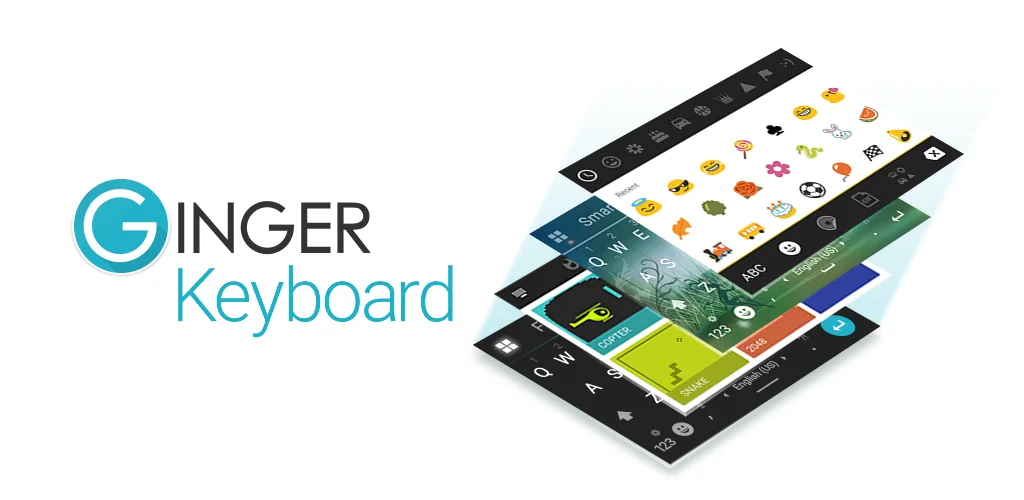
Beyond the smart corrections, the experience felt surprisingly fluid. Swipe typing is incredibly responsive, letting me glide across keys to form words quickly. I also appreciated the clever emoji prediction; it often suggested exactly the right emoji based on my text. Need to spice up a message? The advanced sentence rephrasing tool offers fresh ways to articulate your thoughts. And for those moments of waiting, the quick in-keyboard games are a delightful, unexpected bonus!
Here’s what you get:
- Grammar & Spell Check: Scans your whole sentence for mistakes. You get a taste with 8 free corrections, then an upgrade unlocks unlimited power.
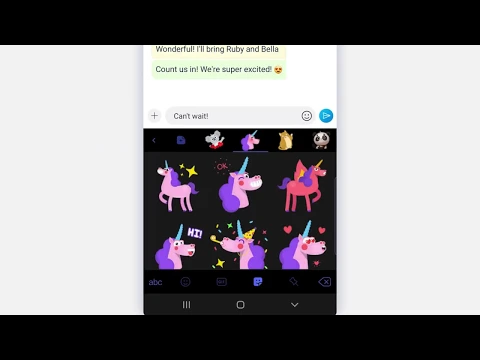
- Emoji, GIFs & Stickers: Express yourself with a huge library of visuals.
- Swipe Typing: Write faster by sliding your finger from letter to letter.
- In-Keyboard Games: Play quick distractions like Snake or 2048 without leaving your chat.
- Sentence Rephrasing: Discover alternative ways to phrase your text.
If you’re tired of awkward typos and want a keyboard that truly understands language, Ginger Keyboard - Emoji, GIFs is a smart choice. It makes mobile writing less stressful and more polished.




Hãy chia sẻ kinh nghiệm của bạn với những người dùng khác.