什么是 MLUSB Mounter?
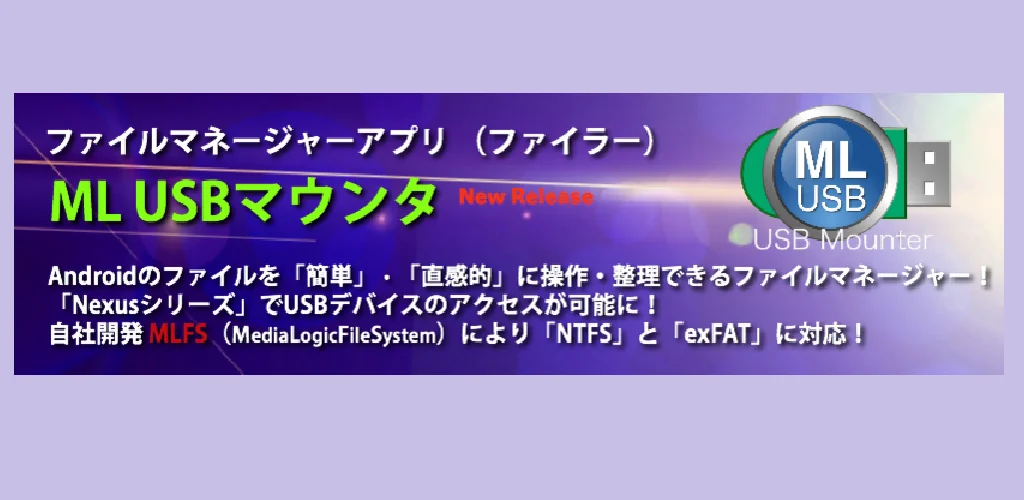
MLUSB Mounter - File Manager APK offers a specialized file management solution for Android devices, focusing heavily on external USB storage. This utility allows users to interface with files across internal storage, SD cards, and a wide array of USB devices connected via OTG. Its primary appeal lies in extending Android’s native file system support.
What is MLUSB Mounter - File Manager?
MLUSB Mounter - File Manager functions as a robust file manager, enabling users to browse and manipulate files located on their Android terminal and various USB peripherals. Connect a flash drive, an external hard disk, or a card reader using a USB OTG cable, and the app provides direct access. Users can execute common file tasks like copying, moving, deleting, and renaming files. It also facilitates backing up terminal files to USB devices or transferring content from USB storage onto the device. The interface often presents independent dual file lists, streamlining operations between different storage locations.
Key Features:
- MLFS Technology: This proprietary system allows MLUSB Mounter - File Manager to mount and access USB devices formatted with file systems typically unsupported by standard Android, including NTFS, exFAT, UDF, and ISO9660.
- NTFS Write Capability: While NTFS read is standard, a paid extension enables writing files to NTFS-formatted USB drives directly from your Android device.
- BD/DVD Media Access: With a specific extension, users can connect USB BD/DVD drives and access media content, including referring to BD/DVDs as ISO image files or importing them.
- Comprehensive Disk Utility: A separate extension provides PC-like disk management tools, allowing users to format USB devices (FAT32, FAT16, exFAT), securely erase data, and inspect disk health.
- WebDAV Client & Server: The app includes both client and server functions for WebDAV, facilitating access to WebDAV devices or servers, and allowing users to share folders from their terminal or USB device as a WebDAV server.
- ML MediaPlayer Integration: A free companion app, ML MediaPlayer, offers dedicated movie playback for content accessed through MLUSB Mounter - File Manager, ensuring compatibility.
Advanced USB Device Management
The true power of MLUSB Mounter - File Manager emerges in its advanced handling of USB devices. The underlying MLFS technology is a game-changer for anyone dealing with diverse storage formats. Imagine needing to pull data from an NTFS drive on the go. Standard Android often falls short, offering only read access, if any. MLUSB Mounter - File Manager bridges that gap, providing full read/write capabilities with the appropriate extension. Beyond common drives, it extends to optical media. You can connect a USB BD/DVD drive, access UDF or ISO9660 formatted discs, and even play DVD-Video content by opening ISO files with compatible media players like Kodi. Honestly, this level of hardware interaction from a mobile app is rare. Furthermore, the MLUSB Disk Utility suite transforms your Android device into a portable disk management station. Format drives, perform secure data wipes, or run diagnostic checks—all without needing a computer. For video creators, the MLUSB Blu-ray Authoring extension even allows authoring MP4 videos into BDMV format and writing them to BD-R/RE media via a connected Blu-ray drive.
MLUSB Mounter - File Manager vs similar file managers
Most general-purpose Android file managers, such as Solid Explorer or FX File Explorer, excel in user interface design, cloud storage integration, and network protocols like SMB or FTP. They offer a smooth experience for everyday file tasks and accessing common network shares. However, they typically rely on Android’s native kernel for USB OTG support, which often limits them to FAT32 or exFAT (with varying degrees of reliability) and rarely includes NTFS write capabilities or optical media access. MLUSB Mounter - File Manager carves a distinct niche by prioritizing deep interaction with USB hardware and specialized file systems. If your primary need is robust, PC-like management of diverse USB storage, including NTFS write, BD/DVD access, or disk utilities, MLUSB Mounter - File Manager is the clear choice. For general cloud syncing and a polished UI, alternatives might feel more intuitive.
This app is ideal for power users, IT professionals, or anyone frequently interacting with a wide range of external USB storage devices and file systems on their Android device. The base application offers core file management, but many of its most compelling, differentiating features, like NTFS write or BD/DVD support, require purchasing additional extensions.



与其他用户分享您的体验。