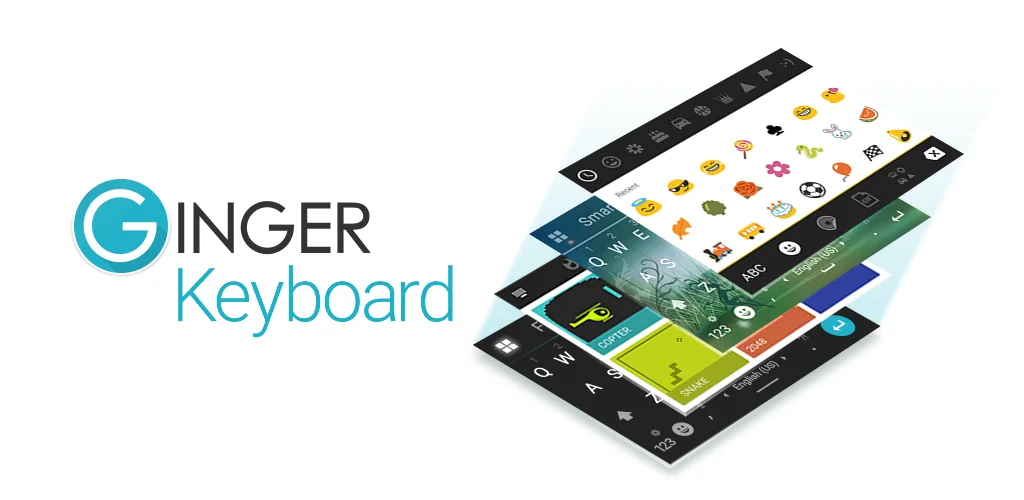

Ginger Clavier Français, Emoji application cover art for Android
Ginger Clavier Français, Emoji Icône

Ginger Clavier Français, Emoji APK pour Android

10M+
Gratuit
21 avr. 2026

Télécharger Ginger Clavier Français, Emoji APK 9.9.1 62MB

Qu'est-ce que Ginger Clavier Français, Emoji ?

Typing on Android can be a minefield of embarrassing errors. We’ve all been there, hitting send too fast, only to spot a glaring typo or a grammar blunder a second too late. That familiar sinking feeling? Ginger Clavier Français, Emoji aims to banish it.

I stumbled upon Ginger Clavier Français, Emoji looking for a better way to communicate. What made me pause was its bold claim: not just fixing single words, but checking your entire sentence context for grammar and spelling. Most keyboards stop at the current word, leaving bigger mistakes untouched. This one dives deeper. I found the contextual proofreader genuinely helpful, catching errors I often miss. It’s like having a tiny editor living inside your keyboard.

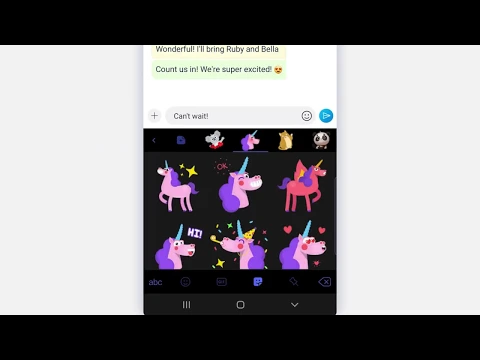
Beyond the smart corrections, the experience felt surprisingly fluid. Swipe typing is incredibly responsive, letting me glide across keys to form words quickly. I also appreciated the clever emoji prediction; it often suggested exactly the right emoji based on my text. Need to spice up a message? The advanced sentence rephrasing tool offers fresh ways to articulate your thoughts. And for those moments of waiting, the quick in-keyboard games are a delightful, unexpected bonus!

Here’s what you get:

  • Grammar & Spell Check: Scans your whole sentence for mistakes. You get a taste with 8 free corrections, then an upgrade unlocks unlimited power.
  • Emoji, GIFs & Stickers: Express yourself with a huge library of visuals.
  • Swipe Typing: Write faster by sliding your finger from letter to letter.
  • In-Keyboard Games: Play quick distractions like Snake or 2048 without leaving your chat.
  • Sentence Rephrasing: Discover alternative ways to phrase your text.

If you’re tired of awkward typos and want a keyboard that truly understands language, Ginger Clavier Français, Emoji is a smart choice. It makes mobile writing less stressful and more polished.
Également connu sous le nom de : Ginger Keyboard - Emoji, GIFs, Ginger Keyboard
Vidéo de Ginger Clavier Français, Emoji
Capture d'écran Ginger Clavier Français, Emoji 1
Capture d'écran Ginger Clavier Français, Emoji 2
Capture d'écran Ginger Clavier Français, Emoji 3
Capture d'écran Ginger Clavier Français, Emoji 4
Capture d'écran Ginger Clavier Français, Emoji 5
Capture d'écran Ginger Clavier Français, Emoji 6
Capture d'écran Ginger Clavier Français, Emoji 7
Capture d'écran Ginger Clavier Français, Emoji 8

Ginger Clavier Français, Emoji Télécharger l'APK

Nouveautés de la version 9.9.1

Improvement in correction quality : more detection
AI-based synonyms dictionary integrated
Extended dictionary to cover modern words

Fichiers disponibles

  • 9.9.1 (dernière) 62MB Android 6.0+ arm64-v8aarmeabiarmeabi-v7amipsx86x86_64 Télécharger

Configuration requise

Version OS
Android 6.0 (Marshmallow) ou plus
Architecture
Varie selon le fichier (Lequel me faut-il ?)
Espace disque
~100 MB espace libre requis
RAM
1 GB
Internet
Pas nécessaire
Autorisations (26)
  • Internet
  • État du réseau
  • Lire stockage externe
  • Écrire stockage externe
  • Lire Contacts

Détails du fichier APK

Package ID com.gingersoftware.android.keyboard
Disponible sur Google Play
Développeur GingerSoftware Inc.
Licence Gratuit
Monétisation Contient des publicités   Achats In-App
Classification du contenu Everyone
Langue de l'interface
Français +78

Français, Allemand, Chinois, Arabe, Tchèque, Espagnol, Italien, Russe, Anglais, Portugais, Thai, Polonais, Vietnamien, Roumain, Turc, Japonais, Bulgare, Hindi, Ukrainien, Coréen, Hongrois, Indonésien, + 57 localizations

Résultats de la vérification de l'APK et de l'analyse des virus

Pas de virus Signature vérifiée Sûr et original

Analyse de virus : Propre (0/58) Voir le rapport. Cet APK est exempt de logiciels malveillants et sa signature correspond à la version officielle du développeur.

Afficher les détails du fichier (SHA-256, SHA-1, MD5)

Signature SHA-1:

be1b30b0c7c14839e81360ba9c328f44f67db511

Hash SHA-256:

4b2a499e5396ac406146881e1c41951ad05375111fc5f92f5ce58c0dff820a57

Somme de contrôle MD5:

1cbcfc409903bfe672c14fd15acc85cc

Questions fréquemment posées

Le téléchargement de Ginger Clavier Français, Emoji est-il sûr ?

Oui, Ginger Clavier Français, Emoji peut être téléchargé en toute sécurité. L'APK est analysé à chaque mise à jour - aucun malware ou virus n'a été détecté. Vous pouvez consulter le rapport d'analyse complet dans la section Sécurité ci-dessus.

Comment installer Ginger Clavier Français, Emoji APK sur Android ?

Téléchargez l'APK en utilisant le bouton ci-dessus. Ouvrez ensuite le fichier et appuyez sur Installer. Si vous y êtes invité, activez l'option "Installer à partir de sources inconnues" dans Paramètres → Sécurité. La procédure prend moins d'une minute. En savoir plus

Quelle est la version d'Android requise par Ginger Clavier Français, Emoji ?

Ginger Clavier Français, Emoji nécessite Android 6.0 (API 23) ou plus. Optimisé pour Android 16 (API 36).

Est-ce que Ginger Clavier Français, Emoji est gratuit ?

Oui, il est gratuit à télécharger et à utiliser, mais il contient des publicités et propose des achats in-app.

Comment mettre à jour Ginger Clavier Français, Emoji vers la dernière version ?

Téléchargez la dernière version de l'APK depuis cette page et installez-la sur votre version existante - pas besoin de la désinstaller d'abord. Vos données et paramètres seront conservés. Nous mettons à jour le fichier dès qu'une nouvelle version est publiée.

Quelle architecture de processeur est prise en charge par Ginger Clavier Français, Emoji ?

Ginger Clavier Français, Emoji prend en charge arm64-v8a, armeabi, armeabi-v7a, mips, x86, x86_64. Si vous n'êtes pas sûr de l'architecture de votre appareil, consultez la section Informations sur l'appareil sur cette page.

Comment activer l'installation à partir de sources inconnues sur Android ?

Go to Settings → Security (or Settings → Apps → Special access on Android 8+) and enable "Install unknown apps" for your browser or file manager. On Android 8 and above this setting is per-app, not global. En savoir plus

Si vous avez trouvé un problème ou si vous rencontrez des difficultés avec cette page, veuillez indiquer .

Critiques et évaluations des utilisateurs

Note globale(Play Store): 3.84(183.5K)
Évaluation du site: 5(1)
Évaluez cette application

5,00

12345

1

Partagez votre expérience avec d'autres utilisateurs.