POCO Launcher 2.0 - Customize, εφαρμογή cover art for Android
POCO Launcher 2.0 - Customize, Εικονίδιο

POCO Launcher 2.0 - Customize, APK for Android

Xiaomi Inc. Original
415M+
Ελεύθερος
17 Μαΐ 2026

Κατεβάστε POCO Launcher 2.0 - Customize, APK RELEASE-6.01.03.1917-12151947 23MB Παλιές εκδόσεις

Τι είναι το POCO Launcher 2.0;

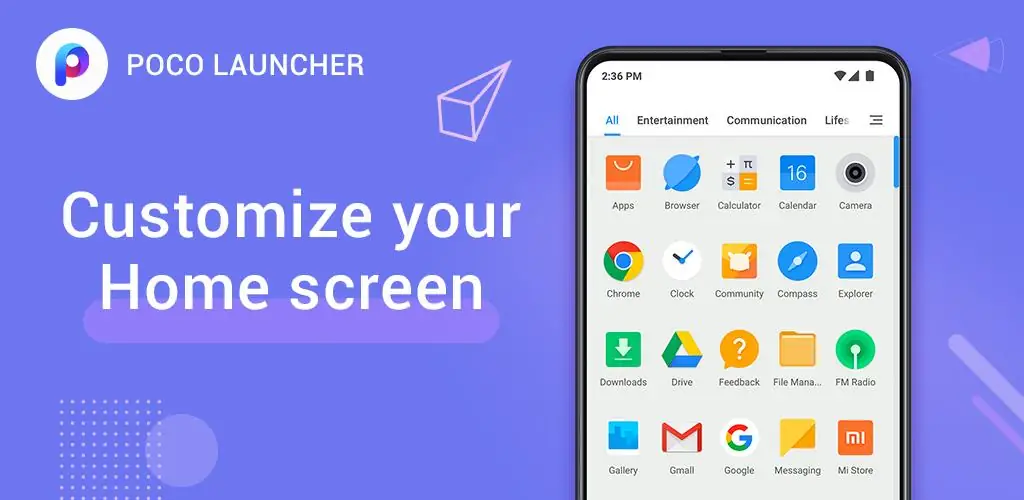
Tired of the same old look on your Android phone? Does your home screen feel cluttered and overwhelming? What if you could give your phone a complete makeover, making it faster, more organized, and totally you? With POCO Launcher 2.0 - Customize,, you absolutely can! This isn’t just another launcher; it’s a complete transformation for your Android experience.

POCO Launcher 2.0 - Customize, is a super-fast, lightweight launcher that’s been turning heads since its release, even earning a spot as one of the best Android apps of 2018 by Android Authority. It’s designed to make your phone feel brand new, with a focus on speed, simplicity, and personalization. Think of it like giving your phone a fresh coat of paint, a new engine, and a custom interior, all in one go!

So, what makes POCO Launcher 2.0 - Customize, so special? Let’s dive in:

  • Clean and Minimalist: Say goodbye to a cluttered home screen! POCO Launcher 2.0 - Customize, embraces a minimalist design, keeping things tidy and easy to navigate. All your apps are neatly tucked away in the app drawer, so you only see what you want to see.
  • Personalization Powerhouse: Want to make your phone truly yours? POCO Launcher 2.0 - Customize, lets you customize everything! Resize your home screen layout and app icons, apply stunning wallpapers and themes, and even use third-party icon packs. It’s like having a personal stylist for your phone!
  • Super-Fast Search: Finding apps is a breeze with POCO Launcher 2.0 - Customize,‘s smart search feature. It offers app suggestions, categorizes icons by color, and much more, so you can find what you need in a flash.
  • Smart App Management: Keep your apps organized with automatic categorization or create custom groups. This means you can easily find your favorite apps and games.
  • Privacy First: Keep your sensitive apps hidden from prying eyes.
  • Speed Demon: POCO Launcher 2.0 - Customize, is built for speed. It’s optimized to run fast and smooth, so you won’t have to deal with lag or slow animations.

And the best part? POCO Launcher 2.0 - Customize, is constantly evolving. Recent updates include a dark mode, the ability to customize notification badges, double-tap to lock your device, improved search results, the option to lock home screen icons, and full compatibility with the latest Android versions.

Ready to experience a phone that’s faster, more beautiful, and perfectly tailored to you?

Download POCO Launcher 2.0 - Customize, today and see the difference!
Also known as: POCO Launcher 2.0 - Customize, POCO Launcher
Βίντεο του POCO Launcher 2.0 - Customize,
Στιγμιότυπο POCO Launcher 2.0 - Customize, 1
Στιγμιότυπο POCO Launcher 2.0 - Customize, 2
Στιγμιότυπο POCO Launcher 2.0 - Customize, 3
Στιγμιότυπο POCO Launcher 2.0 - Customize, 4
Στιγμιότυπο POCO Launcher 2.0 - Customize, 5
Στιγμιότυπο POCO Launcher 2.0 - Customize, 6
Στιγμιότυπο POCO Launcher 2.0 - Customize, 7
Στιγμιότυπο POCO Launcher 2.0 - Customize, 8

POCO Launcher 2.0 - Customize, Download APK

What's New in Version RELEASE-6.01.03.1917-12151947

No official changelog provided for POCO Launcher 2.0 - Customize, version RELEASE-6.01.03.1917-12151947. This update likely includes general stability improvements and bug fixes.

Άλλες εκδόσεις

Απαιτήσεις συστήματος

OS Version
Android 14 (Upside Down Cake) ή υψηλότερο
Architecture
Varies by file (Which one do I need?)
Disk Space
~40 MB free space required
RAM
1 GB
Internet
Not required
Δικαιώματα (128)
  • Internet
  • Camera
  • Access Network State
  • Read External Storage
  • Write External Storage

APK File Details

Package ID com.mi.android.globallauncher
Διαθέσιμο σε Google Play
Προγραμματιστής Xiaomi Inc.
Άδεια Ελεύθερος
Monetization Contains Ads  
Βαθμολόγηση περιεχομένου Everyone
Interface Language
Ελληνικά +79

Ελληνικά, Ιαπωνικά, Γερμανικά, Βουλγαρικά, Ταϊλανδέζικα, Χίντι, Βιετναμέζικα, Ουκρανικά, Πολωνικά, Κοεράτικα, Ρουμανικά, Αραβικά, Γαλλικά, Τουρκικά, Τσέχικα, Ισπανικά, Ιταλικά, Ουγγρικά, Ρωσικά, Αγγλικά, Κινέζικα, Πορτογαλικά, + 58 localizations

APK Verification & Virus Scan Results

No Virus Signature Verified Safe & Original

Virus scan: Clean (0/62) View report. This APK is free of malware and its signature matches the official developer release.

Show File Details (SHA-256, SHA-1, MD5)

SHA-1 Signature:

7b6dc7079c34739ce81159719fb5eb61d2a03225

SHA-256 Hash:

f023f810a31fef5b12c4f98169cb130d25f3aa5ca6c470f73012702d012e69ee

MD5 Checksum:

ce9c29026205a60eb5cb64b190ab40e6

Frequently Asked Questions

Is POCO Launcher 2.0 safe to download?

Yes, POCO Launcher 2.0 is safe to download. The APK is scanned on every update — no malware or viruses detected. You can verify the full scan report in the Security section above.

How to install POCO Launcher 2.0 APK on Android?

Download the APK using the button above. Then open the file and tap Install. If prompted, enable "Install from unknown sources" in Settings → Security. The process takes under a minute. Read more

What Android version does POCO Launcher 2.0 require?

POCO Launcher 2.0 requires Android 14 (API 34) or higher. Optimized for Android 15 (API 35).

Is POCO Launcher 2.0 free?

Yes, it is free to use, but it is ad-supported.

How to update POCO Launcher 2.0 to the latest version?

Download the latest APK from this page and install it over your existing version — no need to uninstall first. Your data and settings will be preserved. We update the file as soon as a new version is released.

What processor architecture does POCO Launcher 2.0 support?

POCO Launcher 2.0 supports arm64-v8a. This build does not support x86/x86_64 processors, so it will not run on most PC emulators. If you are unsure about your device architecture, check the Device Info section on this page.

How to enable installation from unknown sources on Android?

Go to Settings → Security (or Settings → Apps → Special access on Android 8+) and enable "Install unknown apps" for your browser or file manager. On Android 8 and above this setting is per-app, not global. Read more

Εάν έχετε διαπιστώσει κάποιο πρόβλημα ή αντιμετωπίζετε δυσκολίες με αυτή τη σελίδα, παρακαλούμε .

Κριτικές και αξιολογήσεις χρηστών

Παγκόσμια βαθμολογία(Play Store): 4.44(696.4K)
Site Rating: 5(1)
Βαθμολόγησε αυτήν την εφαρμογή

5,00

12345

1

Share your experience with other users.