Τι είναι το Smallpdf: Scanner & PDF Editor;
Smallpdf: Scanner & PDF Editor redefines document management by consolidating every PDF task into a single, intuitive application. I was immediately struck by its clean interface; navigating between functions felt natural, not cluttered. No more hopping between different tools just to convert a file or add a quick signature. This app truly aims to be your sole destination for all things PDF.
What surprised me most was the sheer breadth of its capabilities without sacrificing ease of use. Need to convert a PDF to Word or Excel? Done. Want to shrink a massive presentation for email? The compression tool handles it without noticeable quality loss. Unlike generic PDF viewers that only let you read, Smallpdf: Scanner & PDF Editor lets you edit text, images, and even rearrange pages directly. It even integrates cloud services like Google Drive, making file access seamless. Ever struggled with paper forms? The built-in scanner and OCR feature turn physical documents into editable text, saving precious time.
Signing documents digitally used to be a hassle. With Smallpdf: Scanner & PDF Editor, adding an e-signature is straightforward, and you can even request signatures from others, tracking their progress. How often do you find yourself needing to combine several reports or split a huge textbook chapter? The merge and split functions are incredibly useful for organizing large files. This app isn’t just about features; it’s about solving real-world document headaches for students, parents, or anyone managing paperwork.
Core PDF Tools
- Convert PDFs: Transform files to and from Word, Excel, PPT, JPG, PNG.
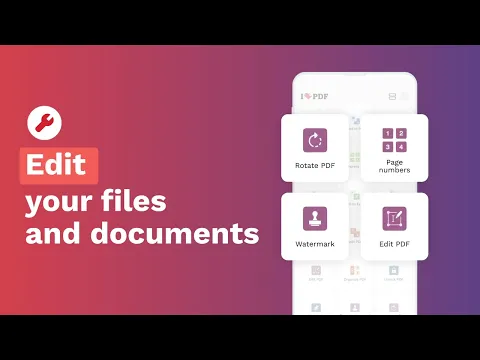
- Edit & Annotate: Modify text, images, links; add highlights and comments.
- Compress PDFs: Reduce file size for sharing, optimizing storage.
Advanced Document Handling
- Sign PDFs: Add secure e-signatures and track requests.
- Scan & OCR: Digitize physical documents, convert scans to editable text.
If you’re tired of fragmented PDF solutions, Smallpdf: Scanner & PDF Editor offers a comprehensive, reliable answer. Simplify your entire document workflow today.




Share your experience with other users.