ADV Screen Recorder εφαρμογή cover art for Android
ADV Screen Recorder Εικονίδιο

ADV Screen Recorder APK for Android

ByteRevApps Original
25M+
Ελεύθερος
25 Φεβ 2026

Κατεβάστε ADV Screen Recorder APK 4.20.8 12MB

Τι είναι το ADV Screen Recorder;

That moment you need to show someone exactly what’s happening on your phone screen, but a static screenshot just won’t cut it? We’ve all been there, fumbling for a solution. I certainly have, which led me on a quest through countless apps promising to simplify Android screen recording.

I stumbled upon ADV Screen Recorder and, honestly, what first made me stop scrolling was its straightforward description: a fully featured screen recorder that didn’t demand root access. Curiosity piqued, I gave it a try. From the moment I launched it, the interface felt clean and intuitive, a refreshing change from the often-cluttered apps in this category. It quickly became clear that this wasn’t just another basic tool; it offered a surprisingly robust set of options for capturing your mobile activities.

What truly impressed me was the flexibility. You can choose between two recording engines, with the advanced one even letting you pause recording mid-session – a lifesaver when you need to gather your thoughts or switch apps without creating multiple clips. Unlike generic alternatives that often feel restrictive, ADV Screen Recorder lets you add a personal touch. Ever wanted to highlight something important as you record? You can draw directly on your screen in real-time. Need to add your face for a reaction video or tutorial? The front or back camera overlay is right there, alongside customizable text and banners. This makes it perfect for quick tutorials, gameplay sharing, or even just reporting a bug to tech support.

Key Features

  • Pause Recording: Why you’ll care: Stop and resume your video without creating separate clips, making editing much simpler.
  • Draw on the Fly: Why you’ll care: Highlight key areas or annotate your screen in real-time, perfect for clear explanations.
  • Camera Overlay: Why you’ll care: Integrate your face or surroundings into the recording using your device’s front or back camera.
  • Video Trimming: Why you’ll care: Quickly cut out unwanted parts of your recording directly within the app, saving time.

If you’re searching for a reliable, feature-rich screen recorder that won’t complicate your life, ADV Screen Recorder is definitely worth exploring. It delivers on its promise of unrestricted, high-quality video capture for your Android device.
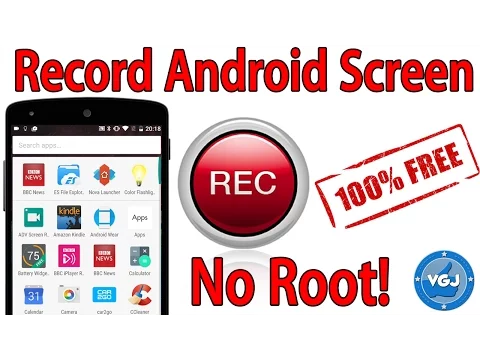
Βίντεο του ADV Screen Recorder
Στιγμιότυπο ADV Screen Recorder 1
Στιγμιότυπο ADV Screen Recorder 2
Στιγμιότυπο ADV Screen Recorder 3
Στιγμιότυπο ADV Screen Recorder 4
Στιγμιότυπο ADV Screen Recorder 5
Στιγμιότυπο ADV Screen Recorder 6
Στιγμιότυπο ADV Screen Recorder 7
Στιγμιότυπο ADV Screen Recorder 8

ADV Screen Recorder Download APK

What's New in Version 4.20.8

Fix bugs
Adjust App layout to support Android 15 Edge to Edge
Redo the Floating Button to improve user experience and fix bugs
Redo Floating Camera View
Redo Settings Screen
Add Option to Start/Exit Recording Service from Notification Tray

Available Files

Απαιτήσεις συστήματος

OS Version
Android 5.0 (Lollipop) ή υψηλότερο
Architecture
Varies by file (Which one do I need?)
Disk Space
~20 MB free space required
RAM
1 GB
Internet
Not required
Δικαιώματα (24)
  • Internet
  • Record Audio
  • Camera
  • Access Network State
  • Write External Storage

APK File Details

Package ID com.blogspot.byterevapps.lollipopscreenrecorder
Διαθέσιμο σε Google Play
Προγραμματιστής ByteRevApps
Άδεια Ελεύθερος
Monetization Contains Ads   In-App Purchases
Βαθμολόγηση περιεχομένου Teen (Sexual Themes)
Interface Language
Ελληνικά +74

Ελληνικά, Ιαπωνικά, Γερμανικά, Βουλγαρικά, Ταϊλανδέζικα, Χίντι, Βιετναμέζικα, Ουκρανικά, Πολωνικά, Κοεράτικα, Ρουμανικά, Αραβικά, Γαλλικά, Τουρκικά, Τσέχικα, Ισπανικά, Ιταλικά, Πορτογαλικά, Ουγγρικά, Ρωσικά, Αγγλικά, Κινέζικα, + 53 localizations

APK Verification & Virus Scan Results

No Virus Signature Verified Safe & Original

Virus scan: Clean (0/67) View report. This APK is free of malware and its signature matches the official developer release.

Show File Details (SHA-256, SHA-1, MD5)

SHA-1 Signature:

3f55769ecb58bb74f8826d32fb811ef211fe3bc5

SHA-256 Hash:

b0fd12c63b24d2767096b139fb043ec73a851e861d6d5154cdbe7f3bcadd7889

MD5 Checksum:

d411ee4008b78c1f86ea63edc78907f2

Frequently Asked Questions

Is ADV Screen Recorder safe to download?

Yes, ADV Screen Recorder is safe to download. The APK is scanned on every update — no malware or viruses detected. You can verify the full scan report in the Security section above.

How to install ADV Screen Recorder APK on Android?

Download the APK using the button above. Then open the file and tap Install. If prompted, enable "Install from unknown sources" in Settings → Security. The process takes under a minute. Read more

What Android version does ADV Screen Recorder require?

ADV Screen Recorder requires Android 5.0 (API 21) or higher. Optimized for Android 15 (API 35).

Is ADV Screen Recorder free?

Yes, it is free to download and use, but it contains ads and offers in-app purchases.

How to update ADV Screen Recorder to the latest version?

Download the latest APK from this page and install it over your existing version — no need to uninstall first. Your data and settings will be preserved. We update the file as soon as a new version is released.

Does ADV Screen Recorder require Root access?

No root is required for basic use. ADV Screen Recorder works on standard Android for CPU info, RAM, battery, sensors, and network stats. Root unlocks a small set of advanced system parameters that Android restricts by default.

What processor architecture does ADV Screen Recorder support?

ADV Screen Recorder supports arm64-v8a, armeabi-v7a, x86, x86_64. If you are unsure about your device architecture, check the Device Info section on this page.

Εάν έχετε διαπιστώσει κάποιο πρόβλημα ή αντιμετωπίζετε δυσκολίες με αυτή τη σελίδα, παρακαλούμε .

Κριτικές και αξιολογήσεις χρηστών

Παγκόσμια βαθμολογία(Play Store): 4.3(281K)
Site Rating: 5(1)
Βαθμολόγησε αυτήν την εφαρμογή

5,00

12345

1

Share your experience with other users.