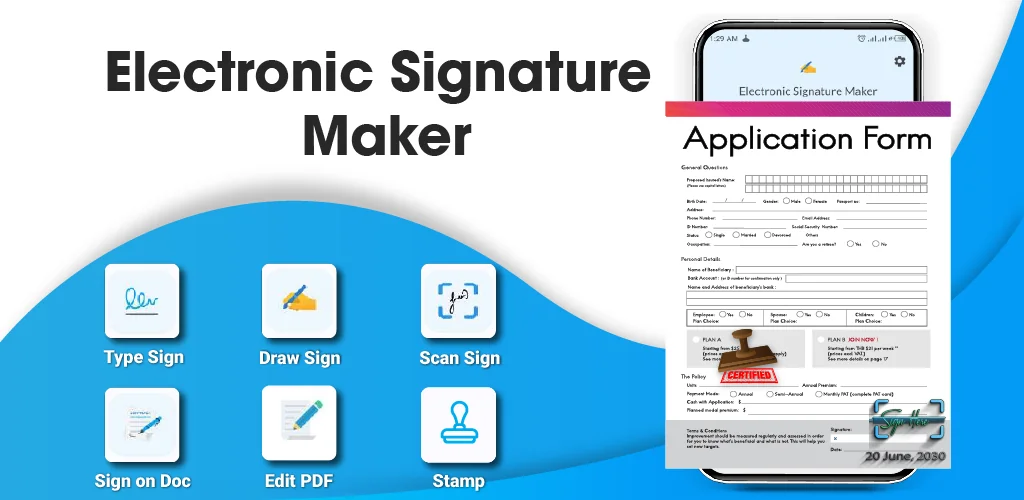

Elektronische Handtekening Mak app cover art for Android
Elektronische Handtekening Mak Icon

Elektronische Handtekening Mak APK for Android

4M+
Gratis
3 okt 2025

Download Elektronische Handtekening Mak APK 34.8 57MB

What is Elektronische Handtekening Mak?

What if you could sign important files like contracts, forms, or invoices right from your Android phone or tablet? That’s exactly where Elektronische Handtekening Mak comes in, turning your device into a powerful and pocket-friendly signing tool.

This app is designed to be incredibly straightforward. You don’t need to be a tech wizard to use it. It focuses on one job—getting your signature on digital documents—and does it perfectly. Whether you prefer to type your name and choose a stylish font or draw your unique signature with your finger or a stylus, the choice is yours. The process is quick, simple, and gets your documents on their way in seconds.

Here’s what makes Elektronische Handtekening Mak a must-have tool:

  • Two Ways to Create: Type your name for an instant, clean signature, or draw one for a personal touch.
  • Sign Any Document: Works seamlessly with the files you use most, including PDFs, Word documents, Excel sheets, and even images (like JPEGs and PNGs).
  • Customize Your Look: Personalize your signature by adjusting colors, pen thickness, and fonts to make it truly yours.
  • Incredibly Easy to Use: The interface is clean and simple, guiding you through the process without any confusion.

Forget about wasting paper or rushing to find a scanner. It’s time to handle your paperwork the smart way. Download Elektronische Handtekening Mak and experience the freedom of signing documents whenever and wherever you need to!
Also known as: Electronic Signature Maker
Video of Elektronische Handtekening Mak
Screenshot Elektronische Handtekening Mak 1
Screenshot Elektronische Handtekening Mak 2
Screenshot Elektronische Handtekening Mak 3
Screenshot Elektronische Handtekening Mak 4
Screenshot Elektronische Handtekening Mak 5
Screenshot Elektronische Handtekening Mak 6
Screenshot Elektronische Handtekening Mak 7
Screenshot Elektronische Handtekening Mak 8

Elektronische Handtekening Mak downloaden

What's New in Version 34.8

- 🤖 AI Document Assistant
- ✍️ AI Signature Generator
- 📷 AI Document Scanner
- 🔍 AI OCR
- 📇 AI Business Card Reader
- 🎨 AI Background Remover
- 🌐 AI Translation

Available Files

System Requirements

OS Version
Android 7.0 (Nougat) or higher
Architecture
Varies by file (Which one do I need?)
Disk Space
~70 MB free space required
RAM
1 GB
Internet
Not required
Google Services
Required   GMS dependent
machtigingen (28)
  • Requires Google Play Services to launch:
    Note: This is an original file. Unlike modded versions with no verification, it validates via your store account. Details
  • Internet
  • Record Audio
  • Camera
  • Access Network State
  • Read External Storage

APK File Details

Package ID com.cpctech.signaturemakerpro
Available on Google Play
Ontwikkelaar CpcTech Apps
License Gratis
Monetization Contains Ads   In-App Purchases
Content Rating Everyone

APK Verification & Virus Scan Results

Scan In Queue Signature Verified Safe & Original

Antivirus scan in queue, will be scanned soon. This APK is free of malware and its signature matches the official developer release.

Show File Details (SHA-256, SHA-1, MD5)

SHA-1 Signature:

a560a9d18f2400580016a80e65031ee9accc9942

SHA-256 Hash:

6055933c712e77df47b06fc073073e8e283d300eb39d8e6993967acd2263ac74

MD5 Checksum:

58b61029ba1717bdb08d26e4808e1d2e

Frequently Asked Questions

Is Elektronische Handtekening Mak safe to download?

Elektronische Handtekening Mak has passed a basic integrity check. A full antivirus scan is pending. You can check the current scan status in the Security section above.

How to install XAPK file?

XAPK is a split APK package. Standard Android installer cannot open it directly. Use 'SAI' or 'XAPK Installer' — they handle XAPK files automatically. Download the installer, open the XAPK file with it, and follow the on-screen steps. Read more

Why does installation fail on newer Android versions (14 - 16)?

Newer Android versions strictly block the installation of apps built for older Android versions (API < 23) for security reasons. Standard installation is not possible. Read our step-by-step guide on how to bypass this restriction using ADB or Shizuku.

What Android version does Elektronische Handtekening Mak require?

Elektronische Handtekening Mak requires Android 7.0 (API 24) or higher.

Is Elektronische Handtekening Mak free?

Yes, it is free to download and use, but it contains ads and offers in-app purchases.

Does Elektronische Handtekening Mak require a license check?

Yes, this app performs a license check. You may need to have the Google Play Store installed and be logged in to verify the license.

How to update Elektronische Handtekening Mak to the latest version?

Download the latest APK from this page and install it over your existing version — no need to uninstall first. Your data and settings will be preserved. We update the file as soon as a new version is released.

If you have found any issue or are having difficulty with this page, please .

User Reviews & Ratings

Wereldwijde beoordeling(Play Store): 4.53(104.2K)
Site Rating: 5(1)
Beoordeel deze app

5,00

12345

1

Share your experience with other users.