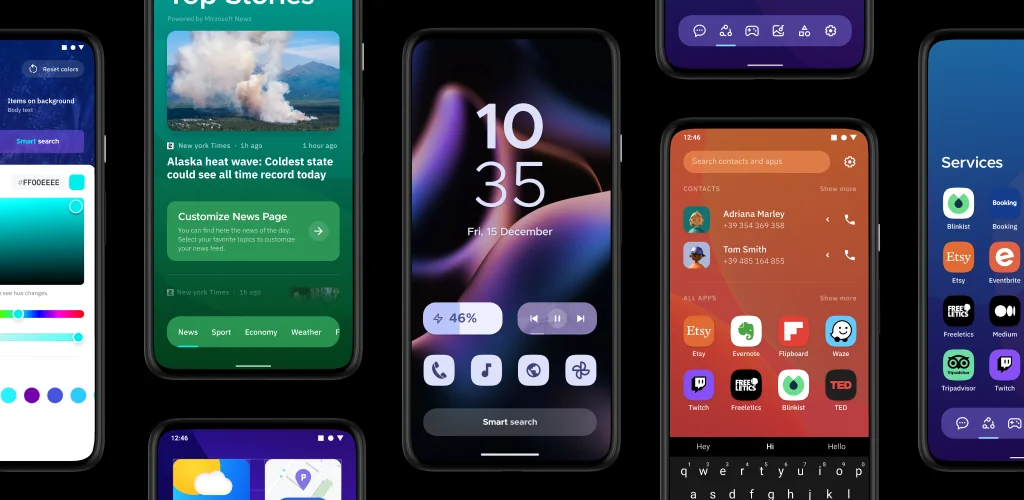

Smart Launcher 6 app cover art for Android
Smart Launcher 6 Icon

Smart Launcher 6 APK for Android

53M+
Gratis
26 feb 2025

Launcher voor kenners van eenvoud en betrouwbaarheid

Download Smart Launcher 6 APK 6.5 build 009 29MB Old versions

What is Smart Launcher 6?

Smart Launcher 5 – dit Android-opstartprogramma verschilt opvallend van vergelijkbare grafische tools, in de eerste plaats door de eenvoud van visuele perceptie en toewijding aan beknoptheid. Na installatie hoeft de gebruiker de shell lange tijd en nauwgezet niet zelf te configureren, hij is direct klaar voor gebruik en aanpassingen kunnen tijdens het werk met één aanraking worden gemaakt. En deze launcher is helemaal niet veeleisend voor de middelen van een mobiel apparaat en is volledig vrij van remmen.

De Smart Launcher 5 -interface bestaat uit drie sectoren, de eerste is het hoofdscherm, dat de huidige datum en tijd weergeeft, evenals verschillende knoppen voor snelle toegang tot belangrijke opties. Elk van de knoppen kan door de gebruiker opnieuw worden geconfigureerd om een ​​specifiek programma of een hele categorie hulpprogramma’s op te roepen. Een groot pluspunt van het programma is het gebruik van adaptieve pictogrammen met de mogelijkheid om niet alleen hun grootte, maar ook hun vorm te veranderen, ze bijvoorbeeld rond, vierkant, in de vorm van een blad, tandwiel, enzovoort te maken. En het opstartprogramma kan de kleur van het thema wijzigen, afhankelijk van het palet met achtergronden dat op het bureaublad is geïnstalleerd – alles ziet er harmonieus en natuurlijk uit.

Een systeem van gebaren en sneltoetsen is geïmplementeerd in Smart Launcher 5, dus met behulp van tikken kunt u het scherm in- of uitschakelen en een specifieke actie toewijzen aan elke veegbeweging – er zijn een groot aantal instellingsopties, en elke gebruiker zal zeker een comfortabele voor zichzelf vinden. Als een smartphone of tablet door meerdere mensen wordt gebruikt, kunnen de geselecteerde programma’s desgewenst worden afgesloten met een pincode, waardoor toegang tot informatie zonder deze laatste te weten volledig wordt uitgesloten. Dit product ziet er misschien niet zo indrukwekkend uit als andere personalisatietools, maar het is intuïtief en aangenaam in gebruik, wat voor de meeste gebruikers van het grootste belang is.
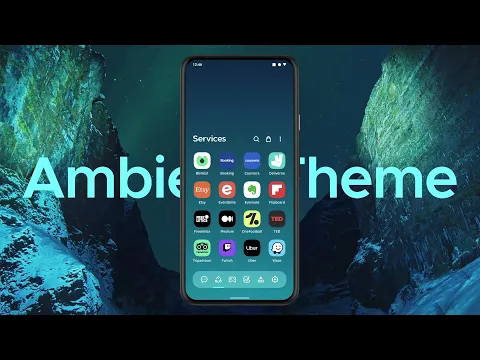
Video of Smart Launcher 6
Screenshot Smart Launcher 6 1
Screenshot Smart Launcher 6 2
Screenshot Smart Launcher 6 3
Screenshot Smart Launcher 6 4
Screenshot Smart Launcher 6 5
Screenshot Smart Launcher 6 6
Screenshot Smart Launcher 6 7

Smart Launcher 6 downloaden

What's New in Version 6.5 build 009

- New: Weather widgets now use color-coded icons to warn about high UV levels
- New: Customize each folder with its own color
- New: Added options in Security settings to disable analytics and crash reports
- New: Lifetime licenses can now be purchased even before your subscription ends
- Fix: Various bug fixes and improvements

Read more here: https://www.smartlauncher.net/blog/smart-launcher-6-6-build-011-clearer-weather-more-personal-folders

Other versions

System Requirements

OS Version
Android 7.0 (Nougat) or higher
Architecture
Varies by file (Which one do I need?)
Disk Space
~40 MB free space required
RAM
1 GB
Internet
Not required
Google Services
Required
machtigingen (35)
  • Internet
  • Access Network State
  • Read External Storage
  • Write External Storage
  • Read Contacts

APK File Details

Package ID ginlemon.flowerfree
Available on Google Play
Ontwikkelaar Smart Launcher Team
License Gratis ( No Ads)
Monetization In-App Purchases
Content Rating Everyone

APK Verification & Virus Scan Results

No Virus Signature Verified Safe & Original

Virus scan: Clean (0/63) View report. This APK is free of malware and its signature matches the official developer release.

Show File Details (SHA-256, SHA-1, MD5)

SHA-1 Signature:

dfaab993de750d7b5430bbd4217472311d94f9d0

SHA-256 Hash:

a5c22576a18bec9b2216551eccb081dd36fc58cdc7d4fcd84b87ae4cad9494eb

MD5 Checksum:

adb38ce9bcc66aeaa54653f9e9eda300

Frequently Asked Questions

Is Smart Launcher 6 safe to download?

Yes, Smart Launcher 6 is safe to download. The APK is scanned on every update — no malware or viruses detected. You can verify the full scan report in the Security section above.

How to install XAPK file?

XAPK is a split APK package. Standard Android installer cannot open it directly. Use 'SAI' or 'XAPK Installer' — they handle XAPK files automatically. Download the installer, open the XAPK file with it, and follow the on-screen steps. Read more

What Android version does Smart Launcher 6 require?

Smart Launcher 6 requires Android 7.0 (API 24) or higher. Optimized for Android 15 (API 35).

Is Smart Launcher 6 free?

Yes, the app is free to download, but it contains in-app purchases for additional content.

How to update Smart Launcher 6 to the latest version?

Download the latest APK from this page and install it over your existing version — no need to uninstall first. Your data and settings will be preserved. We update the file as soon as a new version is released.

Does Smart Launcher 6 require Root access?

No root is required for basic use. Smart Launcher 6 works on standard Android for CPU info, RAM, battery, sensors, and network stats. Root unlocks a small set of advanced system parameters that Android restricts by default.

What processor architecture does Smart Launcher 6 support?

Smart Launcher 6 supports arm64-v8a. This build does not support x86/x86_64 processors, so it will not run on most PC emulators. If you are unsure about your device architecture, check the Device Info section on this page.

If you have found any issue or are having difficulty with this page, please .

User Reviews & Ratings

Wereldwijde beoordeling(Play Store): 3.85(602.6K)
Site Rating: 5(1)
Beoordeel deze app

5,00

12345

1

Share your experience with other users.