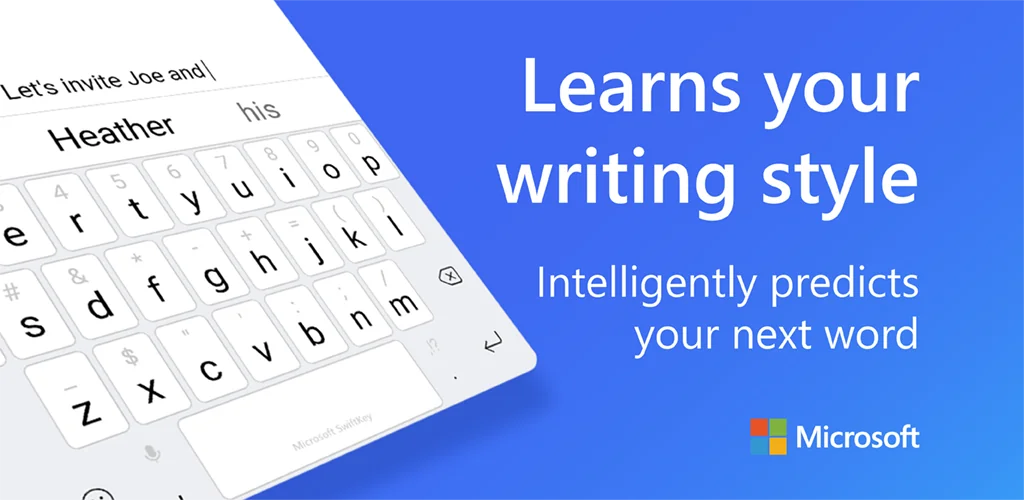
Microsoft SwiftKey AI Keyboard app cover art for Android
Microsoft SwiftKey AI Keyboard Icon

Microsoft SwiftKey AI Keyboard APK for Android

SwiftKey Original
1B+
Gratis
15 dec 2025

Slim en intelligent typen via het toetsenbord dat van u leert.

Download Microsoft SwiftKey AI Keyboard APK 9.12.19.14 179MB Old versions

What is Microsoft SwiftKey AI Keyboard?

Swift Key Keyboard + Emojl – dit hulpprogramma werkt het schermtoetsenbord van uw smartapparaat bij om typen gemakkelijker, gemakkelijker en sneller te maken.

Swift Key Keyboard + Emojl – functies:

  1. Voorspellende tekstinvoer;
  2. Automatische correctie van symbolen, letters en woorden;
  3. Slimme voorspelling van het volgende woord in 60 talen;
  4. Programma stelt uw eigen woordenboekbibliotheek samen, die samen met uw woordenboek voortdurend wordt bijgewerkt;
  5. Voorspelling van veelgebruikte zinnen en uitdrukkingen in een beperkt toepassingsgebied – politiek, economie, geneeskunde, cultuur en sport;
  6. Intelligente correctie van grammaticale en spelfouten;
  7. Meer dan 800 emoticons (emoticons bestaande uit typografische tekens);
  8. Intelligente voorspelling van emoticons afhankelijk van de context;
  9. Activering met één druk op de knop van functies en instellingen.

Sneltoetstoetsenbord + Emojl — instellingen:

  • 30 toetsenbordthema’s om uit te kiezen;
  • Toetsenbordindeling voor alle schermformaten en apparaten;
  • De woordvoorspellingsfunctie kan worden gekoppeld aan de woordenboekbibliotheek van Facebook, Twitter, Gmail, Evermote en anderen.

Swift Key Keyboard + Emojl – kenmerken:

  1. Sommige functies werken alleen op bepaalde versies van Android; emoticons worden bijvoorbeeld ondersteund op Android 4.1 en hoger (Jill Bean en KitKat);
  2. De app heeft toegang tot je sms-berichten nodig om je eigen woordenschatbibliotheek samen te stellen;
  3. De app ondersteunt geen autospace-invoer;
  4. Neem voor meer informatie contact op met de ondersteuning.

Swift Key Keyboard + Emojl – deze applicatie is ontworpen voor amateurs en professionals wiens werk gerelateerd is aan het invoeren en bewerken van een groot aantal teksten in veldomstandigheden – dit kunnen journalisten, copywriters zijn of gewoon verliefde mensen.

Also known as: Microsoft SwiftKey Keyboard, SwiftKey Keyboard
Screenshot Microsoft SwiftKey AI Keyboard 1
Screenshot Microsoft SwiftKey AI Keyboard 2
Screenshot Microsoft SwiftKey AI Keyboard 3
Screenshot Microsoft SwiftKey AI Keyboard 4
Screenshot Microsoft SwiftKey AI Keyboard 5
Screenshot Microsoft SwiftKey AI Keyboard 6
Screenshot Microsoft SwiftKey AI Keyboard 7
Screenshot Microsoft SwiftKey AI Keyboard 8

Microsoft SwiftKey AI Keyboard downloaden

What's New in Version 9.12.19.14

General improvements to ensure your Microsoft SwiftKey Keyboard runs smoothly.

Other versions

System Requirements

OS Version
Android 8.0 (OREO) or higher
Architecture
Varies by file (Which one do I need?)
Disk Space
~250 MB free space required
RAM
2 GB
Internet
Not required
Google Services
Required
machtigingen (23)
  • Internet
  • Record Audio
  • Camera
  • Access Network State
  • Read External Storage

APK File Details

Package ID com.touchtype.swiftkey
Available on Google Play
Ontwikkelaar SwiftKey
License Gratis
Monetization Contains Ads  
Content Rating Everyone
Interface Language
Nederlands +23

Nederlands, Arabisch, Portugees, Japans, Hongaars, Turks, Hindi, Duits, Chinees, Spaans, Pools, Thais, Frans, Italiaans, Oekraïens, Engels, Koreaans, Russisch, Vietnamees, + 5 localizations

APK Verification & Virus Scan Results

No Virus Signature Verified Safe & Original

Virus scan: Clean (0/61) View report. This APK is free of malware and its signature matches the official developer release.

Show File Details (SHA-256, SHA-1, MD5)

SHA-1 Signature:

d5748003cd4bf73c7a468eeb36caec84b7785c26

SHA-256 Hash:

c26569e816575760e666b038ba3ccf5d6f0cbf01acdbec19882fc8462b2518fc

MD5 Checksum:

dfec816b9c5dc4f3728c2851772ac5c0

Frequently Asked Questions

Is Microsoft SwiftKey AI Keyboard safe to download?

Yes, Microsoft SwiftKey AI Keyboard is safe to download. The APK is scanned on every update — no malware or viruses detected. You can verify the full scan report in the Security section above.

How to install XAPK file?

XAPK is a split APK package. Standard Android installer cannot open it directly. Use 'SAI' or 'XAPK Installer' — they handle XAPK files automatically. Download the installer, open the XAPK file with it, and follow the on-screen steps. Read more

What Android version does Microsoft SwiftKey AI Keyboard require?

Microsoft SwiftKey AI Keyboard requires Android 8.0 (API 26) or higher. Optimized for Android 15 (API 35).

Is Microsoft SwiftKey AI Keyboard free?

Yes, it is free to use, but it is ad-supported.

How to update Microsoft SwiftKey AI Keyboard to the latest version?

Download the latest APK from this page and install it over your existing version — no need to uninstall first. Your data and settings will be preserved. We update the file as soon as a new version is released.

Does Microsoft SwiftKey AI Keyboard require Root access?

No root is required for basic use. Microsoft SwiftKey AI Keyboard works on standard Android for CPU info, RAM, battery, sensors, and network stats. Root unlocks a small set of advanced system parameters that Android restricts by default.

What processor architecture does Microsoft SwiftKey AI Keyboard support?

Microsoft SwiftKey AI Keyboard supports x86_64, x86, arm64-v8a, armeabi-v7a. If you are unsure about your device architecture, check the Device Info section on this page.

If you have found any issue or are having difficulty with this page, please .

User Reviews & Ratings

Wereldwijde beoordeling(Play Store): 4.08(3.9M)
Site Rating: 3.9(10)
Beoordeel deze app

3,90

12345

10

Share your experience with other users.

ndons:
n???