Blinkist Icon

Blinkist APK for Android

- Big Ideas in 15 Min
21M+
Gratis
27 aug 2023

Lange boeken in een beknopte samenvatting met de nadruk op de hoofdgedachte

Download Blinkist APK 10.0.16 23MB

What is Blinkist?

Blinkist: Big Ideas in 15 Min – een bibliotheek met non-fictieliteratuur, waarmee de gebruiker een nieuwe portie kennis ontvangt over onderwerpen als management, financiële geletterdheid, psychologie, filosofie, onderwijs, toekomstige technologieën en het verhogen van de productiviteit. Er zijn in totaal achtentwintig thematische categorieën beschikbaar, zodat elke lezer materiaal zal vinden dat hem interesseert.

Het consumeren van een samenvatting van educatieve literatuur is mogelijk in de vorm van gewoon lezen of luisteren – kies een handig formaat en ontvang elke dag nieuwe informatie in een volume dat voor u comfortabel is. De applicatie wordt gedistribueerd volgens een shareware-model, met andere woorden, gratis toegang tot inhoud is alleen mogelijk gedurende een testperiode, na voltooiing moet u zich aanmelden voor een maandelijks of jaarlijks abonnement.

Eigenaardigheden:

  • notities maken met verdere export naar Evernote;
  • wijzig de afspeelsnelheid van de audiostream;
  • luister of lees educatieve literatuur;
  • aanbevelingssysteem en topselecties;
  • tientallen thematische categorieën.

Bij het presenteren van materiaal in tekstvorm past de lezer de tekengrootte en het lettertype aan, en bij het afspelen van inhoud in audioformaat selecteert hij met één aanraking de gewenste spreeksnelheid. Drieduizend boeken uit de Blinkist-bibliotheek zullen uw horizon verbreden, uw kennis op een specifiek gebied helpen verdiepen, en zijn beschikbaar in online en offline formaat, op voorwaarde dat u de geselecteerde inhoud vooraf downloadt.
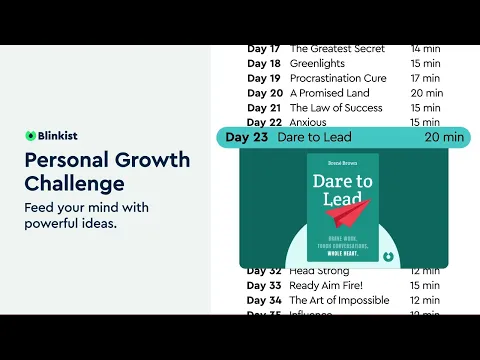
Also known as: Blinkist: Big Ideas in 15 Min
Video of Blinkist
Screenshot Blinkist 1
Screenshot Blinkist 2
Screenshot Blinkist 3
Screenshot Blinkist 4
Screenshot Blinkist 5
Screenshot Blinkist 6
Screenshot Blinkist 7
Screenshot Blinkist 8

Blinkist downloaden

What's New in Version 10.0.16

It’s quiet. Almost too quiet. That’s because we’re working on bringing you some exciting new updates! For now, though, we’re keeping things running smoothly by squashing bugs and making sure everything’s polished. Now get to learning!

Available Files

System Requirements

OS Version
Android 7.0 (Nougat) or higher
Architecture
Varies by file (Which one do I need?)
Disk Space
~40 MB free space required
RAM
1 GB
Internet
Not required
machtigingen (17)
  • Internet
  • Access Network State
  • Vibrate
  • Wake Lock
  • Use Credentials

APK File Details

Package ID com.blinkslabs.blinkist.android
Available on Google Play
Ontwikkelaar Blinks Labs GmbH
License Gratis ( No Ads)
Monetization In-App Purchases
Content Rating Everyone
Interface Language
Nederlands +75

Nederlands, Japans, Duits, Bulgaars, Thais, Hindi, Vietnamees, Oekraïens, Pools, Koreaans, Roemeens, Arabisch, Frans, Turks, Tsjechisch, Spaans, Italiaans, Portugees, Hongaars, Russisch, Engels, Chinees, Indonesisch, + 53 localizations

APK Verification & Virus Scan Results

No Virus Signature Verified Safe & Original

Virus scan: Clean (0/57) View report. This APK is free of malware and its signature matches the official developer release.

Show File Details (SHA-256, SHA-1, MD5)

SHA-1 Signature:

5172c9ba3471101dea6df32b7453956249e53030

SHA-256 Hash:

edfea21b6eb043d8089810e3c9ba5b4f2fae906ecb59af06b8164af5498a7e0b

MD5 Checksum:

a5a6dbda1fd38d085bebc45946bc8b2b

Frequently Asked Questions

Is Blinkist safe to download?

Yes, Blinkist is safe to download. The APK is scanned on every update — no malware or viruses detected. You can verify the full scan report in the Security section above.

How to install Blinkist APK on Android?

Download the APK using the button above. Then open the file and tap Install. If prompted, enable "Install from unknown sources" in Settings → Security. The process takes under a minute. Read more

What Android version does Blinkist require?

Blinkist requires Android 7.0 (API 24) or higher. Optimized for Android 13 (API 33).

Is Blinkist free?

Yes, the app is free to download, but it contains in-app purchases for additional content.

How to update Blinkist to the latest version?

Download the latest APK from this page and install it over your existing version — no need to uninstall first. Your data and settings will be preserved. We update the file as soon as a new version is released.

What processor architecture does Blinkist support?

Blinkist supports universeel. This build does not support x86/x86_64 processors, so it will not run on most PC emulators. If you are unsure about your device architecture, check the Device Info section on this page.

How to enable installation from unknown sources on Android?

Go to Settings → Security (or Settings → Apps → Special access on Android 8+) and enable "Install unknown apps" for your browser or file manager. On Android 8 and above this setting is per-app, not global. Read more

If you have found any issue or are having difficulty with this page, please .

User Reviews & Ratings

Wereldwijde beoordeling(Play Store): 4.68(84.3K)
Beoordeel deze app

0,00

12345

not yet rated

Share your experience with other users.