

Lumosity - hersentraining app cover art for Android
Lumosity - hersentraining Icon

Lumosity - hersentraining APK for Android

28M+
Gratis
19 jun 2024

Lumosity is een hersentrainingsprogramma ontworpen door wetenschappers

Download Lumosity - hersentraining APK 2024.03.19.2500037 96MB Old versions

What is Lumosity?

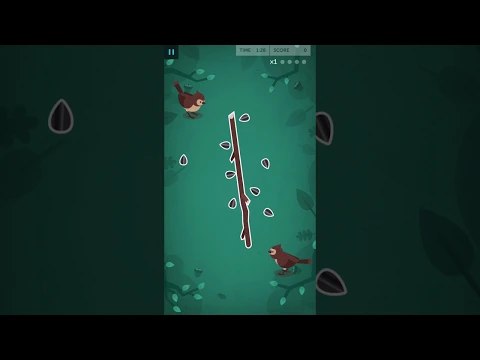
Lumosity is een programma voor het trainen van geheugen en aandacht.Lumosity verandert een saai leerproces in een spannend spel – speciaal ontworpen om een ​​geconditioneerde reflex te vormen: het geheugen op een object fixeren en het proces van herinneren, alle informatie extraheren uit het geheugen Lumosity maakt gebruik van de meest geavanceerde technologieën voor het werken met het menselijk geheugen en kunstmatige intelligentie. Slechts 15-20 minuten les per dag zal de kakofonie van ongelijksoortige informatie van de wereld veranderen in een harmonieuze symfonie. Wat u zowel bij uw studie als bij professionele activiteiten of voor amusement op uw gemak zal helpen.
Also known as: Lumosity, Lumosity: Brain Training
Video of Lumosity - hersentraining
Screenshot Lumosity - hersentraining 1
Screenshot Lumosity - hersentraining 2
Screenshot Lumosity - hersentraining 3
Screenshot Lumosity - hersentraining 4
Screenshot Lumosity - hersentraining 5
Screenshot Lumosity - hersentraining 6
Screenshot Lumosity - hersentraining 7
Screenshot Lumosity - hersentraining 8

Lumosity downloaden

What's New in Version 2024.03.19.2500037

New and improved games, updates to integrate the latest cognitive research, and new tools for tracking progress and staying motivated.

Other versions

System Requirements

OS Version
Android 5.0 (Lollipop) or higher
Architecture
Varies by file (Which one do I need?)
Disk Space
~150 MB free space required
RAM
1 GB
Internet
Not required
machtigingen (14)
  • Internet
  • Access Network State
  • Access Fine Location
  • Vibrate
  • Wake Lock

APK File Details

Package ID com.lumoslabs.lumosity
Available on Google Play
Ontwikkelaar Lumos Labs, Inc.
License Gratis ( No Ads)
Monetization In-App Purchases
Content Rating Everyone
Interface Language
Nederlands +75

Nederlands, Japans, Duits, Koreaans, Frans, Spaans, Portugees, Bulgaars, Thais, Hindi, Vietnamees, Oekraïens, Pools, Roemeens, Arabisch, Turks, Tsjechisch, Italiaans, Hongaars, Russisch, Engels, Chinees, Indonesisch, + 53 localizations

APK Verification & Virus Scan Results

No Virus Signature Verified Safe & Original

Virus scan: Clean (0/62) View report. This APK is free of malware and its signature matches the official developer release.

Show File Details (SHA-256, SHA-1, MD5)

SHA-1 Signature:

0da910f4c856853252a686c4dbccf978db5d9b98

SHA-256 Hash:

2d3e3d18f4d3ee3c476e40e192a30bcd31f56c2b397d78c8cd5475250556ceba

MD5 Checksum:

0166eabdee92c570e82c3685168dec62

Frequently Asked Questions

Is Lumosity safe to download?

Yes, Lumosity is safe to download. The APK is scanned on every update — no malware or viruses detected. You can verify the full scan report in the Security section above.

How to install Lumosity APK on Android?

Download the APK using the button above. Then open the file and tap Install. If prompted, enable "Install from unknown sources" in Settings → Security. The process takes under a minute. Read more

What Android version does Lumosity require?

Lumosity requires Android 5.0 (API 21) or higher. Optimized for Android 14 (API 34).

Is Lumosity free?

Yes, the app is free to download, but it contains in-app purchases for additional content.

How to update Lumosity to the latest version?

Download the latest APK from this page and install it over your existing version — no need to uninstall first. Your data and settings will be preserved. We update the file as soon as a new version is released.

What processor architecture does Lumosity support?

Lumosity supports arm64-v8a, armeabi-v7a. This build does not support x86/x86_64 processors, so it will not run on most PC emulators. If you are unsure about your device architecture, check the Device Info section on this page.

How to enable installation from unknown sources on Android?

Go to Settings → Security (or Settings → Apps → Special access on Android 8+) and enable "Install unknown apps" for your browser or file manager. On Android 8 and above this setting is per-app, not global. Read more

If you have found any issue or are having difficulty with this page, please .

User Reviews & Ratings

Wereldwijde beoordeling(Play Store): 4.55(272.9K)
Site Rating: 4.5(8)
Beoordeel deze app

4,50

12345

8

Share your experience with other users.