Pic Collage Icon

Pic Collage APK for Android

- Photo Editor
105M+
Gratis
16 jan 2019

Maak een geweldige collage en deel deze met je vrienden

Download Pic Collage APK 6.35.6 22MB

What is Pic Collage?

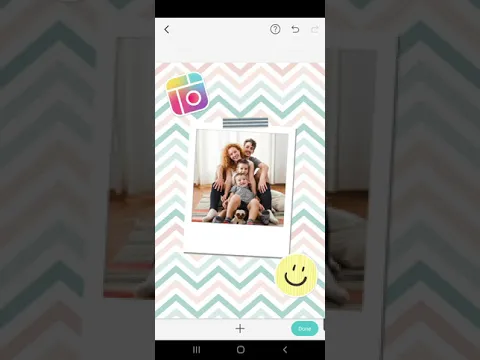
Pic Collage – Photo Editor is een tool voor creatieve mensen waarmee ze kunnen oefenen met het maken van spectaculaire en ongebruikelijke werken door ze op één “canvas” te combineren. Veel mensen streven ernaar om alle belangrijke levensgebeurtenissen vast te leggen, bijvoorbeeld verjaardagen, bruiloften, reizen en gewone avondwandelingen door hun woonplaats, aangezien het nu niet nodig is om overal een camera mee te nemen – moderne Android-smartphones doen uitstekend werk met hun functies .

Natuurlijk kunt u de foto’s afzonderlijk bewonderen, maar als het er veel zijn en ze allemaal van hoge kwaliteit zijn, waarom maakt u dan geen originele collage? Dit is waar Pic Collage – Photo Editor kan helpen! Het enorme creatieve potentieel van de nieuwigheid van de studio Cardinal Blue springt direct na het starten van het programma in het oog – het hoofdmenu komt samen met een royale set grafische tools. Sommigen van hen voegen decoratieve lijsten toe aan de foto, met andere kunt u een soort filter op de foto toepassen, met andere kunt u de afbeelding corrigeren door contrast, helderheid, kleurbalans, enzovoort toe te voegen.

En ondanks de schijnbare oververzadiging van Pic Collage – Photo Editor met allerlei tools en tabbladen, is het beheren van al deze goede dingen onrealistisch eenvoudig, en je kunt het programma zelfs beheersen met behulp van de “klik”-methode. Dus beslis over de componenten voor de toekomstige collage, experimenteer vervolgens met verschillende effecten en filters, rangschik alles in een kader, verander de schaal indien nodig en bewonder het resultaat, vergeet het niet te delen met je vrienden via populaire sociale netwerken.
Also known as: Pic Collage - Photo Editor
Video of Pic Collage
Screenshot Pic Collage 1
Screenshot Pic Collage 2
Screenshot Pic Collage 3
Screenshot Pic Collage 4
Screenshot Pic Collage 5
Screenshot Pic Collage 6
Screenshot Pic Collage 7
Screenshot Pic Collage 8

Pic Collage downloaden

What's New in Version 6.35.6

☀️ Celebrate Summer with New Magic Letters & Sticker Borders: Bring the summer fun with playful Magic Letter text designs, plus new Sticker Border styles for those warm, sunny vibes.

🗂️ A Better Way to Revisit Your Saved Creations: Experience a smoother, more intuitive My Collage where your saved memories are now easier to find.

✨ Smarter Sticker Suggestions: Discover the perfect stickers with smart recommendations based on your photo.

Available Files

System Requirements

OS Version
Android 4.1 (Jelly Bean) or higher
Architecture
Varies by file (Which one do I need?)
Disk Space
~40 MB free space required
RAM
1 GB
Internet
Not required
machtigingen (24)
  • Internet
  • Access Network State
  • Write External Storage
  • Vibrate
  • Wake Lock

APK File Details

Package ID com.cardinalblue.piccollage.google
Available on Google Play
Ontwikkelaar Cardinal Blue Software, Inc.
License Gratis
Monetization Contains Ads   In-App Purchases
Content Rating Everyone

APK Verification & Virus Scan Results

No Virus Signature Verified Safe & Original

Virus scan: Clean (0/60) View report. This APK is free of malware and its signature matches the official developer release.

Show File Details (SHA-256, SHA-1, MD5)

SHA-1 Signature:

1E8D2B4D9FFB723348D0174BAD447CEDB12E4100

SHA-256 Hash:

fcd1db1dd9e51ee70f428bcb1874d3362e6dfdcce292dee38a3226ed8a24b8a1

MD5 Checksum:

3d4d80de295a22ef9ac5074baae12917

Frequently Asked Questions

Is Pic Collage safe to download?

Yes, Pic Collage is safe to download. The APK is scanned on every update — no malware or viruses detected. You can verify the full scan report in the Security section above.

How to install Pic Collage APK on Android?

Download the APK using the button above. Then open the file and tap Install. If prompted, enable "Install from unknown sources" in Settings → Security. The process takes under a minute. Read more

Why does installation fail on newer Android versions (14 - 16)?

Newer Android versions strictly block the installation of apps built for older Android versions (API < 23) for security reasons. Standard installation is not possible. Read our step-by-step guide on how to bypass this restriction using ADB or Shizuku.

What Android version does Pic Collage require?

Pic Collage requires Android 4.1 (API 16) or higher. Optimized for Android 8.0 (API 26).

Is Pic Collage free?

Yes, it is free to download and use, but it contains ads and offers in-app purchases.

How to update Pic Collage to the latest version?

Download the latest APK from this page and install it over your existing version — no need to uninstall first. Your data and settings will be preserved. We update the file as soon as a new version is released.

What processor architecture does Pic Collage support?

Pic Collage supports armeabi-v7a. This build does not support x86/x86_64 processors, so it will not run on most PC emulators. If you are unsure about your device architecture, check the Device Info section on this page.

If you have found any issue or are having difficulty with this page, please .

User Reviews & Ratings

Wereldwijde beoordeling(Play Store): 4.7(1.7M)
Beoordeel deze app

0,00

12345

not yet rated

Share your experience with other users.