
Video Editor & Maker - InShot app cover art for Android
Video Editor & Maker - InShot Icon

Video Editor & Maker - InShot APK for Android

927M+
Gratis
29 mei 2026

Pro video-editor met muziek! Bewerk video voor YouTube / Instagram sonder crop

Download Video Editor & Maker - InShot APK 2.203.1533 84MB Old versions

What is Video Editor & Maker?

Video-editor voor Instagram – instaShot is een multifunctionele foto- en video-editor die naadloos kan worden geïntegreerd in de Instagram-app.

Het belangrijkste kenmerk vanInstaShot is dat de gebruiker met de app kan uploaden naar < b > Instagram , of naar andere sociale netwerken, foto- en videobeelden zonder bijsnijden, dat wil zeggen zonder de beeldresolutie te verminderen.

Hoe gebeurde dit?

In plaats van foto- en videobeelden te “comprimeren”, voegt het programma InstaShot de ontbrekende grootte toe rond de afbeelding – een witte rand – om een ​​vierkant formaat te krijgen en zo het foto- en videobeeld op volledige grootte te behouden.

InstaShot bevat ook tools om foto- en videobeelden te bewerken:

  1. crop;
  2. effecten toevoegen;
  3. crop;
  4. maak gepersonaliseerde collages;
  5. en deel foto’s en video’s op populaire sociale netwerken.

Functies:

  • App InstaShot integreert met Instagram-app ;
  • Bewerkt foto- en videobeelden;
  • Slaat foto- en video;
  • Importeert foto’s en video’s van populaire sociale netwerken;
  • Slaat foto’s en video’s op de geheugenkaart op in de map /instaShot/.

“Video-editor voor Instagram – instaShot” is een handige, intuïtieve applicatie die kan worden gebruikt in professioneel werk – om authentiek en ongewijzigd foto- en videomateriaal op ware grootte te verspreiden; evenals voor entertainment – de publicatie van bewerkte, effectieve foto’s, video’s en collages.
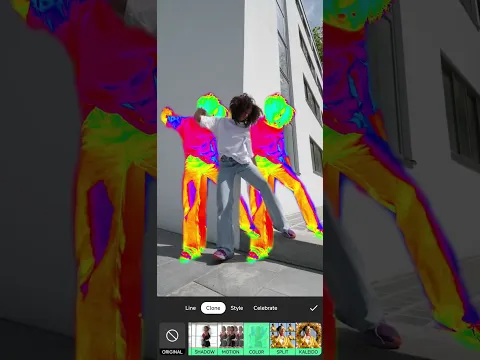
Also known as: InShot, instaShot
Video of Video Editor & Maker - InShot
Screenshot Video Editor & Maker - InShot 1
Screenshot Video Editor & Maker - InShot 2
Screenshot Video Editor & Maker - InShot 3
Screenshot Video Editor & Maker - InShot 4
Screenshot Video Editor & Maker - InShot 5
Screenshot Video Editor & Maker - InShot 6
Screenshot Video Editor & Maker - InShot 7
Screenshot Video Editor & Maker - InShot 8

Video Editor & Maker downloaden

What's New in Version 2.203.1533

- Text Templates: Choose from a variety of stylish presets
- New Filters: Jade, Foodie, Clear, Bright, Retro, Festive, Mint, Dreamy, Aura, Breeze
- New AI effects: Face
- Bug fixes and other improvements
Any ideas or suggestions? Don't hesitate to contact us anytime at [email protected]!

For more new feature tutorials and advanced video editing tips, please subscribe to our YouTube channel: https://www.youtube.com/@InShotApp

Other versions

System Requirements

OS Version
Android 7.0 (Nougat) or higher
Architecture
Varies by file (Which one do I need?)
Disk Space
~150 MB free space required
RAM
1 GB
Internet
Not required
machtigingen (27)
  • Internet
  • Record Audio
  • Access Network State
  • Read External Storage
  • Write External Storage

APK File Details

Package ID com.camerasideas.instashot
Available on Google Play
Ontwikkelaar InShot Video Editor
License Gratis
Monetization Contains Ads   In-App Purchases
Content Rating Everyone
Interface Language
Nederlands +36

Nederlands, Japans, Duits, Bulgaars, Thais, Hindi, Vietnamees, Oekraïens, Pools, Koreaans, Roemeens, Arabisch, Frans, Turks, Tsjechisch, Spaans, Italiaans, Portugees, Hongaars, Russisch, Chinees, Engels, + 15 localizations

APK Verification & Virus Scan Results

No Virus Signature Verified Safe & Original

Virus scan: Clean (0/66) View report. This APK is free of malware and its signature matches the official developer release.

Show File Details (SHA-256, SHA-1, MD5)

SHA-1 Signature:

1965c6bccfbdf28dbe977e5460f386a1db9e7366

SHA-256 Hash:

bef7b3982c9e59f5f145bf925392cfd1f3f306e4789f3b4008b9e6437875cadd

MD5 Checksum:

77405c2a8510526cfb199e95c350175f

Frequently Asked Questions

Is Video Editor & Maker safe to download?

Yes, Video Editor & Maker is safe to download. The APK is scanned on every update — no malware or viruses detected. You can verify the full scan report in the Security section above.

How to install Video Editor & Maker APK on Android?

Download the APK using the button above. Then open the file and tap Install. If prompted, enable "Install from unknown sources" in Settings → Security. The process takes under a minute. Read more

What Android version does Video Editor & Maker require?

Video Editor & Maker requires Android 7.0 (API 24) or higher. Optimized for Android 15 (API 35).

Is Video Editor & Maker free?

Yes, it is free to download and use, but it contains ads and offers in-app purchases.

How to update Video Editor & Maker to the latest version?

Download the latest APK from this page and install it over your existing version — no need to uninstall first. Your data and settings will be preserved. We update the file as soon as a new version is released.

What processor architecture does Video Editor & Maker support?

Video Editor & Maker supports arm64-v8a, armeabi-v7a. This build does not support x86/x86_64 processors, so it will not run on most PC emulators. If you are unsure about your device architecture, check the Device Info section on this page.

How to enable installation from unknown sources on Android?

Go to Settings → Security (or Settings → Apps → Special access on Android 8+) and enable "Install unknown apps" for your browser or file manager. On Android 8 and above this setting is per-app, not global. Read more

If you have found any issue or are having difficulty with this page, please .

User Reviews & Ratings

Wereldwijde beoordeling(Play Store): 4.83(16.5M)
Site Rating: 4.36(67)
Beoordeel deze app

4,36

12345

67

Share your experience with other users.

Nguyễn hữu Phước:
Tôi muốn tải về Biugo
Jah khalifa:
Its great
اسم المستخدم:
حلو
gusbelkis:
Bien✌
jhefferson:
Esta bien