Post-it Icon

Post-it APK for Android

3M Company Original
3M+
Gratis
20 mrt 2026

Aanvraag voor snelle creatie en competente organisatie van tekstnotities

Download Post-it APK 5.3.8 37MB Old versions

What is Post-it?

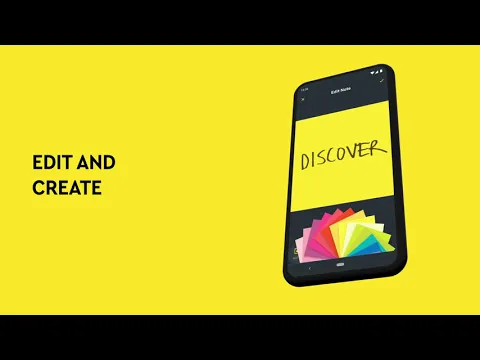
Post-it® is een applicatie om snel virtuele notities te maken die er precies zo uitzien als hun fysieke prototype. Elke persoon gebruikte minstens één keer in zijn leven veelkleurige vierkante bladeren met een plakkerige basis, liet belangrijke notities en herinneringen erop achter en plaatste ze op een computer, koelkast, muur en andere objecten. Deze miniatuurhulpjes zijn handig in het werk en in het persoonlijke leven, zodat je snel ideeën, gedachten en herinneringen kunt vastleggen om er later op terug te komen.

Organiseer een persoonlijk whiteboard met notities op je smartphone voor alle gelegenheden en deel notities indien nodig met collega’s, vrienden en familieleden via instant messengers, e-mail, enzovoort. Vul kleurrijke vellen met nuttige informatie in met behulp van het toetsenbord, gebruik de handschriftfunctie, bewerk en sla op. Organiseer uw notities op belangrijkheid en themagroepen door ze titels te geven en kleuraccenten te gebruiken.

Kenmerken:

  • creatie van virtuele notities en hoogwaardige digitalisering van informatie van fysieke media;
  • gegevens converteren naar PDF, Excel, PowerPoint en meer;
  • stickers delen met andere gebruikers;
  • bewerken, aanvullen, organiseren van groepen;
  • bewaar belangrijke stickers in de “cloud” Dropbox .

Het Post-it® -programma helpt ook bij het digitaliseren van analoge notities – richt de camera van uw mobiele apparaat op een cluster van kleurrijke stickers op uw werkplek of thuis, maak een foto en verspreid ze vervolgens in thematische secties.
Also known as: Post-it®
Video of Post-it
Screenshot Post-it 1
Screenshot Post-it 2
Screenshot Post-it 3
Screenshot Post-it 4
Screenshot Post-it 5

Post-it downloaden

What's New in Version 5.3.8

- You can now change note text color.
- We’ve fixed some bugs and made the app run smoother for everyone.

Other versions

System Requirements

OS Version
Android 8.1 (Oreo) or higher
Architecture
Varies by file (Which one do I need?)
Disk Space
~50 MB free space required
RAM
1 GB
Internet
Not required
Google Services
Required
machtigingen (18)
  • Internet
  • Camera
  • Access Network State
  • Read External Storage
  • Access Fine Location

APK File Details

Package ID com.mmm.postit
Available on Google Play
Ontwikkelaar 3M Company
License Gratis ( No Ads)
Content Rating Everyone
Interface Language
3 languages

Spaans, Japans, Koreaans

APK Verification & Virus Scan Results

Scan In Queue Signature Verified Safe & Original

Antivirus scan in queue, will be scanned soon. This APK is free of malware and its signature matches the official developer release.

Show File Details (SHA-256, SHA-1, MD5)

SHA-1 Signature:

426d1e4695fd37f983aa3c67cef9f0f85c73faf0

SHA-256 Hash:

9c145eec4a260ea432afa0fccb1066fdfc0bc39d3e4ea89ec5c19d78e500e663

MD5 Checksum:

48371c7ec80a5fa8e258e2def9544fba

Frequently Asked Questions

Is Post-it safe to download?

Post-it has passed a basic integrity check. A full antivirus scan is pending. You can check the current scan status in the Security section above.

How to install XAPK file?

XAPK is a split APK package. Standard Android installer cannot open it directly. Use 'SAI' or 'XAPK Installer' — they handle XAPK files automatically. Download the installer, open the XAPK file with it, and follow the on-screen steps. Read more

What Android version does Post-it require?

Post-it requires Android 8.1 (API 27) or higher. Optimized for Android 16 (API 36).

Is Post-it free?

Yes, this app is completely free to download and use.

How to update Post-it to the latest version?

Download the latest APK from this page and install it over your existing version — no need to uninstall first. Your data and settings will be preserved. We update the file as soon as a new version is released.

What processor architecture does Post-it support?

Post-it supports arm64-v8a. This build does not support x86/x86_64 processors, so it will not run on most PC emulators. If you are unsure about your device architecture, check the Device Info section on this page.

How to enable installation from unknown sources on Android?

Go to Settings → Security (or Settings → Apps → Special access on Android 8+) and enable "Install unknown apps" for your browser or file manager. On Android 8 and above this setting is per-app, not global. Read more

If you have found any issue or are having difficulty with this page, please .

User Reviews & Ratings

Wereldwijde beoordeling(Play Store): 4.55(17.5K)
Beoordeel deze app

0,00

12345

not yet rated

Share your experience with other users.