Samsung Flow Icon

Samsung Flow APK for Android

88M+
Gratis
23 feb 2025

Tool voor consistente interactie tussen apparaten

Download Samsung Flow APK 4.9.16.6 7MB Old versions

What is Samsung Flow?

Samsung Flow is een tool die het koppelen van mobiele apparaten van een Zuid-Koreaanse elektronicafabrikant met Android-tablets en Windows-computers organiseert via een Bluetooth- of Wi-Fi-verbinding. Het is veilig, beveiligd en organisch en zal zeker aantrekkelijk zijn voor gebruikers die meerdere gadgets bezitten. Om het koppelen uit te voeren, moet dit programma zijn geïnstalleerd op alle apparaten die in één omgeving moeten worden gecombineerd.

Het is mogelijk om tekst- of multimediabestanden over te zetten naar aangesloten apparaten met behulp van het meest vereenvoudigde en intuïtieve schema, meldingen te synchroniseren, een toegangspunt op een smartphone te organiseren om internet te gebruiken op een pc of tablet, inhoud van een smartphone te bekijken op schermen met een groter diagonaal.

Kenmerken:

  • beknopt ontworpen, duidelijke en begrijpelijke gebruikersinterface;
  • bekijk de lijst met ondersteunde apparaten op de officiële website;
  • inhoudsoverdracht, internet delen, synchronisatie van meldingen;
  • snelle verbinding met stapsgewijze handleiding.

Controleer of reageer zelfs op berichten en meldingen die rechtstreeks op uw mobiele gadget binnenkomen vanaf een laptop of tablet die erop is aangesloten via de Samsung Flow -service. Het installatieproces is intuïtief, maar het is niet overbodig om naar de Samsung-webbron te kijken onder het kopje met gebruiksaanwijzingen.
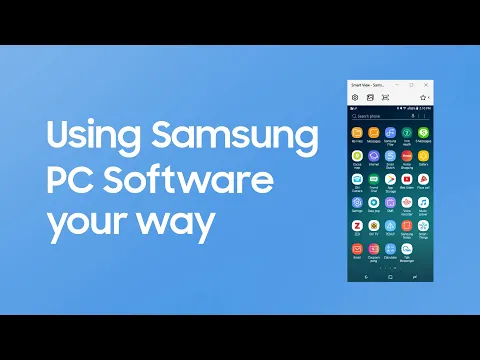
Video of Samsung Flow
Screenshot Samsung Flow 1
Screenshot Samsung Flow 2
Screenshot Samsung Flow 3
Screenshot Samsung Flow 4

Samsung Flow downloaden

What's New in Version 4.9.16.6

Bug fixing and Update of some features

Other versions

System Requirements

OS Version
Android 8.0 (OREO) or higher
Architecture
Varies by file (Which one do I need?)
Disk Space
~20 MB free space required
RAM
1 GB
Internet
Not required
machtigingen (103)
  • Internet
  • Record Audio
  • Access Network State
  • Read External Storage
  • Write External Storage

APK File Details

Package ID com.samsung.android.galaxycontinuity
Available on Google Play
Ontwikkelaar Samsung Electronics Co., Ltd.
License Gratis ( No Ads)
Content Rating Everyone
Interface Language
Nederlands +86

Nederlands, Japans, Indonesisch, Duits, Bulgaars, Thais, Hindi, Vietnamees, Oekraïens, Pools, Engels, Koreaans, Roemeens, Arabisch, Frans, Turks, Tsjechisch, Italiaans, Hongaars, Russisch, Chinees, Portugees, Spaans, + 64 localizations

APK Verification & Virus Scan Results

No Virus Signature Verified Safe & Original

Virus scan: Clean (0/66) View report. This APK is free of malware and its signature matches the official developer release.

Show File Details (SHA-256, SHA-1, MD5)

SHA-1 Signature:

9CA5170F381919DFE0446FCDAB18B19A143B3163

SHA-256 Hash:

4c6462446fa8bcf330d26725578d54464c9c9bada2f8ab0913afb7a7e018990b

MD5 Checksum:

5e822c77e2b9bf2b21695273a2d3542f

Frequently Asked Questions

Is Samsung Flow safe to download?

Yes, Samsung Flow is safe to download. The APK is scanned on every update — no malware or viruses detected. You can verify the full scan report in the Security section above.

How to install Samsung Flow APK on Android?

Download the APK using the button above. Then open the file and tap Install. If prompted, enable "Install from unknown sources" in Settings → Security. The process takes under a minute. Read more

What Android version does Samsung Flow require?

Samsung Flow requires Android 8.0 (API 26) or higher. Optimized for Android 15 (API 35).

Is Samsung Flow free?

Yes, this app is completely free to download and use.

How to update Samsung Flow to the latest version?

Download the latest APK from this page and install it over your existing version — no need to uninstall first. Your data and settings will be preserved. We update the file as soon as a new version is released.

What processor architecture does Samsung Flow support?

Samsung Flow supports arm64-v8a, armeabi-v7a. This build does not support x86/x86_64 processors, so it will not run on most PC emulators. If you are unsure about your device architecture, check the Device Info section on this page.

How to enable installation from unknown sources on Android?

Go to Settings → Security (or Settings → Apps → Special access on Android 8+) and enable "Install unknown apps" for your browser or file manager. On Android 8 and above this setting is per-app, not global. Read more

If you have found any issue or are having difficulty with this page, please .

User Reviews & Ratings

Wereldwijde beoordeling(Play Store): 3.53(17.5K)
Beoordeel deze app

0,00

12345

not yet rated

Share your experience with other users.