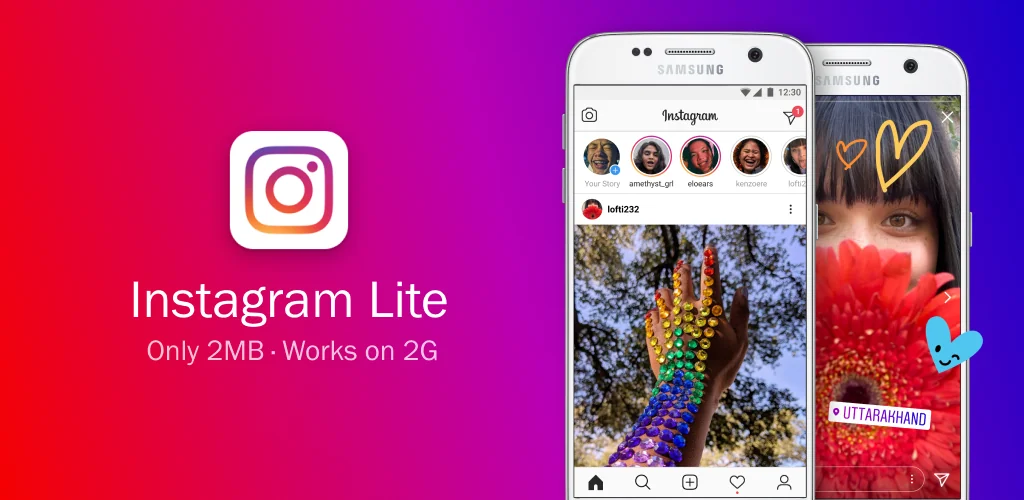

Instagram Lite app cover art for Android
Instagram Lite Icon

Instagram Lite APK for Android

Instagram Original
965M+
Gratis
25 jun 2026

Deze applicatie is ontworpen voor telefoons met weinig RAM

Download Instagram Lite APK 517.0.0.14.106 4MB Old versions

What is Instagram Lite?

Instagram Lite is een mobiele en lichtgewicht applicatie van het gelijknamige sociale netwerk, met als bijzonderheid dat het weinig RAM in beslag neemt en nog minder ruimte op de geheugenkaart van de telefoon, maar deze applicatie profiteert alleen van zijn miniatuurformaat – het wordt supersnel geactiveerd en bijgewerkt.

Met deze applicatie kun je de publicaties van je vrienden en volgers volgen, net als de volledige versie van Instagram. Door lid te worden van de wereldwijde Instagram-community, zal deze applicatie je nog steeds helpen jezelf uit te drukken – plaats foto’s en videoreportages over je hobby’s of willekeurige afleveringen van leven.

Hier is een verdiepingslijst van wat u kunt doen in Instagram Lite:

  • Foto’s en video’s op uw profiel plaatsen,
  • Foto’s bewerken met filters en er commentaar op geven met een teksteditor ,
  • Deel foto’s met andere gebruikers,
  • Bekijk foto’s en video’s van de geschiedenis van uw volgers en zoek profielen van andere gebruikers in wiens publicaties u wellicht geïnteresseerd bent,
  • Chat met uw vrienden.
Screenshot Instagram Lite 1
Screenshot Instagram Lite 2
Screenshot Instagram Lite 3
Screenshot Instagram Lite 4
Screenshot Instagram Lite 5
Screenshot Instagram Lite 6

Instagram Lite downloaden

What's New in Version 517.0.0.14.106

No official changelog provided for Instagram Lite version 517.0.0.14.106. This update likely includes general stability improvements and bug fixes.

Other versions

System Requirements

OS Version
Android 5.0 (Lollipop) or higher
Architecture
Varies by file (Which one do I need?)
Disk Space
~10 MB free space required
RAM
1 GB
Internet
Required
machtigingen (54)
  • Internet
  • Record Audio
  • Camera
  • Access Network State
  • Write External Storage

APK File Details

Package ID com.instagram.lite
Available on Google Play
Ontwikkelaar Instagram
License Gratis ( No Ads)
Content Rating Teen
Interface Language
Nederlands +81

Nederlands, Japans, Duits, Bulgaars, Thais, Hindi, Vietnamees, Oekraïens, Pools, Koreaans, Roemeens, Arabisch, Frans, Turks, Tsjechisch, Spaans, Italiaans, Portugees, Hongaars, Russisch, Engels, Chinees, + 60 localizations

APK Verification & Virus Scan Results

Scan In Queue Signature Verified Safe & Original

Antivirus scan in queue, will be scanned soon. This APK is free of malware and its signature matches the official developer release.

Show File Details (SHA-256, SHA-1, MD5)

SHA-1 Signature:

c56fb7d591ba6704df047fd98f535372fea00211

SHA-256 Hash:

98b7f70c3365f68e14959a9abec3af61cebbfd2111b0c3656dc230066918d765

MD5 Checksum:

ad7e92d03beec27141966b886f3ebea4

Frequently Asked Questions

Is Instagram Lite safe to download?

Yes, Instagram Lite is safe to download. The APK is scanned on every update — no malware or viruses detected. You can verify the full scan report in the Security section above.

How to install Instagram Lite APK on Android?

Download the APK using the button above. Then open the file and tap Install. If prompted, enable "Install from unknown sources" in Settings → Security. The process takes under a minute. Read more

What Android version does Instagram Lite require?

Instagram Lite requires Android 5.0 (API 21) or higher. Optimized for Android 16 (API 36).

Is Instagram Lite free?

Yes, this app is completely free to download and use.

How to update Instagram Lite to the latest version?

Download the latest APK from this page and install it over your existing version — no need to uninstall first. Your data and settings will be preserved. We update the file as soon as a new version is released.

What processor architecture does Instagram Lite support?

Instagram Lite supports x86. If you are unsure about your device architecture, check the Device Info section on this page.

How to enable installation from unknown sources on Android?

Go to Settings → Security (or Settings → Apps → Special access on Android 8+) and enable "Install unknown apps" for your browser or file manager. On Android 8 and above this setting is per-app, not global. Read more

If you have found any issue or are having difficulty with this page, please .

User Reviews & Ratings

Wereldwijde beoordeling(Play Store): 4.33(918.9K)
Site Rating: 4.1(21)
Beoordeel deze app

4,10

12345

21

Share your experience with other users.

ahmet:
Sizi seviyorum
esuhj:
ayjuizh