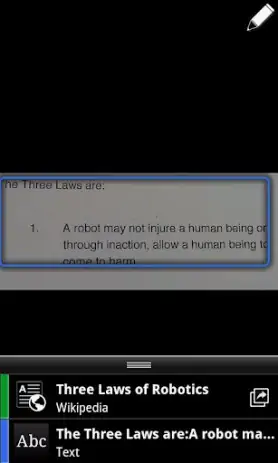
Google Goggles app cover art for Android
Google Goggles Icon

Google Goggles APK for Android

18 dec 2013

Download Google Goggles APK 1.9.3 3MB

What is Google Goggles?

Google Goggles is een zeer nuttige applicatie die barcodes, QR-codes kan herkennen, tekst in verschillende talen kan vertalen, OCR OCR, Sudoku kan oplossen, een contactpersoon kan toevoegen, visitekaartje kan scannen en oriëntatiepunten kan herkennen. Je moet een foto maken en het programma Goggles vertelt je wat het is.

Screenshot Google Goggles 1
Screenshot Google Goggles 2
Screenshot Google Goggles 3
Screenshot Google Goggles 4
Screenshot Google Goggles 5
Screenshot Google Goggles 6
Screenshot Google Goggles 7

Google Goggles downloaden

What's New in Version 1.9.3

No official changelog provided for Google Goggles version 1.9.3. This update likely includes general stability improvements and bug fixes.

Available Files

System Requirements

OS Version
Android 2.2 (Froyo) or higher
Architecture
Varies by file (Which one do I need?)
Disk Space
~10 MB free space required
RAM
1 GB
Internet
Not required
machtigingen (9)
  • Internet
  • Camera
  • Access Network State
  • Write External Storage
  • Access Fine Location

APK File Details

Package ID com.google.android.apps.unveil
Ontwikkelaar Google
License Gratis ( No Ads)
Interface Language
Nederlands +46

Nederlands, Japans, Indonesisch, Duits, Bulgaars, Thais, Hindi, Vietnamees, Oekraïens, Pools, Koreaans, Roemeens, Arabisch, Frans, Turks, Tsjechisch, Spaans, Italiaans, Portugees, Hongaars, Russisch, + 26 localizations

APK Verification & Virus Scan Results

No Virus Signature Verified Safe & Original

Virus scan: Clean (0/62) View report. The APK file is digitally signed.

Show File Details (SHA-256, SHA-1, MD5)

SHA-1 Signature:

24BB24C05E47E0AEFA68A58A766179D9B613A600

SHA-256 Hash:

45b1d1b62ed52fdb0454c4fee48869329f6688b06a56f81895c0ea3eab1f6ade

MD5 Checksum:

41a36f0293c9aae0bbca63ffe2213307

Frequently Asked Questions

Is Google Goggles safe to download?

Yes, Google Goggles is safe to download. The APK is scanned on every update — no malware or viruses detected. You can verify the full scan report in the Security section above.

How to install Google Goggles APK on Android?

Download the APK using the button above. Then open the file and tap Install. If prompted, enable "Install from unknown sources" in Settings → Security. The process takes under a minute. Read more

Why does installation fail on newer Android versions (14 - 16)?

Newer Android versions strictly block the installation of apps built for older Android versions (API < 23) for security reasons. Standard installation is not possible. Read our step-by-step guide on how to bypass this restriction using ADB or Shizuku.

What Android version does Google Goggles require?

Google Goggles requires Android 2.2 (API 8) or higher. Optimized for Android 4.0 (API 14).

Does Google Goggles require Root access?

No root is required for basic use. Google Goggles works on standard Android for CPU info, RAM, battery, sensors, and network stats. Root unlocks a small set of advanced system parameters that Android restricts by default.

What processor architecture does Google Goggles support?

Google Goggles supports armeabi. This build does not support x86/x86_64 processors, so it will not run on most PC emulators. If you are unsure about your device architecture, check the Device Info section on this page.

How to enable installation from unknown sources on Android?

Go to Settings → Security (or Settings → Apps → Special access on Android 8+) and enable "Install unknown apps" for your browser or file manager. On Android 8 and above this setting is per-app, not global. Read more

If you have found any issue or are having difficulty with this page, please .

User Reviews & Ratings

Beoordeel deze app

0,00

12345

not yet rated

Share your experience with other users.