Super GPS Compass Map for Android 2019 Icon

Super GPS Compass Map for Android 2019 APK for Android

Navigatie was nog nooit zo eenvoudig

Download Super GPS Compass Map for Android 2019 APK 1.4 9MB

What is Super GPS Compass Map for Android 2019?

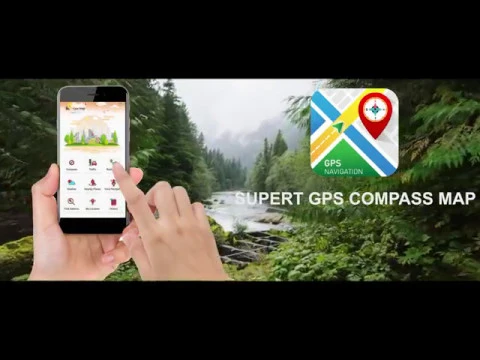
Super GPS Compass Map for Android 2019 – met een set tools die aanwezig zijn in deze gratis mobiele applicatie, kan de gebruiker op elk moment zijn huidige locatie instellen en een routebeschrijving naar zijn bestemming krijgen met behulp van de ingebouwde Google maps. De programma-interface bestaat uit verschillende handige categorieën, die elk hun eigen doel en bedieningsalgoritme hebben, maar samen zijn ze een echte redder in nood voor automobilisten, fietsers, voetgangers, reizigers en andere categorieën mensen.

Dus liefhebbers van wandelen, buitenactiviteiten, jagers, paddenstoelenplukkers zullen het buitengewoon handig vinden om een ​​kompas ingebouwd te hebben in de applicatie Super GPS Compass Map for Android 2019, die is begiftigd met alle functionaliteit die kenmerkend is voor zijn fysieke tegenhanger, die enorm vereenvoudigt de oriëntatie op elk terrein door de kardinale punten en de huidige coördinaten van de gebruiker aan te geven. De weersvoorspelling is niet overbodig op een reis of reis, die zal waarschuwen voor een mogelijke verandering in atmosferische omstandigheden, u informeren over de huidige temperatuur, richting en kracht van de wind.

Bevindt u zich in een onbekende stad en wilt u via de kortste route op uw bestemming komen, waarbij u het drukke verkeer en de kilometerslange files wilt vermijden? En de applicatie Super GPS Compass Map for Android 2019 helpt hierbij zonder problemen – stel de route in tekst in of gebruik de spraakassistent, wat belangrijk is voor mensen die een voertuig besturen. Over het algemeen doet het product van de ViTech Tool-studio uitstekend werk met de toegewezen functionaliteit, is intuïtief in gebruik en is volledig gratis.
Also known as: Gps Map
Video of Super GPS Compass Map for Android 2019
Screenshot Super GPS Compass Map for Android 2019 1
Screenshot Super GPS Compass Map for Android 2019 2
Screenshot Super GPS Compass Map for Android 2019 3
Screenshot Super GPS Compass Map for Android 2019 4
Screenshot Super GPS Compass Map for Android 2019 5
Screenshot Super GPS Compass Map for Android 2019 6
Screenshot Super GPS Compass Map for Android 2019 7

Super GPS Compass Map for Android 2019 downloaden

What's New in Version 1.4

No official changelog provided for Super GPS Compass Map for Android 2019 version 1.4. This update likely includes general stability improvements and bug fixes.

Available Files

System Requirements

OS Version
Android 4.1 (Jelly Bean) or higher
Architecture
Varies by file (Which one do I need?)
Disk Space
~20 MB free space required
RAM
1 GB
Internet
Not required
machtigingen (11)
  • Internet
  • Access Network State
  • Read External Storage
  • Write External Storage
  • Access Fine Location

APK File Details

Package ID app.gpschecker.direction.digitalcompass.weatherdaily
Ontwikkelaar Gpschecker
License Gratis ( No Ads)
Interface Language
Nederlands +72

Nederlands, Japans, Duits, Bulgaars, Thais, Hindi, Vietnamees, Oekraïens, Pools, Koreaans, Roemeens, Arabisch, Frans, Turks, Tsjechisch, Spaans, Italiaans, Portugees, Hongaars, Russisch, Engels, Chinees, + 51 localizations

APK Verification & Virus Scan Results

No Virus Signature Verified Safe & Original

Virus scan: Clean (0/63) View report. The APK file is digitally signed.

Show File Details (SHA-256, SHA-1, MD5)

SHA-1 Signature:

be607b98e0cc17ea558bb195014765be1b865849

SHA-256 Hash:

66561ec6afdd431c8b258c159d0d67a02d5fd1a4500cc85e7988149cfd33bea0

MD5 Checksum:

a236862047c87cda19c83faae3f2eec2

Frequently Asked Questions

Is Super GPS Compass Map for Android 2019 safe to download?

Yes, Super GPS Compass Map for Android 2019 is safe to download. The APK is scanned on every update — no malware or viruses detected. You can verify the full scan report in the Security section above.

How to install Super GPS Compass Map for Android 2019 APK on Android?

Download the APK using the button above. Then open the file and tap Install. If prompted, enable "Install from unknown sources" in Settings → Security. The process takes under a minute. Read more

Why does installation fail on newer Android versions (14 - 16)?

Newer Android versions strictly block the installation of apps built for older Android versions (API < 23) for security reasons. Standard installation is not possible. Read our step-by-step guide on how to bypass this restriction using ADB or Shizuku.

What Android version does Super GPS Compass Map for Android 2019 require?

Super GPS Compass Map for Android 2019 requires Android 4.1 (API 16) or higher. Optimized for Android 8.0 (API 26).

Does Super GPS Compass Map for Android 2019 require Root access?

No root is required for basic use. Super GPS Compass Map for Android 2019 works on standard Android for CPU info, RAM, battery, sensors, and network stats. Root unlocks a small set of advanced system parameters that Android restricts by default.

What processor architecture does Super GPS Compass Map for Android 2019 support?

Super GPS Compass Map for Android 2019 supports universeel. This build does not support x86/x86_64 processors, so it will not run on most PC emulators. If you are unsure about your device architecture, check the Device Info section on this page.

How to enable installation from unknown sources on Android?

Go to Settings → Security (or Settings → Apps → Special access on Android 8+) and enable "Install unknown apps" for your browser or file manager. On Android 8 and above this setting is per-app, not global. Read more

If you have found any issue or are having difficulty with this page, please .

User Reviews & Ratings

Site Rating: 4(1)
Beoordeel deze app

4,00

12345

1

Share your experience with other users.