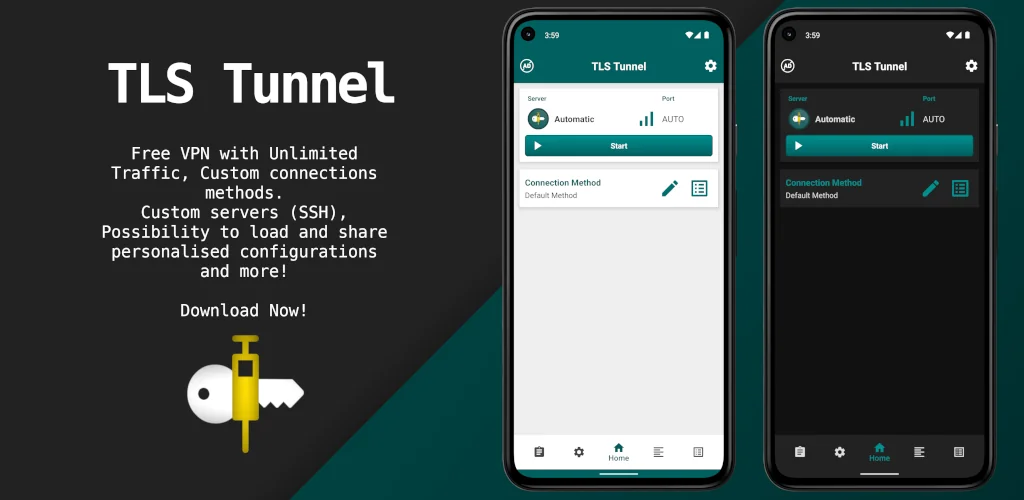
TLS Tunnel app cover art for Android
TLS Tunnel Icon

TLS Tunnel APK for Android

- VPN
24M+
Gratis
15 mrt 2026

Anonieme toegang tot internetbronnen

Download TLS Tunnel APK 7.1.1 16MB Old versions

What is TLS Tunnel?

TLS Tunnel - VPN – anonieme en veilige internetverbinding. Anonimiteit wordt gegarandeerd door een virtueel kanaal (tunnel) te creëren voor verbinding met internet voor het smart device van de gebruiker, en ook door een virtueel IP-adres – een identifier – toe te wijzen aan de telefoon van de gebruiker.

Om verbinding te maken met het World Wide Web, gebruikt deze applicatie het TLSVPN-protocol – het genereert een virtueel IP-adres voor het apparaat van elke gebruiker dat met internet is verbonden.
Al het uitgaande en inkomende internetverkeer dat wordt uitgewisseld tussen de client en de server wordt dus anoniem voor een derde partij en beschermd tegen onbevoegde inmenging door derden.

TLS Tunnel – hoe werkt het?

  • Met behulp van speciale protocollen brengt deze applicatie een virtueel verbindingskanaal tot stand tussen de mobiele client en de internetserver.
  • De applicatie versleutelt ook het internetverkeer en wijst een anoniem IP-adres toe aan de mobiele telefoon van de gebruiker.
  • Verkeer wordt uitgevoerd met behulp van de volgende protocollen om uit te kiezen: TCP, UDP, ICMP, IGMP.

Al deze protocollen en technologieën zijn ontworpen om de gebruiker veilige en anonieme toegang tot geblokkeerde internetomkeringen te garanderen.

Applicatie-instellingen TLS Tunnel kunnen met deze applicatie geïmporteerd en geëxporteerd worden naar/van andere compatibele apparaten. Het instellingenbestand heeft de extensie.TLS – het is een gecodeerd tekstdocument waarnaar exporteurs notities kunnen schrijven. Dit document kan ook worden vergrendeld zodat het niet kan worden bewerkt – wijzig de instellingen voor de internetverbinding.

Opmerking.
Alle parameters van de internetverbinding zijn onderhevig aan instellingen, behalve DNS en interne bescherming van het IP-adres.

Also known as: TLS Tunnel - VPN
Screenshot TLS Tunnel 1
Screenshot TLS Tunnel 2
Screenshot TLS Tunnel 3
Screenshot TLS Tunnel 4
Screenshot TLS Tunnel 5
Screenshot TLS Tunnel 6
Screenshot TLS Tunnel 7
Screenshot TLS Tunnel 8

TLS Tunnel downloaden

What's New in Version 7.1.1

A few more minor interface changes
Some bug fixes
And removal of some clutter

Other versions

System Requirements

OS Version
Android 7.0 (Nougat) or higher
Architecture
Varies by file (Which one do I need?)
Disk Space
~30 MB free space required
RAM
1 GB
Internet
Not required
machtigingen (20)
  • Internet
  • Access Network State
  • Read Phone State
  • Vibrate
  • Wake Lock

APK File Details

Package ID com.tlsvpn.tlstunnel
Available on Google Play
Ontwikkelaar TLSVPN SERVICES LTDA
License Gratis
Monetization Contains Ads   In-App Purchases
Content Rating Everyone
Interface Language
Nederlands +74

Nederlands, Duits, Thais, Chinees, Vietnamees, Pools, Arabisch, Frans, Turks, Spaans, Italiaans, Portugees, Russisch, Japans, Bulgaars, Hindi, Oekraïens, Koreaans, Roemeens, Tsjechisch, Hongaars, Engels, + 53 localizations

APK Verification & Virus Scan Results

No Virus Signature Verified Safe & Original

Virus scan: Clean (0/65) View report. This APK is free of malware and its signature matches the official developer release.

Show File Details (SHA-256, SHA-1, MD5)

SHA-1 Signature:

91cd9a642235105a66d1389d074c48416a1c33bc

SHA-256 Hash:

d78b5d8ef3ccc2971b0452cae2f021ce4a7f4a8827d7e68bcec533c18a263252

MD5 Checksum:

a54ca65f7a38aef299f75f3c7f9c7d23

Frequently Asked Questions

Is TLS Tunnel safe to download?

Yes, TLS Tunnel is safe to download. The APK is scanned on every update — no malware or viruses detected. You can verify the full scan report in the Security section above.

How to install TLS Tunnel APK on Android?

Download the APK using the button above. Then open the file and tap Install. If prompted, enable "Install from unknown sources" in Settings → Security. The process takes under a minute. Read more

What Android version does TLS Tunnel require?

TLS Tunnel requires Android 7.0 (API 24) or higher. Optimized for Android 16 (API 36).

Is TLS Tunnel free?

Yes, it is free to download and use, but it contains ads and offers in-app purchases.

How to update TLS Tunnel to the latest version?

Download the latest APK from this page and install it over your existing version — no need to uninstall first. Your data and settings will be preserved. We update the file as soon as a new version is released.

Does TLS Tunnel require Root access?

No root is required for basic use. TLS Tunnel works on standard Android for CPU info, RAM, battery, sensors, and network stats. Root unlocks a small set of advanced system parameters that Android restricts by default.

What processor architecture does TLS Tunnel support?

TLS Tunnel supports arm64-v8a, armeabi-v7a. This build does not support x86/x86_64 processors, so it will not run on most PC emulators. If you are unsure about your device architecture, check the Device Info section on this page.

If you have found any issue or are having difficulty with this page, please .

User Reviews & Ratings

Wereldwijde beoordeling(Play Store): 4.13(166.5K)
Site Rating: 4(1)
Beoordeel deze app

4,00

12345

1

Share your experience with other users.

Optimus:
Salutare, am instalat tls tunnel, ulterior a fost nevoie adițional și de tls tunnel dnstt dar acesta se închide instant când dau sa deschid, am încercat cu mai multe versiuni dar degeaba