Neurobics Icon

Neurobics APK for Android

- 60 Brain Games
8M+
Gratis
8 okt 2025

Intellectuele spellen om de flexibiliteit van de geest te trainen

Download Neurobics APK 106135 74MB

What is Neurobics?

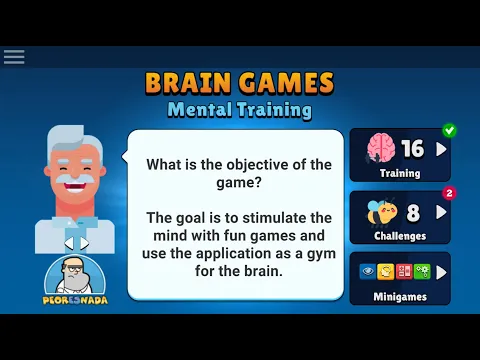
Fascinerende aerobics voor hersenneuronen, maar liefst 60 minuten spannende intellectuele games om je hersenen in goede conditie te houden – dit alles wacht op je met Neurobics: 60 Brain Games!

Dit is niet zomaar een spel, maar een hele “gymnastiek” voor de hersenen, die, net als het hele lichaam, constant moeten worden getraind. Het is voldoende om een ​​paar minuten per dag te besteden aan korte sessies, zodat de hersenen actief aan het werk zijn en uitstekend werk verrichten met de taken.

De applicatie werkt op vier manieren, namelijk training:

  • geheugen;
  • logische analyse;
  • concentratie van aandacht;
  • bekwaamheid in wiskundige berekeningen.

Voor iedereen – nuttige en spannende oefeningen die echt leuk zijn om uit te voeren.

De games die beschikbaar komen voor degenen die besluiten Neurobics: 60 Brain Games te downloaden, hebben verschillende moeilijkheidsgraden. Hier is het mogelijk om die op te halen die overeenkomen met je huidige niveau, en de moeilijkheidsgraad te verhogen om jezelf te ontwikkelen.

Herinneren! De hersenen moeten altijd worden getraind, het zal vindingrijkheid ontwikkelen, het geheugen verbeteren en de scherpte van de geest helpen vergroten. Een geweldige optie is om het te doen zonder arbeid en stress, leuk, speels, zonder verveling, maar met een hele zee van plezier. Neurobics: 60 Brain Games is hierbij een geweldige assistent, en als je werk niet gerelateerd is aan mentaal werk, dan heb je deze applicatie des te meer nodig!
Also known as: Neurobics: 60 Brain Games, Mental
Video of Neurobics
Screenshot Neurobics 1
Screenshot Neurobics 2
Screenshot Neurobics 3
Screenshot Neurobics 4
Screenshot Neurobics 5
Screenshot Neurobics 6

Neurobics downloaden

What's New in Version 106135

- Corrections and Improvements!
Leave a comment if you like the app, we appreciate your support!

Available Files

System Requirements

OS Version
Android 9.0 (Pie) or higher
Architecture
Varies by file (Which one do I need?)
Disk Space
~90 MB free space required
RAM
2 GB
Internet
Not required (Offline playable)
Google Services
Required
machtigingen (10)
  • Internet
  • Access Network State
  • Wake Lock
  • Android.gms.permission.ad Id
  • Access Adservices Topics

APK File Details

Package ID com.peoresnada.mental
Available on Google Play
Ontwikkelaar Peoresnada.com
License Gratis
Monetization Contains Ads   In-App Purchases
Age Rating Everyone

APK Verification & Virus Scan Results

No Virus Signature Verified Safe & Original

Virus scan: Clean (0/65) View report. This APK is free of malware and its signature matches the official developer release.

Show File Details (SHA-256, SHA-1, MD5)

SHA-1 Signature:

57c1ffcd27ecbd8110d2e3df525421e9f91eea94

SHA-256 Hash:

f91ecc14f50967508fee2c83c603980110256eb6311b6f6d62638d88cdafcd59

MD5 Checksum:

6b75c0102b013e83d07874ffa0944ead

Frequently Asked Questions

Is Neurobics safe to download?

Yes, Neurobics is safe to download. The APK is scanned on every update — no malware or viruses detected. You can verify the full scan report in the Security section above.

How to install XAPK file?

XAPK is a split APK package. Standard Android installer cannot open it directly. Use 'SAI' or 'XAPK Installer' — they handle XAPK files automatically. Download the installer, open the XAPK file with it, and follow the on-screen steps. Read more

What Android version does Neurobics require?

Neurobics requires Android 9.0 (API 28) or higher. Optimized for Android 15 (API 35).

Is Neurobics free?

Yes, it is free to download and use, but it contains ads and offers in-app purchases.

How to update Neurobics to the latest version?

Download the latest APK from this page and install it over your existing version — no need to uninstall first. Your data and settings will be preserved. We update the file as soon as a new version is released.

What processor architecture does Neurobics support?

Neurobics supports arm64-v8a. This build does not support x86/x86_64 processors, so it will not run on most PC emulators. If you are unsure about your device architecture, check the Device Info section on this page.

How to enable installation from unknown sources on Android?

Go to Settings → Security (or Settings → Apps → Special access on Android 8+) and enable "Install unknown apps" for your browser or file manager. On Android 8 and above this setting is per-app, not global. Read more

If you have found any issue or are having difficulty with this page, please .

User Reviews & Ratings

Wereldwijde beoordeling(Play Store): 3.92(25.5K)
Beoordeel deze app

0,00

12345

not yet rated

Share your experience with other users.