Picross Touch Icon

Picross Touch APK for Android

160K+
Gratis
19 aug 2021

Open afbeeldingen gecodeerd met nummers op het spelbord

Download Picross Touch APK 1.81 14MB

What is Picross Touch?

Picross Touch – Japanse kruiswoordraadsels in een mobiel apparaat, die puzzels in gedrukte publicaties met succes vervangen, waardoor de gebruiker de cellen van het speelveld niet met een potlood of pen hoeft in te vullen. De rol van het schrijfinstrument wordt nu vervuld door de vinger en de gum wordt stilletjes vervangen door de knop om de laatste zet te annuleren.

De puzzel biedt de mogelijkheid om versleutelde afbeeldingen op het veld te openen in drie moeilijkheidsgraden, die afhankelijk zijn van de schaal van de speelruimte – vijf bij vijf, tien bij tien, vijftien bij vijftien of twintig bij twintig cellen. Wees voor de start van het eerste niveau niet te lui om in de instellingen te kijken om een ​​comfortabel ontwerpthema te kiezen en, indien gewenst, extra functies toe te voegen of uit te schakelen.

Kenmerken:

  • editor voor het aanpassen van het interface-ontwerpthema;
  • flexibele instellingen voor personalisatie van gameplay;
  • keuze uit vier moeilijkheidsgraden;
  • training voor beginners.

Als je nog nooit zo’n puzzelplan hebt opgelost, doorloop dan eerst de training, stap voor stap de instructies van het systeem herhalend. Het spel Picross Touch is honderden Japanse kruiswoordraadsels, een ontwerp zonder decor en onnodige elementen, een keuze aan moeilijkheidsgraden en comfortabele bediening met een vinger en knoppen op het scherm.
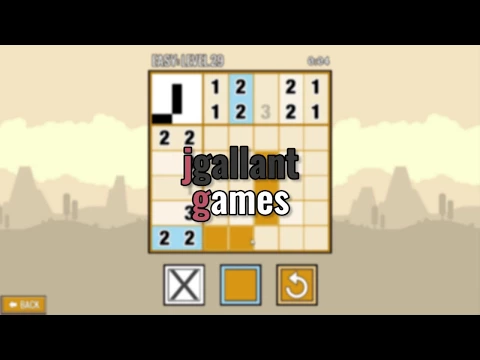
Video of Picross Touch
Screenshot Picross Touch 1
Screenshot Picross Touch 2
Screenshot Picross Touch 3
Screenshot Picross Touch 4
Screenshot Picross Touch 5

Picross Touch downloaden

What's New in Version 1.81

Fixed issue with Tutorial not working.
Fixed crashing bug on some devices.

Available Files

System Requirements

OS Version
Android 4.1 (Jelly Bean) or higher
Architecture
Varies by file (Which one do I need?)
Disk Space
~30 MB free space required
RAM
2 GB
Internet
Not required (Offline playable)
machtigingen (2)
  • Internet
  • Billing

APK File Details

Package ID com.jgallant.picrosstouch
Ontwikkelaar jgallant
License Gratis ( No Ads)
Monetization In-App Purchases
Age Rating All
Interface Language
1 language

+ 1 localization

APK Verification & Virus Scan Results

No Virus Signature Verified Safe & Original

Virus scan: Clean (0/65) View report. The APK file is digitally signed.

Show File Details (SHA-256, SHA-1, MD5)

SHA-1 Signature:

50813B9A986B78FAE4803F3C53187BAEA3D3A4B4

SHA-256 Hash:

f0775a3cd05a6ae2c036b90e1f0b772e4fb15a7a3172baab1f4205c41a68d10b

MD5 Checksum:

d1c9cb35ad5af38661a42d889103446e

Frequently Asked Questions

Is Picross Touch safe to download?

Yes, Picross Touch is safe to download. The APK is scanned on every update — no malware or viruses detected. You can verify the full scan report in the Security section above.

How to install Picross Touch APK on Android?

Download the APK using the button above. Then open the file and tap Install. If prompted, enable "Install from unknown sources" in Settings → Security. The process takes under a minute. Read more

Why does installation fail on newer Android versions (14 - 16)?

Newer Android versions strictly block the installation of apps built for older Android versions (API < 23) for security reasons. Standard installation is not possible. Read our step-by-step guide on how to bypass this restriction using ADB or Shizuku.

What Android version does Picross Touch require?

Picross Touch requires Android 4.1 (API 16) or higher. Optimized for Android 9.0 (API 28).

Is Picross Touch free?

Yes, the app is free to download, but it contains in-app purchases for additional content.

What processor architecture does Picross Touch support?

Picross Touch supports arm64-v8a. This build does not support x86/x86_64 processors, so it will not run on most PC emulators. If you are unsure about your device architecture, check the Device Info section on this page.

How to enable installation from unknown sources on Android?

Go to Settings → Security (or Settings → Apps → Special access on Android 8+) and enable "Install unknown apps" for your browser or file manager. On Android 8 and above this setting is per-app, not global. Read more

If you have found any issue or are having difficulty with this page, please .

User Reviews & Ratings

Wereldwijde beoordeling(Play Store): 4.36(682)
Beoordeel deze app

0,00

12345

not yet rated

Share your experience with other users.