
What is Timbre: Audio/Video Cut Join?
Ever felt the frustration of needing three different apps just to trim a video, merge an audio track, and then convert it? Most mobile editors specialize, forcing you into an endless cycle of downloads and file transfers. But I recently tried Timbre: Audio/Video Cut Join, and it does something refreshingly different.
This isn’t just another basic MP3 cutter or simple video trimmer. Timbre: Audio/Video Cut Join brings a whole studio to your pocket. Need to snip out a specific moment from a long video? Or perhaps combine several audio clips for a podcast? It handles an incredible range of formats, from common MP4s and MP3s to less frequent FLACs and MKVs. No more pre-converting your files just to get started!
Where many apps stop at basic edits, Timbre: Audio/Video Cut Join keeps going. I was genuinely surprised to find tools like a video to audio extractor, perfect for grabbing that catchy tune from a clip. And for creators, the built-in Text to Speech function is a real gem – just type your words and export the narration. How many “free” apps offer that kind of versatility? It’s powered by the professional FFmpeg library, ensuring your edits are fast and the quality stays sharp, even with compressed output files.
Here’s what you get:
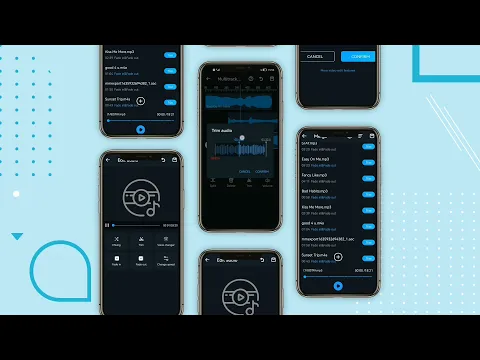
- Audio/Video Cutter & Joiner: Precisely trim clips or merge multiple files of almost any format.
- Universal Converter: Transform audio (WAV to MP3) or video (MKV to MP4) with ease.
- Video to Audio Extractor: Pull high-quality MP3s directly from your video files.
- Text to Speech Generator: Convert typed text into spoken audio, ready for export.
- Speed & Bitrate Changer: Adjust playback speed or compress files without losing quality.
If you’re tired of a fragmented editing workflow, Timbre: Audio/Video Cut Join is a clear winner. It’s a powerful, all-in-one media toolkit that genuinely simplifies your creative process. Give it a try; you might just delete half your other editing apps.




Share your experience with other users.