Midifun Karaoke Icon

Midifun Karaoke APK for Android

Puasoft Original
9M+
Free
Mar 26, 2024

Midifun is your offline, free karaoke for Android.

Download Midifun Karaoke APK 11.44 22MB Old versions

What is Midifun Karaoke?

MidiFun Karaoke is a multimedia player adapted to work on smart devices running the Android operating system, and with which you can sing your favorite songs in karaoke format, and you will do it offline.

Unlike hundreds of other karaoke apps, our version already contains a collection of hundreds of MIDI – these are the digital interfaces of musical instruments – and songs formatted for karaoke that you can play when you are offline – offline.

In addition to how to sing karaoke, in this application you can also solve musical puzzles – they are in the form of a test: you need to guess songs only by words, or only by melody. There are four options to choose from, the correct choice rewards you with winning points. And the faster you make the right choice, the more you get extra points – bonuses.

Details.

  • The process of performing karaoke songs can be recorded.
  • The application supports bluetooth connection for microphone and headphones.
  • Lyrics font size can be adjusted by directory: settings/screen/font.
  • Users can ask developers to add their favorite songs to the app’s MIDI library.
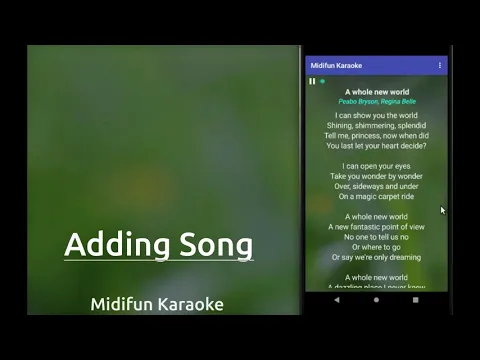
Video of Midifun Karaoke
Screenshot Midifun Karaoke 1
Screenshot Midifun Karaoke 2
Screenshot Midifun Karaoke 3
Screenshot Midifun Karaoke 4
Screenshot Midifun Karaoke 5
Screenshot Midifun Karaoke 6
Screenshot Midifun Karaoke 7

Download Midifun Karaoke APK for Android

What's New in Version 11.44

✓ Support for newer Android devices
✓ Faster startup, removed startup ads
✓ App now works on Android 12
✓ Made Refresh button more accessible (on Home screen)
✓ Unlimited audio download. No more download limits.

Other versions

System Requirements

OS Version
Android 8.0 (OREO) or higher
Architecture
Varies by file (Which one do I need?)
Disk Space
~40 MB free space required
RAM
1 GB
Internet
Not required
Permissions (8)
  • Internet
  • Record Audio
  • Access Network State
  • Write External Storage
  • Wake Lock

APK File Details

Package ID com.midifun
Available on Google Play
Developer Puasoft
License Free
Monetization Contains Ads  
Content Rating Everyone
Interface Language
English +74

English, Japanese, German, Bulgarian, Thai, Hindi, Vietnamese, Ukrainian, Polish, Korean, Romanian, Arabic, French, Turkish, Czech, Spanish, Italian, Hungarian, Russian, Chinese, Portuguese, + 54 localizations

APK Verification & Virus Scan Results

No Virus Signature Verified Safe & Original

Virus scan: Clean (0/64) View report. This APK is free of malware and its signature matches the official developer release.

Show File Details (SHA-256, SHA-1, MD5)

SHA-1 Signature:

6b640e4f2d8402e43871a87774f0660776fba281

SHA-256 Hash:

ffd9545f24e4c1aa0a613d5e7ba5792629e3d084398c1499d0fc0fd998754b11

MD5 Checksum:

5dfe1fd9f0b81dae1183d1b15bf80027

Frequently Asked Questions

Is Midifun Karaoke safe to download?

Yes, Midifun Karaoke is safe to download. The APK is scanned on every update — no malware or viruses detected. You can verify the full scan report in the Security section above.

How to install Midifun Karaoke APK on Android?

Download the APK using the button above. Then open the file and tap Install. If prompted, enable "Install from unknown sources" in Settings → Security. The process takes under a minute. Read more

What Android version does Midifun Karaoke require?

Midifun Karaoke requires Android 8.0 (API 26) or higher. Optimized for Android 13 (API 33).

Is Midifun Karaoke free?

Yes, it is free to use, but it is ad-supported.

How to update Midifun Karaoke to the latest version?

Download the latest APK from this page and install it over your existing version — no need to uninstall first. Your data and settings will be preserved. We update the file as soon as a new version is released.

What processor architecture does Midifun Karaoke support?

Midifun Karaoke supports universal. If you are unsure about your device architecture, check the Device Info section on this page.

How to enable installation from unknown sources on Android?

Go to Settings → Security (or Settings → Apps → Special access on Android 8+) and enable "Install unknown apps" for your browser or file manager. On Android 8 and above this setting is per-app, not global. Read more

If you have found any issue or are having difficulty with this page, please .

User Reviews & Ratings

Global rating(Play Store): 4.03(46.2K)
Site Rating: 5(1)
Rate this app

5.00

12345

1

Share your experience with other users.