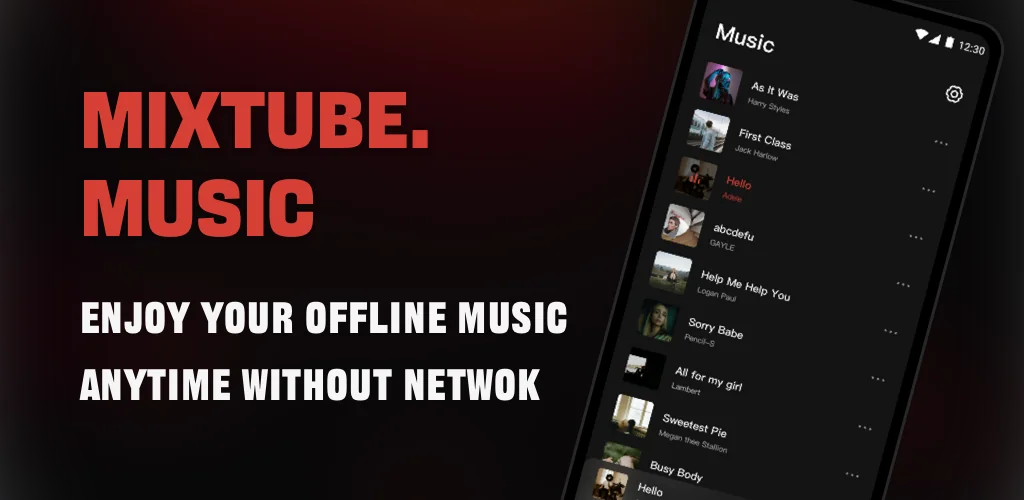

Offline Music Player - Mixtube app cover art for Android
Offline Music Player - Mixtube Icon

Offline Music Player - Mixtube APK for Android

25M+
Free
Nov 13, 2026

High-quality offline listening: manage playlists, enjoy sound everywhere.

Download Offline Music Player - Mixtube APK 4.7.3 42MB

What is Offline Music Player?

Enjoy your favorite music anywhere, anytime for free. The Offline Music Player - Mixtube mobile app allows you to easily import music files and audio recordings, supporting playback of tracks in a wide variety of formats. The built-in MP3 player with a high-quality equalizer makes your listening experience even more immersive.

Why choose us?

Listen to music without stopping!

Play tracks or audio files even in the background, remaining free for other tasks – whether it’s using apps, working, studying, or daily chores.

Support for all audio formats.

The app plays audio not only in MP3 format but also supports MIDI, WAV, FLAC, AAC, APE, and other files, maintaining high sound quality.

Additional features:

  • Offline audio player with high-quality playback support.
  • Convenient control: navigate by tracks, artists, albums, folders, and playlists.
  • Ability to create and personalize playlists.
  • Control functions via the lock screen and notification panel.
  • Widget support for even greater ease of use.

Offline Music Player - Mixtube is designed for offline music listening and does not provide audio downloading or streaming capabilities. We believe that a music playback app can offer even more features and convenience. Immerse yourself in the world of offline music right now!

The Premium subscription offers even more benefits. Enjoy music without advertisements. Payment is charged to your iTunes account upon purchase confirmation. The subscription automatically renews unless auto-renewal is turned off 24 hours before the end of the current period. The renewal fee for Offline Music Player - Mixtube subscription is charged 24 hours before the end of the current period.

Offline Music Player - Mixtube screenshot 1
Offline Music Player - Mixtube screenshot 2
Offline Music Player - Mixtube screenshot 3
Offline Music Player - Mixtube screenshot 4
Offline Music Player - Mixtube screenshot 5
Offline Music Player - Mixtube screenshot 6

Download Offline Music Player - Mixtube APK for Android

What's New in Version 4.7.3

No official changelog provided for Offline Music Player - Mixtube version 4.7.3. This update likely includes general stability improvements and bug fixes.

Download Links:

System Requirements

OS Version
Android 7.0 (Nougat) or higher
Architecture
Varies by file (Which one do I need?)
Disk Space
~60 MB free space required
RAM
1 GB
Internet
Not required
Google Services
Required
Permissions (24)
  • Internet
  • Access Network State
  • Read External Storage
  • Write External Storage
  • Vibrate

APK File Details

Package ID com.toto.jcyj.mvmix
Developer Mixtube Music player
License Free
Monetization Contains Ads   In-App Purchases
Content Rating Everyone
Interface Language
English +16

English, Arabic, German, Italian, Portuguese, Chinese, Japanese, Korean, Thai, Vietnamese, Spanish, French, Hindi, Russian, Turkish, + 2 localizations

APK Verification & Virus Scan Results

No Virus Signature Verified Safe & unmodified

Virus scan: Verified safe (0/62) View report. The APK file is digitally signed.

Show File Details (SHA-256, SHA-1, MD5)

SHA-1 Signature:

49418a81f19999c591806e78c3f137499e013f34

SHA-256 Hash:

e1216fbc5de122c29ec1a28b81471347667651ad92a41a52f0eb961290581a36

MD5 Checksum:

6127203009927d4111c5cce97d918cfa

Frequently Asked Questions

Is Offline Music Player safe to download?

Yes, Offline Music Player is safe to download. The APK is scanned on every update — no malware or viruses detected. You can verify the full scan report in the Security section above.

How to install XAPK file?

XAPK is a split APK package. Standard Android installer cannot open it directly. Use 'SAI' or 'XAPK Installer' — they handle XAPK files automatically. Download the installer, open the XAPK file with it, and follow the on-screen steps. Read more

What Android version does Offline Music Player require?

Offline Music Player requires Android 7.0 (API 24) or higher. Optimized for Android 16 (API 36).

Is Offline Music Player free?

Yes, it is free to download and use, but it contains ads and offers in-app purchases.

What processor architecture does Offline Music Player support?

Offline Music Player supports armeabi-v7a. This build does not support x86/x86_64 processors, so it will not run on most PC emulators. If you are unsure about your device architecture, check the Device Info section on this page.

How to enable installation from unknown sources on Android?

Go to Settings → Security (or Settings → Apps → Special access on Android 8+) and enable "Install unknown apps" for your browser or file manager. On Android 8 and above this setting is per-app, not global. Read more

Found a problem on this page?

User Reviews & Ratings

Global rating (Play Store): 4.31★ (94.2K)
Site Rating: 5★ (1)
Rate this app

5.00

12345

1

Share your experience with other users.