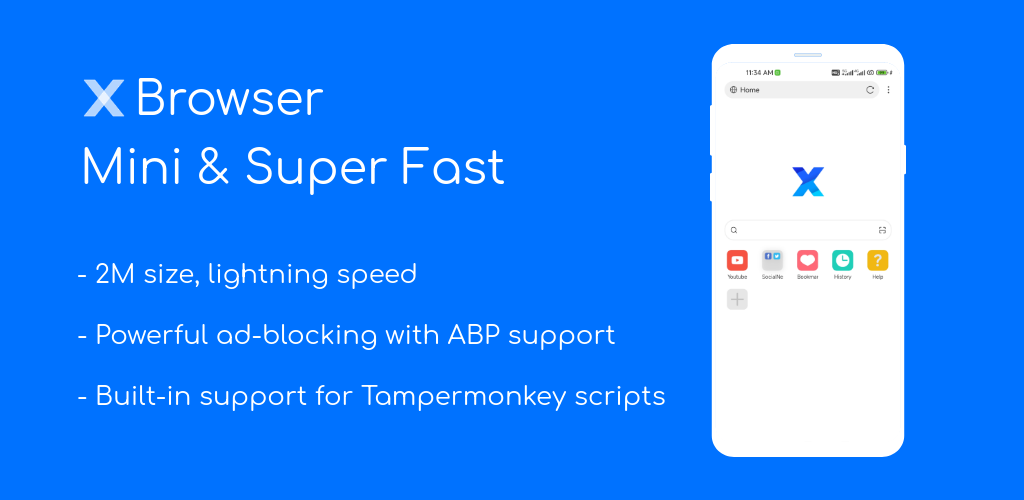

X Browser -Light & Super fast app cover art for Android
X Browser -Light & Super fast Icon

X Browser -Light & Super fast APK for Android

byteman.su Original
Also known as: X Browser -Light & Super fast, XBrowser
49M+
Free
Aug 21, 2026

A pocket-sized browser that blocks ads, saves videos, and runs custom scripts.

Download X Browser -Light & Super fast APK 5.6.3 3MB

What is X Browser -Light & Super fast?

X Browser -Light & Super fast is a lightweight mobile browser built around a single idea: strip out everything that slows a page down and keep the rest under a 1M install. It targets people who want ad blocking, script support, and video saving without a browser that eats storage or phones home in the background.

The browser opens fast because there is little to load beyond the interface itself. Ad blocking runs by default and strips out roughly 80 percent of malicious ads, and users can import or subscribe to third-party filter lists if the built-in rules miss something. A video sniffing tool scans open pages for playable video and lets you save it directly, which skips the usual copy-paste-into-a-downloader routine. For anyone who tweaks pages for a living or just wants extra control, X Browser -Light & Super fast has built-in support for GreaseMonkey and Tampermonkey user scripts, so community scripts that add features or strip clutter from specific sites work without a separate extension manager. Saved logins, addresses, and other form data autofill on repeat visits, and the appearance, gestures, and shortcuts can all be rearranged to taste.

Key Features:

  • Runs on a 1M install size, so it launches quickly even on older hardware
  • Blocks roughly 80% of malicious ads and accepts imported third-party filter lists
  • Includes a built-in video sniffing tool for saving clips found while browsing
  • Supports GreaseMonkey and Tampermonkey scripts for deeper site customization
  • Requests very few permissions and runs no background residency or push services
  • Autofills saved details like username, password, and address into web forms

Privacy and permissions in X Browser -Light & Super fast

Most mobile browsers ask for a long list of permissions before they even load a page; X Browser -Light & Super fast does not. The developer states it requests only a minimal set, skips background residency processes, and avoids push notification services entirely, which matters for anyone trying to keep a phone's permission list short. Security and privacy settings sit in their own menu rather than being buried, covering the kind of toggles power users usually go digging for. That combination, a small footprint plus a short permissions list, is the app's clearest pitch to privacy-conscious users and to anyone running an older or storage-limited device.

Browsers like X Browser -Light & Super fast

Kiwi Browser covers similar ground but goes further by running full Chrome extensions rather than user scripts, which gives it more raw capability at the cost of a heavier install. Brave Browser takes a different approach again, building in crypto rewards and aggressive default shields rather than aiming for a small footprint. X Browser -Light & Super fast sits closer to the minimalist end of that spectrum: fewer built-in extras, but a lighter, faster shell.

X Browser -Light & Super fast suits users who already know what an ad blocker or a Tampermonkey script does and want a browser that gets out of the way otherwise. The user script and custom filter list features assume some technical comfort, and anyone wanting Chrome-style account sync across devices will not find it here.

X Browser -Light & Super fast screenshot 1
X Browser -Light & Super fast screenshot 2
X Browser -Light & Super fast screenshot 3
X Browser -Light & Super fast screenshot 4
X Browser -Light & Super fast screenshot 5
X Browser -Light & Super fast screenshot 6

X Browser -Light & Super fast APK Download

What's New in Version 5.6.3

- Optimized ad blocking, doubling performance. Importing massive blocking rule sets no longer affects page rendering performance.
- Optimized aggressive blocking mode, fixing the issue where some video sites could not play videos in this mode.
- Blocked resource rules in aggressive blocking mode are now written to the blocking log, making it easier to troubleshoot false positives.
- Password manager authentication now prioritizes the Android system's built-in fingerprint authentication.

Download Link:

System Requirements

OS Version
Android 7.0 (Nougat) or higher
Architecture
Varies by file (Which one do I need?)
Disk Space
~10 MB free space required
RAM
1 GB
Internet
Required

APK File Details

Package ID com.xbrowser.play
Available on Google Play
Developer byteman.su
License Free ( No Ads)
Content Rating Everyone
Interface Language
English +76

English, Russian, Chinese, Japanese, Indonesian, German, Bulgarian, Thai, Hindi, Vietnamese, Ukrainian, Polish, Korean, Romanian, Arabic, French, Turkish, Czech, Spanish, Italian, Portuguese, Hungarian, + 55 localizations

Required Permissions (20)
  • Internet
  • Record Audio
  • Camera
  • Access Network State
  • Write External Storage

APK Verification & Virus Scan Results

No Virus Signature Verified Safe & unmodified

Virus scan: Verified safe (0/67) View report. This APK is free of malware and its signature matches the official developer release.

Show File Details (SHA-256, SHA-1, MD5)

SHA-1 Signature:

6e755e45d931372a906445b97ea5cb7f2271498b

SHA-256 Hash:

a1bd604446fd83ccce0534806304d32854e567463087958869e80d2713df1d33

MD5 Checksum:

08a62665b0e9241b04098911ea4e5d84

Frequently Asked Questions

Is X Browser -Light & Super fast safe to download?

Yes, X Browser -Light & Super fast is safe to download. The APK is scanned on every update — no malware or viruses detected. You can verify the full scan report in the Security section above.

How to install X Browser -Light & Super fast APK on Android?

Download the APK using the button above. Then open the file and tap Install. If prompted, enable "Install from unknown sources" in Settings → Security. The process takes under a minute. Read more

What Android version does X Browser -Light & Super fast require?

X Browser -Light & Super fast requires Android 7.0 (API 24) or higher. Optimized for Android 17 (API 37).

Is X Browser -Light & Super fast free?

Yes, this app is completely free to download and use.

How to update X Browser -Light & Super fast to the latest version?

Download the latest APK from this page and install it over your existing version — no need to uninstall first. Your data and settings will be preserved. We update the file as soon as a new version is released.

What processor architecture does X Browser -Light & Super fast support?

X Browser -Light & Super fast supports universal. If you are unsure about your device architecture, check the Device Info section on this page.

How to enable installation from unknown sources on Android?

Go to Settings → Security (or Settings → Apps → Special access on Android 8+) and enable "Install unknown apps" for your browser or file manager. On Android 8 and above this setting is per-app, not global. Read more

Found a problem on this page?

User Reviews & Ratings

Global rating (Play Store): 4.42(97.8K)
Site Rating: 5(1)
Rate this app

5.00

12345

1

Share your experience with other users.

Download X Browser -Light & Super fast APK - Latest version

Get the official APK file for your Android device. Fast, safe, and free. Download APK