
What is NP Manager?
For users seeking deep control over Android applications, the NP Manager APK offers an extensive suite of tools. This utility functions as a multi-faceted manager, allowing intricate manipulation of APK, Dex, and Jar files, alongside a surprising array of other formats. It’s a powerful asset for developers, modders, and anyone interested in the inner workings of Android software.
What is NP Manager?
NP Manager operates as a comprehensive toolkit for Android application analysis and modification. It provides functionalities ranging from decompiling and recompiling APKs to editing Smali code directly. The app facilitates various conversions between Dex, Jar, and Smali formats, making it a central hub for code-level adjustments. Beyond code, it handles resource obfuscation, digital signing, and even advanced protection schemes. Originating as a community-driven project, version v3.1.41 continues to expand its capabilities, often incorporating contributions from a global network of enthusiasts.
Key Features:
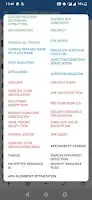
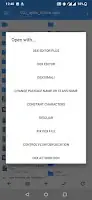
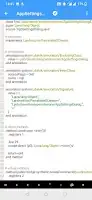
- Advanced Code Manipulation: Convert between Dex, Jar, and Smali files. The app supports merging and splitting Dex files, alongside robust Smali, Java, and AXML editors featuring syntax highlighting for easier navigation.
- APK Obfuscation & Encryption: Implement "Super Obfuscation 3.0" for direct Dex obfuscation, supporting multi-Dex and core Android components. "Control Flow Obfuscation 5.0" offers comprehensive string encryption, method hiding, resource ID encryption, and instruction replacement.
- Resource & Asset Protection: Obfuscate application resources with custom dictionaries. Encrypt assets and resources to protect them from casual inspection, adding a layer of security.
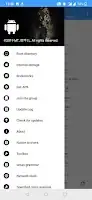
- Multi-Format File Utility: Extend beyond Android-specific files to manage PDFs (merge, encrypt, split), convert video, extract audio streams, and handle various text encodings. It includes a Hex editor, JSON visualizer, and SVG/VectorDrawable converters.
- Developer & Modder Toolkit: Features include one-click additions for Xposed detection, crash logging, and screenshot prevention. A built-in terminal emulator and network interface testing tool (NPMan) further broaden its utility.
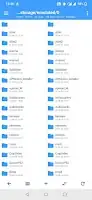
- File System Access: With ROOT or Shizuku authorization, the app can access and modify files within the Android/data directory, offering unparalleled control over installed applications.
Practical Use Cases for NP Manager
This application serves a niche but critical role for several user types. Android developers can use it to analyze competitors' apps, test their own obfuscation strategies, or debug complex issues by examining compiled code. Modders frequently employ NP Manager to customize existing applications, bypass certain restrictions, or create modified versions for specific purposes. For security researchers, it offers a powerful platform to reverse engineer malware or identify vulnerabilities within APKs. You can convert Smali code back to Java for easier readability, or encrypt sensitive strings to protect intellectual property. Honestly, its versatility makes it indispensable for deep dives into Android's architecture.
NP Manager vs similar apps
Compared to tools like MT Manager, NP Manager offers a similar core set of file management and APK modification features, often appealing to the same user base. However, NP Manager distinguishes itself with its advanced, integrated obfuscation techniques like "Super Obfuscation 3.0" and "Control Flow Obfuscation 5.0," which are central to its design. While MT Manager excels in general file operations and script execution, NP Manager pushes further into code protection and deep-level APK manipulation. For users primarily focused on robust code obfuscation, advanced Dex editing, and a broader range of non-APK file utilities (like PDF or JSON), NP Manager might be the preferred choice. For basic decompilation and rebuilding, command-line tools like APKTool remain a standard, but NP Manager provides a comprehensive GUI experience.
NP Manager is clearly designed for power users, developers, and modders who need granular control over Android applications and various file types. It packs an impressive array of specialized tools into a single package. The catch, as the developers openly state, is that the app may experience crashes, particularly on rooted devices or those running Xposed environments.

Share your experience with other users.