NASA app cover art for Android
NASA Icon

NASA APK for Android

NASA Original
16M+
Free
Jan 27, 2026

Your portal to space: Live streams, stunning images, and mission updates.

Download NASA APK 5.3.2 13MB

What is NASA?

The redesigned NASA unlocks access to the new NASA+ video streaming service, plus all the latest NASA images, news, mission information, podcasts, and interactive augmented reality experiences to explore — putting the universe at your fingertips!

With NASA, you’ll be able to:

  • Explore with unlimited access to NASA+, featuring all of NASA’s official live coverage and original on-demand video series. No subscription required.
  • Easily view over 21,000 of the latest NASA images
  • Rate images and explore all of the top-rated images
  • Automatically change your home and lock screen wallpaper to the latest NASA images every day
  • Read all the latest NASA news and feature articles
  • Get the latest updates on Artemis, the James Webb Space Telescope, and other exciting NASA missions.
  • Listen to our podcasts featuring astronauts and experts who take you on a tour of the galaxy without ever leaving Earth.
  • Set an alert for when the International Space Station will fly over your location
  • Experience our rovers and rockets up close and personal with augmented reality.
  • And so much more!

Install NASA now for educational and entertaining use.
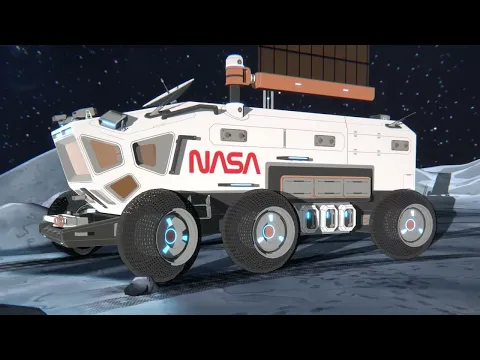
Video of NASA
Screenshot NASA 1
Screenshot NASA 2
Screenshot NASA 3
Screenshot NASA 4
Screenshot NASA 5
Screenshot NASA 6
Screenshot NASA 7
Screenshot NASA 8

Download NASA APK for Android

What's New in Version 5.3.2

A new podcast player with background audio playback and media notification controls, plus networking improvements for more reliable streaming.

Available Files

System Requirements

OS Version
Android 10 (Q) or higher
Architecture
Varies by file (Which one do I need?)
Disk Space
~20 MB free space required
RAM
1 GB
Internet
Not required
Google Services
Required
Permissions (19)
  • Internet
  • Access Network State
  • Read External Storage
  • Write External Storage
  • Access Fine Location

APK File Details

Package ID gov.nasa
Available on Google Play
Developer NASA
License Free ( No Ads)
Content Rating Everyone
Interface Language
English +16

English, German, Vietnamese, Italian, Russian, Thai, French, Spanish, Portuguese, Japanese, Hindi, Korean, Arabic, Turkish, Chinese, + 2 localizations

APK Verification & Virus Scan Results

No Virus Signature Verified Safe & Original

Virus scan: Clean (0/66) View report. This APK is free of malware and its signature matches the official developer release.

Show File Details (SHA-256, SHA-1, MD5)

SHA-1 Signature:

2fd6427ada045d16024536ab843e007484892f45

SHA-256 Hash:

58f3ee5b9d899734ba91cd9422766bc97cb7c41a5194cd862080ba64de686920

MD5 Checksum:

b921aa9b553b2226e99d2e4969123ba4

Frequently Asked Questions

Is NASA safe to download?

Yes, NASA is safe to download. The APK is scanned on every update — no malware or viruses detected. You can verify the full scan report in the Security section above.

How to install XAPK file?

XAPK is a split APK package. Standard Android installer cannot open it directly. Use 'SAI' or 'XAPK Installer' — they handle XAPK files automatically. Download the installer, open the XAPK file with it, and follow the on-screen steps. Read more

What Android version does NASA require?

NASA requires Android 10 (API 29) or higher. Optimized for Android 15 (API 35).

Is NASA free?

Yes, this app is completely free to download and use.

How to update NASA to the latest version?

Download the latest APK from this page and install it over your existing version — no need to uninstall first. Your data and settings will be preserved. We update the file as soon as a new version is released.

What processor architecture does NASA support?

NASA supports armeabi-v7a. This build does not support x86/x86_64 processors, so it will not run on most PC emulators. If you are unsure about your device architecture, check the Device Info section on this page.

How to enable installation from unknown sources on Android?

Go to Settings → Security (or Settings → Apps → Special access on Android 8+) and enable "Install unknown apps" for your browser or file manager. On Android 8 and above this setting is per-app, not global. Read more

If you have found any issue or are having difficulty with this page, please .

User Reviews & Ratings

Global rating(Play Store): 4.34(117.9K)
Site Rating: 5(1)
Rate this app

5.00

12345

1

Share your experience with other users.