Brickit app cover art for Android
Brickit Icon

Brickit APK for Android

Brickit Original
5M+
Free
Apr 19, 2025

Helper app to build figures from existing Lego pieces

Download Brickit APK 4.33.3 368MB Old versions

What is Brickit?

Brickit is a pretty popular and useful app with which you can build new figures from your LEGO pieces. The principle of use is as simple and clear as possible. Even a beginner can easily handle this. Here’s what to do:

  • pour the details onto some surface and scan them with the application. It will automatically recognize and count them, displaying the result on the screen;
  • in the application, choose what you want to build from these parts. In the catalog you can find a huge number of different options, including a flying car, kangaroos, robots and much more;
  • after you select, the application will provide you with assembly instructions for each step;
  • if you have trouble finding the details you need, that’s not a problem. The app will help you find.

Collect the figures you like, have a great time and improve your skills.

The application is absolutely free, but there is a Pro version that you can purchase for an additional fee. It provides you with unique features and advanced features that are not available in the regular version. The subscription is confirmed immediately after the withdrawal of money from your personal account. In addition, it also automatically renews if this function is not turned off at least 24 hours before the end of the previous period. You can easily manage all active subscriptions right through your smartphone in your account settings.

With this application, you can collect various LEGO figures, and do it with maximum pleasure and comfort. Such a pastime will be especially interesting for children. You only need to download the Brickit application to your device, launch it and choose the figure you like.
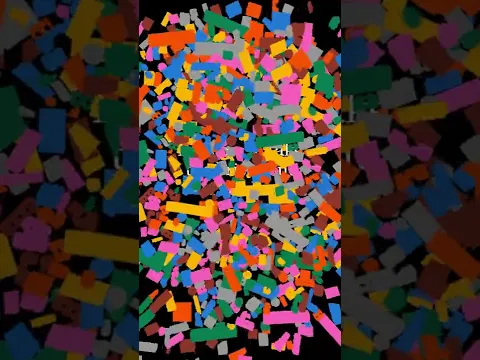
Video of Brickit
Screenshot Brickit 1
Screenshot Brickit 2
Screenshot Brickit 3
Screenshot Brickit 4
Screenshot Brickit 5
Screenshot Brickit 6

Download Brickit APK for Android

What's New in Version 4.33.3

Technical update: made several bug fixes and performance improvements.

Other versions

System Requirements

OS Version
Android 9.0 (Pie) or higher
Architecture
Varies by file (Which one do I need?)
Disk Space
~450 MB free space required
RAM
2 GB
Internet
Not required
Google Services
Required
Permissions (26)
  • Internet
  • Record Audio
  • Camera
  • Access Network State
  • Read External Storage

APK File Details

Package ID com.brickit.brickit
Available on Google Play
Developer Brickit
License Free
Monetization Contains Ads   In-App Purchases
Content Rating Everyone
Interface Language
English +16

English, Spanish, Arabic, French, Turkish, Portuguese, Hindi, Russian, Thai, Korean, German, Vietnamese, Italian, Chinese, Japanese, + 2 localizations

APK Verification & Virus Scan Results

Scan In Queue Signature Verified Safe & Original

Antivirus scan in queue, will be scanned soon. This APK is free of malware and its signature matches the official developer release.

Show File Details (SHA-256, SHA-1, MD5)

SHA-1 Signature:

50183accb96ee171a45d9452768ab808b994d273

SHA-256 Hash:

9d64c0d563ae1298c43b4e295af276a0e8fcd6dd9566683a9ae4264cca08197c

MD5 Checksum:

cec4901b7af98e915d294057ce128ec3

Frequently Asked Questions

Is Brickit safe to download?

Brickit has passed a basic integrity check. A full antivirus scan is pending. You can check the current scan status in the Security section above.

How to install XAPK file?

XAPK is a split APK package. Standard Android installer cannot open it directly. Use 'SAI' or 'XAPK Installer' — they handle XAPK files automatically. Download the installer, open the XAPK file with it, and follow the on-screen steps. Read more

What Android version does Brickit require?

Brickit requires Android 9.0 (API 28) or higher. Optimized for Android 14 (API 34).

Is Brickit free?

Yes, it is free to download and use, but it contains ads and offers in-app purchases.

How to update Brickit to the latest version?

Download the latest APK from this page and install it over your existing version — no need to uninstall first. Your data and settings will be preserved. We update the file as soon as a new version is released.

What processor architecture does Brickit support?

Brickit supports armeabi-v7a. This build does not support x86/x86_64 processors, so it will not run on most PC emulators. If you are unsure about your device architecture, check the Device Info section on this page.

How to enable installation from unknown sources on Android?

Go to Settings → Security (or Settings → Apps → Special access on Android 8+) and enable "Install unknown apps" for your browser or file manager. On Android 8 and above this setting is per-app, not global. Read more

If you have found any issue or are having difficulty with this page, please .

User Reviews & Ratings

Global rating(Play Store): 2.78(373)
Site Rating: 3(2)
Rate this app

3.00

12345

2

Share your experience with other users.