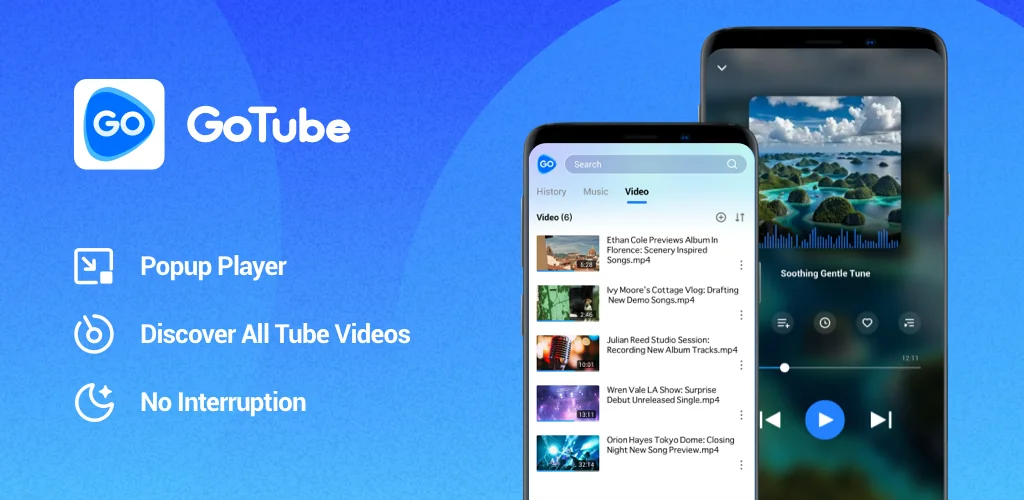

GoTube: Video & Music Player app cover art for Android
GoTube: Video & Music Player Icon

GoTube: Video & Music Player APK for Android

Also known as: GoTube: Video & Music Player, GoTube
108M+
Free
Aug 11, 2026

Streams video and music in a floating window with a battery dimming lock.

Download GoTube: Video & Music Player APK 5.6.60.105 32MB

What is GoTube: Video & Music Player?

GoTube: Video & Music Player is a video and music player built to keep content running while you do something else on your phone. It shrinks into a small floating window instead of stopping when you switch apps, and it pairs that with a battery-saving lock screen for longer sessions.

The player handles both video and MP3 tracks from the same interface, so switching between a show and a playlist doesn't mean opening a second app. Quality can be set manually across 240p, 360p, 720p, and 1080p, which matters on a slow connection or a limited data plan. Search covers millions of tracks along with related playlists, albums, and artists, and playlists themselves take one tap to build or trim. The energy saving lock dims the screen while playback continues, which is the feature that separates this from a plain video app; most players ask you to keep the screen fully lit or lose the content entirely.

Key Features:

  • A minimized background player shrinks video and audio into a small window so playback continues while you use other apps.
  • Video and music quality can be switched between 240p and 1080p depending on connection speed.
  • The energy saving lock cuts phone brightness during playback to stretch battery life.
  • Playlist management lets you add or remove tracks with a single tap.
  • Search covers millions of tracks, plus related playlists, albums, and artists.
  • An ad filtering layer aims to remove interruptions from video streams.

Background playback and battery saving explained

Locking the screen while a video plays sounds like a small thing until the battery gauge is on the line during a long commute or a shift at work. The lock feature drops brightness without pausing playback, so audio and video keep going while the display uses less power. Combined with the minimized window mode, which shrinks playback into a corner while you text or browse, the app is built around not having to choose between multitasking and battery life. Quality switching plays into the same idea: dropping to 360p or 240p on a weak signal keeps a stream from buffering and draining the battery faster through constant reloading.

Apps like GoTube: Video & Music Player

GoTube: Video & Music Player competes with YouTube Premium, the official route to background play and ad-free viewing, though it requires a subscription and ties everything to a Google account. NewPipe sits on the other end, an open-source client built around privacy and a lighter footprint, without any of Google's proprietary services baked in. Anyone who wants quality control and a battery-friendly lock screen without a subscription fee lands closer to what GoTube: Video & Music Player is doing.

GoTube: Video & Music Player suits people who stream video or music for long stretches on a single charge and want playback to survive switching apps. Ad filtering and background playback of this kind sit outside how the major platforms want their content handled, and a policy change on their end can affect features like this without warning.

GoTube: Video & Music Player screenshot 1
GoTube: Video & Music Player screenshot 2
GoTube: Video & Music Player screenshot 3
GoTube: Video & Music Player screenshot 4
GoTube: Video & Music Player screenshot 5

GoTube: Video & Music Player APK Download

What's New in Version 5.6.60.105

No official changelog provided for GoTube: Video & Music Player version 5.6.60.105. This update likely includes general stability improvements and bug fixes.

System Requirements

OS Version
Android 5.0 (Lollipop) or higher
Architecture
Varies by file (Which one do I need?)
Disk Space
~50 MB free space required
RAM
1 GB
Internet
Not required

APK File Details

Package ID premium.gotube.adblock.utube
Available on Google Play
Developer Niko Entertainment Company Limited
License Free
Monetization Contains Ads  
Content Rating Teen
Interface Language
14 languages

German, Thai, Ukrainian, Arabic, French, Turkish, Spanish, Italian, Portuguese, Russian, + 4 localizations

Required Permissions (23)
  • Internet
  • Access Network State
  • Read External Storage
  • Write External Storage
  • Vibrate

APK Verification & Virus Scan Results

No Virus Signature Verified Safe & unmodified

Virus scan: Verified safe (0/67) View report. This APK is free of malware and its signature matches the official developer release.

Show File Details (SHA-256, SHA-1, MD5)

SHA-1 Signature:

11c726aebcbcbad02384ff2660be2bd727f7bc4b

SHA-256 Hash:

926c585780060ffc334ed13cda50216f9ea9ed940a9366205dfcb897c2cedae4

MD5 Checksum:

6b9a731f9cdbe4de7951655edc952286

Frequently Asked Questions

Is GoTube: Video & Music Player safe to download?

Yes, GoTube: Video & Music Player is safe to download. The APK is scanned on every update — no malware or viruses detected. You can verify the full scan report in the Security section above.

How to install GoTube: Video & Music Player APK on Android?

Download the APK using the button above. Then open the file and tap Install. If prompted, enable "Install from unknown sources" in Settings → Security. The process takes under a minute. Read more

What Android version does GoTube: Video & Music Player require?

GoTube: Video & Music Player requires Android 5.0 (API 21) or higher. Optimized for Android 15 (API 35).

Is GoTube: Video & Music Player free?

Yes, it is free to use, but it is ad-supported.

How to update GoTube: Video & Music Player to the latest version?

Download the latest APK from this page and install it over your existing version — no need to uninstall first. Your data and settings will be preserved. We update the file as soon as a new version is released.

What processor architecture does GoTube: Video & Music Player support?

GoTube: Video & Music Player supports arm64-v8a, armeabi-v7a. This build does not support x86/x86_64 processors, so it will not run on most PC emulators. If you are unsure about your device architecture, check the Device Info section on this page.

How to enable installation from unknown sources on Android?

Go to Settings → Security (or Settings → Apps → Special access on Android 8+) and enable "Install unknown apps" for your browser or file manager. On Android 8 and above this setting is per-app, not global. Read more

Found a problem on this page?

User Reviews & Ratings

Global rating (Play Store): 4.48(1M)
Site Rating: 5(1)
Rate this app

5.00

12345

1

Share your experience with other users.

Download GoTube: Video & Music Player APK - Latest version

Get the official APK file for your Android device. Fast, safe, and free. Download APK