Cronometer: Calorie Counter app cover art for Android
Cronometer: Calorie Counter Icon

Cronometer: Calorie Counter APK for Android

5M+
Free
Mar 6, 2026

Track every nutrient, simplify logging, achieve your health goals.

Download Cronometer: Calorie Counter APK 4.52.1 97MB

What is Cronometer: Calorie Counter?

Calorie Counter by Cronometer is a comprehensive nutrition tracking app designed to help you understand exactly what you’re eating.

Ever find yourself staring at a meal, wondering if it truly supports your health goals, or feeling overwhelmed by logging every single ingredient? That’s where Cronometer: Calorie Counter steps in, turning the daunting task of diet tracking into something surprisingly manageable.

What sets this app apart is its dedication to accuracy. Instead of relying on user-submitted data, Cronometer: Calorie Counter boasts over 1.1 million verified foods, lab-analyzed for unmatched precision. This means you’re not just counting calories; you’re getting a true breakdown of macronutrients and an impressive 84 micronutrients. How often do you really know if you’re hitting all your vitamin and mineral targets? This level of detail offers incredible insight into your body’s fuel.

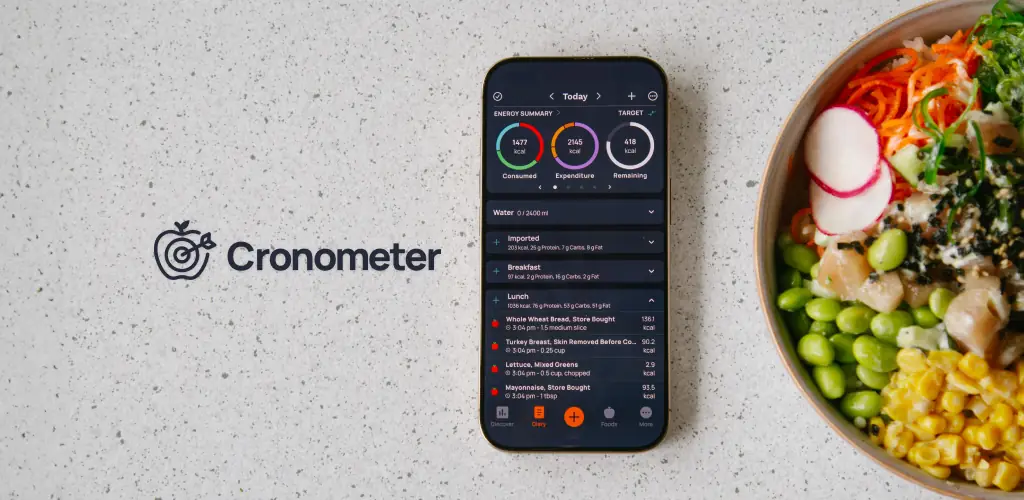
Logging food has become remarkably simple, especially with the new photo logging feature. Just snap a picture of your meal, and the app intelligently identifies ingredients and estimates portions. You can then quickly review and adjust, making daily tracking a breeze. Beyond food, Cronometer: Calorie Counter helps you track hydration, sleep, and fitness, even connecting with popular wearables like Fitbit and Garmin. It truly offers a holistic view of your well-being, all in one place.

Smart Logging & Accuracy

  • Photo Logging: Snap a meal photo for quick ingredient identification and portion estimation.
  • Verified Food Database: Access over 1.1 million lab-analyzed entries for precise nutrient data.
  • Free Barcode Scanner: Rapidly add packaged foods to your daily diary.

Holistic Health Insights

  • Comprehensive Nutrient Tracking: Monitor calories, macros, and up to 84 micronutrients.
  • Wearable Integrations: Sync data from devices like Fitbit, Garmin, and Oura for unified tracking.
  • Custom Goals & Charts: Set precise targets for calories, nutrients, and macros, then visualize your progress.

Ready to take control of your nutrition with confidence? Stop guessing and start knowing what truly fuels your body. Download Cronometer: Calorie Counter today and experience the difference accurate, detailed tracking makes for your health journey!

Also known as: Calorie Counter by Cronometer, Cronometer
Video of Cronometer: Calorie Counter
Screenshot Cronometer: Calorie Counter 1
Screenshot Cronometer: Calorie Counter 2
Screenshot Cronometer: Calorie Counter 3
Screenshot Cronometer: Calorie Counter 4
Screenshot Cronometer: Calorie Counter 5
Screenshot Cronometer: Calorie Counter 6
Screenshot Cronometer: Calorie Counter 7
Screenshot Cronometer: Calorie Counter 8

Download Cronometer: Calorie Counter APK for Android

What's New in Version 4.52.1

What’s New:

• General Improvements: We’ve made foundational updates to improve performance and reliability across the app.
• UI Enhancements: Minor visual tweaks for a cleaner, more intuitive user experience.
• Prep for Future Updates: Laying the groundwork for exciting features to come—stay tuned!

Update now to enjoy a smoother, more optimized experience.
Questions or feedback? Contact us at [email protected].

Available Files

System Requirements

OS Version
Android 8.0 (OREO) or higher
Architecture
Varies by file (Which one do I need?)
Disk Space
~150 MB free space required
RAM
1 GB
Internet
Not required
Google Services
Required
Permissions (61)
  • Internet
  • Record Audio
  • Camera
  • Access Network State
  • Read External Storage

APK File Details

Package ID com.cronometer.android.gold
Available on Google Play
Developer Cronometer Software Inc.
License Free
Monetization Contains Ads   In-App Purchases
Content Rating Everyone
Interface Language
English +17

English, German, Spanish, Portuguese, Turkish, Arabic, Thai, French, Japanese, Vietnamese, Korean, Chinese, Italian, Russian, Hindi, + 3 localizations

APK Verification & Virus Scan Results

Scan In Queue Signature Verified Safe & Original

Antivirus scan in queue, will be scanned soon. This APK is free of malware and its signature matches the official developer release.

Show File Details (SHA-256, SHA-1, MD5)

SHA-1 Signature:

9cdff67578800a88e8fea84e66d7553f2ef7ff8a

SHA-256 Hash:

e4dcf4916e56dac38c655e65d8714ffe82b47200290aa85ad0910559f6b2b84e

MD5 Checksum:

7680703f24ee295f5546d8870b916815

Frequently Asked Questions

Is Cronometer: Calorie Counter safe to download?

Cronometer: Calorie Counter has passed a basic integrity check. A full antivirus scan is pending. You can check the current scan status in the Security section above.

How to install XAPK file?

XAPK is a split APK package. Standard Android installer cannot open it directly. Use 'SAI' or 'XAPK Installer' — they handle XAPK files automatically. Download the installer, open the XAPK file with it, and follow the on-screen steps. Read more

What Android version does Cronometer: Calorie Counter require?

Cronometer: Calorie Counter requires Android 8.0 (API 26) or higher. Optimized for Android 15 (API 35).

Is Cronometer: Calorie Counter free?

Yes, it is free to download and use, but it contains ads and offers in-app purchases.

How to update Cronometer: Calorie Counter to the latest version?

Download the latest APK from this page and install it over your existing version — no need to uninstall first. Your data and settings will be preserved. We update the file as soon as a new version is released.

What processor architecture does Cronometer: Calorie Counter support?

Cronometer: Calorie Counter supports arm64-v8a. This build does not support x86/x86_64 processors, so it will not run on most PC emulators. If you are unsure about your device architecture, check the Device Info section on this page.

How to enable installation from unknown sources on Android?

Go to Settings → Security (or Settings → Apps → Special access on Android 8+) and enable "Install unknown apps" for your browser or file manager. On Android 8 and above this setting is per-app, not global. Read more

If you have found any issue or are having difficulty with this page, please .

User Reviews & Ratings

Global rating(Play Store): 4.61(51.2K)
Site Rating: 5(1)
Rate this app

5.00

12345

1

Share your experience with other users.