What is Samsung Find: Location Sharing?
You leave your earbuds on a cafe table and only realize it three stops down the subway line.
Your phone sits buried under couch cushions while your kid left their tablet somewhere at school. Panic sets in fast when you cannot track down expensive tech before running out the door. That is where Samsung Find: Location Sharing steps in to centralize tracking for your family and every connected gadget.
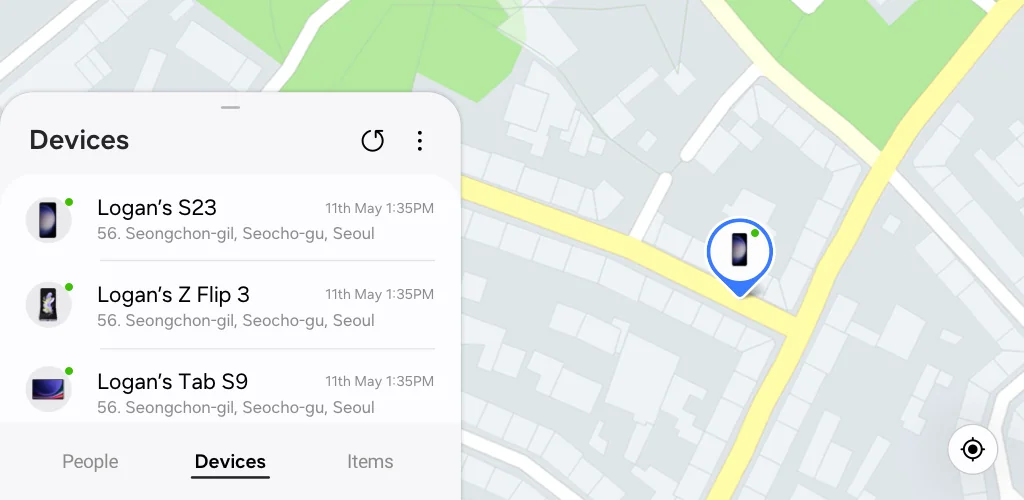
The app splits everything across clear tabs for people, devices, and tagged personal belongings. Ever wondered if your teenager actually made it to soccer practice on time? You can check their real-time coordinates or request temporary location updates without leaving tracking on permanently. Where standard map tools only locate phones, this tool scans 360 degrees nearby to spot tiny items like lost Galaxy Buds. Honestly, finding misplaced gear stops being a scavenger hunt when your phone forces a muted earbud to play a loud chime.
If someone drops a tagged backpack at the park, map navigation guides you straight to its SmartTag location. What happens if you completely lose your primary phone? You can hop on the web dashboard to trigger a remote data wipe or check remaining battery percentage. Samsung Find: Location Sharing puts safety controls directly into your hands.
What stands out:
- You can set temporary sharing timers so friends only see your coordinates for a few hours.
- Directional radar helps you pinpoint missing items with a 360 degree nearby scan.
- Triggering remote lock tools via the website protects your stored personal data on lost hardware.
- Tagging keys or luggage lets you monitor non-smart items using GPS tracking.
This tool works exclusively for Samsung Galaxy owners running One UI 3 or newer. Devices without active network connections or empty batteries will only show their last recorded position on the map. You get direct control over device safety and location privacy across your home network.




Share your experience with other users.