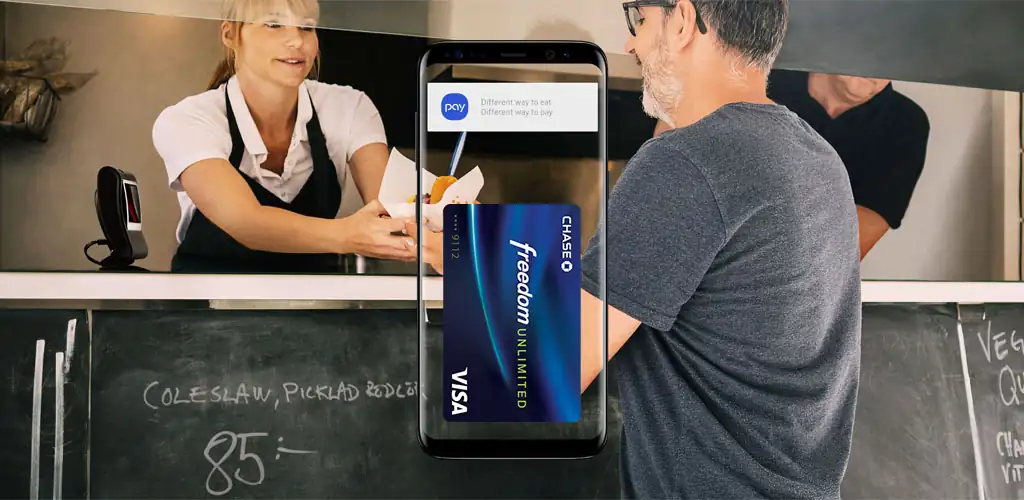
Samsung Wallet (Samsung Pay) app cover art for Android
Samsung Wallet (Samsung Pay) Icon

Samsung Wallet (Samsung Pay) APK for Android

393M+
Free
Jul 27, 2026

Consolidate payments, keys, and passes into one secure digital hub.

Download Samsung Wallet (Samsung Pay) APK 15.8.60 294MB

What is Samsung Wallet?

Ever felt that sinking feeling, patting your pockets only to realize your wallet is missing? Opening Samsung Wallet (Samsung Pay) for the first time, I expected a payment app. What truly caught me off guard was how much more it packed in. It’s not just about tapping your phone to pay. This app pulls together so many daily essentials into one slick package.

Imagine leaving your physical wallet behind. With Samsung Wallet (Samsung Pay), your credit, debit, and even membership cards are ready to go. A quick tap at checkout and you’re done. But the real game-changer? Digital keys. Unlocking your car or even your smart home door with your phone feels like something out of a sci-fi movie. It’s incredibly handy when your hands are full. You can even track your crypto balances, a neat bonus for investors. And for travelers, boarding passes are just a swipe away, cutting down on airport stress. The interface feels clean, making it simple to find what you need. Honestly, the Quick Access swipe-up gesture from your home screen is a lifesaver.

Key Features

  • Mobile Payments: Carry all your essential cards digitally, making checkout quick and rewarding with cash back.
  • Digital Keys: Unlock compatible smart home locks or even start your car using just your phone.
  • Crypto Tracking: Keep an eye on your cryptocurrency balances and market prices from linked exchanges.
  • Boarding Pass Storage: Store airline boarding passes for select carriers, making airport navigation smoother.

If you’re tired of juggling cards, keys, and passes, Samsung Wallet (Samsung Pay) offers a compelling solution to streamline your daily digital life. Give it a try and see how much lighter your pockets feel.

Screenshot Samsung Wallet (Samsung Pay) 1
Screenshot Samsung Wallet (Samsung Pay) 2
Screenshot Samsung Wallet (Samsung Pay) 3
Screenshot Samsung Wallet (Samsung Pay) 4
Screenshot Samsung Wallet (Samsung Pay) 5

Samsung Wallet APK Download

What's New in Version 15.8.60

No official changelog provided for Samsung Wallet (Samsung Pay) version 15.8.60. This update likely includes general stability improvements and bug fixes.

System Requirements

OS Version
Android 10 (Q) or higher
Architecture
Varies by file (Which one do I need?)
Disk Space
~450 MB free space required
RAM
2 GB
Internet
Not required

APK File Details

Package ID com.samsung.android.spay
Available on Google Play
Developer Samsung Electronics Co., Ltd.
License Free ( No Ads)
Content Rating Everyone
Interface Language
English +43

English, Chinese, Portuguese, Turkish, Japanese, German, Bulgarian, Thai, Vietnamese, Polish, Korean, Romanian, Arabic, French, Czech, Spanish, Italian, Hungarian, Russian, + 25 localizations

Required Permissions (178)
  • Internet
  • Record Audio
  • Camera
  • Access Network State
  • Read External Storage

APK Verification & Virus Scan Results

No Virus Signature Verified Safe & Original

Virus scan: Clean (0/55) View report. This APK is free of malware and its signature matches the official developer release.

Show File Details (SHA-256, SHA-1, MD5)

SHA-1 Signature:

9ca5170f381919dfe0446fcdab18b19a143b3163

SHA-256 Hash:

19b728d56096a0131337f87afe2a597f7aade252c799943d81765fde28426ddd

MD5 Checksum:

71151d6c306a4f59f07ba062d3a8f604

Frequently Asked Questions

Is Samsung Wallet safe to download?

Yes, Samsung Wallet is safe to download. The APK is scanned on every update — no malware or viruses detected. You can verify the full scan report in the Security section above.

How to install Samsung Wallet APK on Android?

Download the APK using the button above. Then open the file and tap Install. If prompted, enable "Install from unknown sources" in Settings → Security. The process takes under a minute. Read more

What Android version does Samsung Wallet require?

Samsung Wallet requires Android 10 (API 29) or higher. Optimized for Android 14 (API 34).

Is Samsung Wallet free?

Yes, this app is completely free to download and use.

How to update Samsung Wallet to the latest version?

Download the latest APK from this page and install it over your existing version — no need to uninstall first. Your data and settings will be preserved. We update the file as soon as a new version is released.

What processor architecture does Samsung Wallet support?

Samsung Wallet supports arm64-v8a, armeabi. This build does not support x86/x86_64 processors, so it will not run on most PC emulators. If you are unsure about your device architecture, check the Device Info section on this page.

How to enable installation from unknown sources on Android?

Go to Settings → Security (or Settings → Apps → Special access on Android 8+) and enable "Install unknown apps" for your browser or file manager. On Android 8 and above this setting is per-app, not global. Read more

If you have found any issue or are having difficulty with this page, please .

User Reviews & Ratings

Global rating(Play Store): 4.13(1.1M)
Site Rating: 5(1)
Rate this app

5.00

12345

1

Share your experience with other users.

Download Samsung Wallet APK - Latest version

Get the official APK file for your Android device. Fast, safe, and free. Download APK