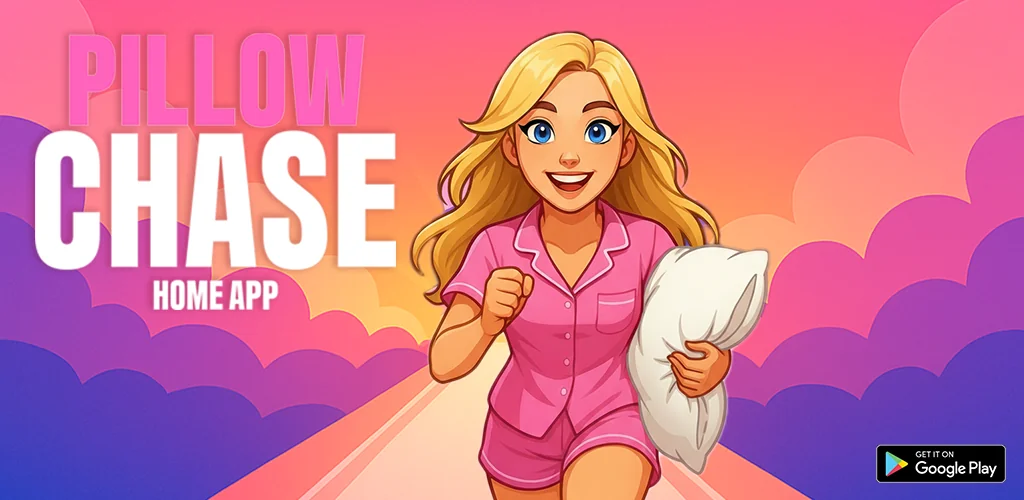
Pillow Chase Home App app cover art for Android
Pillow Chase Home App Icon

Pillow Chase Home App APK for Android

22M+
Free
Aug 19, 2026

A themed launcher pairing icon customization with a playable pillow-collecting runner game

Download Pillow Chase Home App APK 2.1 75MB

What is Pillow Chase Home App?

Pillow Chase Home App is a home screen launcher built around a pillow-and-sleep theme, pairing everyday customization tools with a built-in endless runner you can open straight from the home screen.

Setting it up means going into Android’s “Default home app” menu and picking Pillow Chase Home App over your current launcher. Once it’s active, long-pressing an empty spot on the home screen brings up a pop-up menu that leads to every setting: wallpapers, icon shapes, gestures, hidden apps and color options. The runner sits behind its own icon rather than buried in a menu, so quick breaks don’t require digging through folders. In the game, you collect pillows, jump over alarm clocks and dodge coffee cups that slow you down, a loop simple enough to pick up and drop in under a minute. Switching back to a previous launcher later is possible at any time through the same Android setting.

Key Features:

  • Game Style Wallpapers pull their look directly from the Pillow Chase art.
  • Icons can take on custom shapes instead of the stock grid look.
  • Custom gestures let a swipe or tap open an app, the settings menu or the app drawer.
  • The hidden apps option keeps chosen apps out of the drawer without removing them.
  • An accent color picker offers presets or a fully custom palette for the whole interface.
  • A built-in endless runner rewards collecting pillows while dodging obstacles.

Customizing the Pillow Chase home screen

Most of the personalization lives one long-press away. From that pop-up menu, Game Style Wallpapers swaps in art tied to the runner, Custom Icon Shape changes how every app icon reads on the grid, and Home Settings opens a deeper menu covering gestures, the app drawer and general appearance. Accent Color sits in that General section and works either from a preset list or a manually built combination. Hidden Apps lives under App Drawer settings and lets specific apps disappear from view while staying installed and functional. None of these tools require leaving the home screen to find a separate settings app, which keeps the whole setup process fairly quick.

Alternatives to Pillow Chase Home App

Pillow Chase Home App leans on its Pillow Chase theme and a playable runner rather than raw customization depth, so power users comparing launchers should know what they’re trading off. Nova Launcher focuses on deep system-level tweaks and performance rather than a theme or game, making it the pick for anyone who wants granular control over grids, gestures and icon packs. Niagara Launcher drops the grid entirely for a minimal, list-based layout, which suits people who want fewer icons on screen rather than more customization options.

Pillow Chase Home App fits Android users who want a themed interface with a bit of built-in fun rather than a heavyweight customization suite. Switching to it changes your current home screen layout, and while that layout can be rebuilt afterward, your old setup only returns intact once you switch launchers back.

Pillow Chase Home App screenshot 1
Pillow Chase Home App screenshot 2
Pillow Chase Home App screenshot 3
Pillow Chase Home App screenshot 4
Pillow Chase Home App screenshot 5

Pillow Chase Home App APK Download

What's New in Version 2.1

> Version 2.1
> Small bugfix for better optimization

Download Links:

System Requirements

OS Version
Android 8.0 (OREO) or higher
Architecture
Varies by file (Which one do I need?)
Disk Space
~90 MB free space required
RAM
1 GB
Internet
Not required
Google Services
Required

APK File Details

Package ID com.Hadiz.Pillowchase
Available on Google Play
Developer Hadiz Studio
License Free
Monetization Contains Ads  
Content Rating Teen (Suggestive Themes)
Interface Language
English +0

English

Required Permissions (25)
  • Internet
  • Access Network State
  • Read External Storage
  • Read Contacts
  • Vibrate

APK Verification & Virus Scan Results

No Virus Signature Verified Safe & unmodified

Virus scan: Verified safe (0/63) View report. This APK is free of malware and its signature matches the official developer release.

Show File Details (SHA-256, SHA-1, MD5)

SHA-1 Signature:

80c1721892b7a8e440843c25263287070c2499e9

SHA-256 Hash:

55b1b26ab1bfd5a3053201524909268cbbd4c4e7987c8cc7497fbcef9a8faa91

MD5 Checksum:

0c48b2db4eba534995c9c0113460de1c

Frequently Asked Questions

Is Pillow Chase Home App safe to download?

Yes, Pillow Chase Home App is safe to download. The APK is scanned on every update — no malware or viruses detected. You can verify the full scan report in the Security section above.

How to install XAPK file?

XAPK is a split APK package. Standard Android installer cannot open it directly. Use 'SAI' or 'XAPK Installer' — they handle XAPK files automatically. Download the installer, open the XAPK file with it, and follow the on-screen steps. Read more

What Android version does Pillow Chase Home App require?

Pillow Chase Home App requires Android 8.0 (API 26) or higher. Optimized for Android 16 (API 36).

Is Pillow Chase Home App free?

Yes, it is free to use, but it is ad-supported.

How to update Pillow Chase Home App to the latest version?

Download the latest APK from this page and install it over your existing version — no need to uninstall first. Your data and settings will be preserved. We update the file as soon as a new version is released.

What processor architecture does Pillow Chase Home App support?

Pillow Chase Home App supports arm64-v8a. This build does not support x86/x86_64 processors, so it will not run on most PC emulators. If you are unsure about your device architecture, check the Device Info section on this page.

How to enable installation from unknown sources on Android?

Go to Settings → Security (or Settings → Apps → Special access on Android 8+) and enable "Install unknown apps" for your browser or file manager. On Android 8 and above this setting is per-app, not global. Read more

Found a problem on this page?

User Reviews & Ratings

Global rating (Play Store): 4.41(91.8K)
Site Rating: 5(1)
Rate this app

5.00

12345

1

Share your experience with other users.

Download Pillow Chase Home App APK - Latest version

Get the official APK file for your Android device. Fast, safe, and free. Download APK