Snowfall Free Icon

Snowfall Free APK for Android

- Live Wallpaper
15M+
Free
Jun 1, 2018

Snowfall Live Wallpaper: Wintertime on your home screen!

Download Snowfall Free APK 2.4 6MB

What is Snowfall Free?

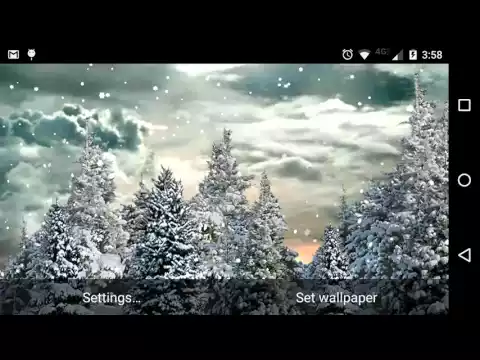
Snowfall Live Wallpaper is a live wallpaper inspired by the winter holidays – Christmas and New Year.

“Winter, snow is falling meditatively, northern lights flare up above the pine forest in the distance, Santa Claus is flying across the night sky on a sleigh – he is in a hurry to have time to distribute gifts to children for Christmas, – rural houses are visible on the edge of the forest, elegant Christmas trees are standing near them” – this picture can accompany you all year round as a live wallpaper.

Features. The application has two versions.

  1. Free. In the e-free version, you will only have one option for live wallpapers, without the ability to customize and personalize them.
  2. The paid version of the live wallpaper offers several options for wallpapers on a given theme: Christmas, Northern Lights, New Year. Paid wallpapers can also be very finely tuned, for example, set the speed of snowfall.

Details:

  • Live wallpapers Snowfall Live Wallpaper are installed both on vertical and horizontally oriented screens – on smartphones and tablets.
  • On winter wallpapers, the sun rises and sets depending on the time of day – day and night.
  • Graphics – 3D animation.

How does it work?

  1. Long press the home button to bring up the wallpaper setting menu;
  2. Choose which wallpaper you want to set;
  3. Apply selected wallpaper.
Also known as: Snowfall Free Live Wallpaper
Video of Snowfall Free
Screenshot Snowfall Free 1
Screenshot Snowfall Free 2
Screenshot Snowfall Free 3
Screenshot Snowfall Free 4
Screenshot Snowfall Free 5

Download Snowfall Free Live Wallpaper APK for Android

What's New in Version 2.4

Updated icon
Updated daytime backdrop
Updated SDK version

Available Files

System Requirements

OS Version
Android 2.3 (Gingerbread) or higher
Architecture
Varies by file (Which one do I need?)
Disk Space
~10 MB free space required
RAM
1 GB
Internet
Not required

APK File Details

Package ID fishnoodle.snowfall_free
Developer Kittehface Software
License Free ( No Ads)
Interface Language
English +70

English, Japanese, German, Bulgarian, Thai, Hindi, Vietnamese, Ukrainian, Polish, Korean, Romanian, Arabic, French, Turkish, Czech, Spanish, Italian, Portuguese, Hungarian, Russian, Chinese, + 50 localizations

APK Verification & Virus Scan Results

No Virus Signature Verified Safe & Original

Virus scan: Clean (0/63) View report. The APK file is digitally signed.

Show File Details (SHA-256, SHA-1, MD5)

SHA-1 Signature:

EA13F90727E58780D80100885609F8474387B695

SHA-256 Hash:

497511d214910d00a9cb435fadbf941078000c0365f00e9b8b607ad502b7b4c0

MD5 Checksum:

6a3166fae3cd1356a820fe214d97700b

Frequently Asked Questions

Is Snowfall Free safe to download?

Yes, Snowfall Free is safe to download. The APK is scanned on every update — no malware or viruses detected. You can verify the full scan report in the Security section above.

How to install Snowfall Free APK on Android?

Download the APK using the button above. Then open the file and tap Install. If prompted, enable "Install from unknown sources" in Settings → Security. The process takes under a minute. Read more

Why does installation fail on newer Android versions (14 - 16)?

Newer Android versions strictly block the installation of apps built for older Android versions (API < 23) for security reasons. Standard installation is not possible. Read our step-by-step guide on how to bypass this restriction using ADB or Shizuku.

What Android version does Snowfall Free require?

Snowfall Free requires Android 2.3 (API 9) or higher. Optimized for Android 5.0 (API 21).

Is Snowfall Free free?

Yes, this app is completely free to download and use.

What processor architecture does Snowfall Free support?

Snowfall Free supports universal. If you are unsure about your device architecture, check the Device Info section on this page.

How to enable installation from unknown sources on Android?

Go to Settings → Security (or Settings → Apps → Special access on Android 8+) and enable "Install unknown apps" for your browser or file manager. On Android 8 and above this setting is per-app, not global. Read more

If you have found any issue or are having difficulty with this page, please .

User Reviews & Ratings

Global rating(Play Store): 4.18(64.7K)
Site Rating: 5(2)
Rate this app

5.00

12345

2

Share your experience with other users.