What is Flow Studio: AI Photo & Design?
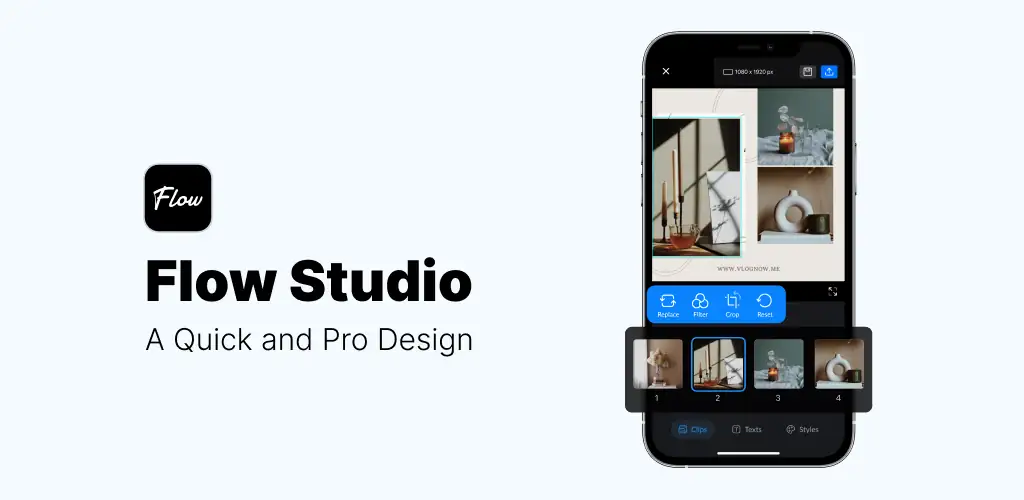
Flow Studio: AI Photo & Design is a mobile-first photo and graphic design application engineered for creating engaging visual content. This Flow Studio: AI Photo & Design review explores its features for users looking to boost their social media presence or craft professional designs directly from their phone. It streamlines the design process, making advanced visual creation accessible on the go.
What is Flow Studio: AI Photo & Design?
Flow Studio: AI Photo & Design functions as a comprehensive mobile design studio, allowing users to edit photos and create graphics without needing desktop software. Its core functionality centers on ease of use, enabling quick photo adjustments like cropping and flipping, alongside applying cinematic filters. A significant aspect is its reliance on a vast template library, which users can leverage to produce professional-level designs with minimal effort. The app is designed for immediate sharing, integrating directly with platforms such as Instagram, TikTok, and WhatsApp.
The application provides a suite of creative editing tools to fine-tune content. Users can access various text templates to add unique typography to their designs, helping ideas stand out. For businesses or personal brands, the integrated Brand Kit feature allows for the consistent application of custom fonts, logos, and color palettes, fostering an authentic visual identity across all creations.
Key Features:
- Template-Driven Design: Access a regularly updated selection of high-quality templates for social media posts, Instagram Stories, photo collages, YouTube Thumbnails, and TikTok Covers.
- Comprehensive Editing Tools: Utilize precise tools for cropping, flipping, and tuning photos, complemented by a range of cinematic filters to enhance visual mood.
- Brand Kit Integration: Maintain brand consistency by incorporating custom fonts, logos, and specific color schemes into any design project.
- Extensive Stock Library: Explore a wide array of graphic elements, including trending handwritten and gorgeous fonts, alongside unique stickers spanning aesthetics, doodles, and celebratory themes.
- Mobile-First Accessibility: Create and edit designs anytime, anywhere directly from your smartphone, ensuring flexibility for content creators.
- High-Quality Export & Sharing: Easily resize designs and export them in high-quality PNG and JPG formats, with direct sharing options to major social media platforms.
Practical Use Cases for Flow Studio: AI Photo & Design
Flow Studio: AI Photo & Design is particularly suited for individuals and small businesses focused on social media content creation. It simplifies the process of generating eye-catching Instagram posts, dynamic TikTok covers, and compelling YouTube thumbnails. Users can quickly assemble photo collages or design engaging stories, ensuring their daily life or brand messaging is presented professionally. The app’s extensive stock library, described as "playing with LEGOs," allows for the intuitive stacking of graphic elements, fonts, and stickers to build custom visual masterpieces. This approach empowers users to craft unique content that captures attention and communicates effectively across various digital channels.
Flow Studio: AI Photo & Design vs similar apps
Compared to established design platforms like Canva or Adobe Express, Flow Studio: AI Photo & Design positions itself with a strong emphasis on mobile-first, streamlined creation and a playful approach to graphic elements. While Canva offers a vast template library and robust web-based capabilities, and Adobe Express integrates deeply within the Adobe ecosystem, Flow Studio: AI Photo & Design focuses on quick, on-the-go design specifically tailored for social media output. Its "LEGOs" analogy for building graphics offers a distinct, intuitive method for layering elements. Users prioritizing a dedicated mobile experience for rapid social media content generation, especially those who appreciate a hands-on, building-block approach to design, may find Flow Studio: AI Photo & Design a more direct fit.
Flow Studio: AI Photo & Design is an effective tool for social media creators, small business owners, and anyone needing to produce professional-looking graphics directly from their mobile device. It excels in delivering quick, template-driven designs for various platforms. However, full access to all templates and premium materials requires a Flow Pro monthly subscription, which users will need to consider after the initial 7-day free trial period.



Share your experience with other users.