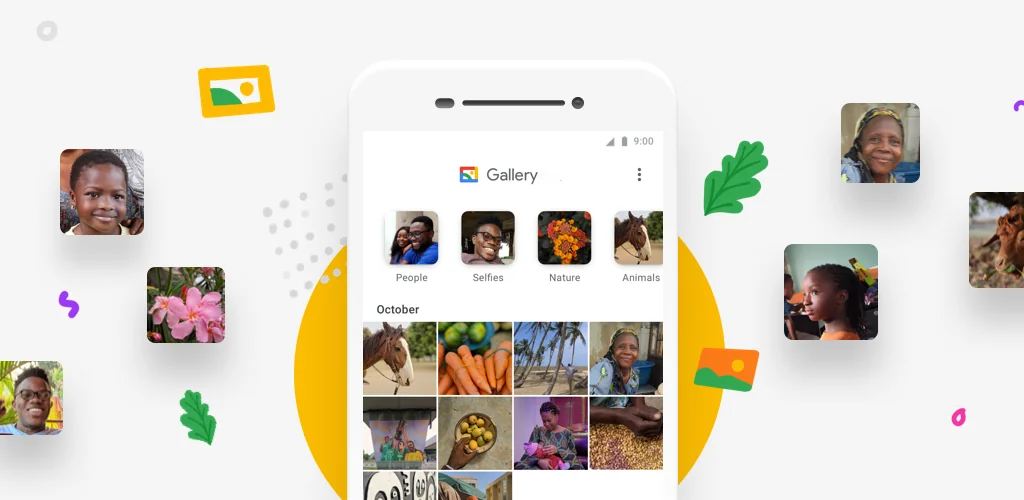

Gallery app cover art for Android
Gallery Icon

Gallery APK for Android

Google LLC Original
1B+
Free
May 10, 2026

All your photos are in order, at your fingertips, and without unnecessary worries!

Download Gallery APK 1.9.3.898908538 release 13MB

What is Gallery?

A product of Google, the Gallery application will allow you to manage all photos and videos stored on your smartphone. You can quickly find the photos you need using group search. Various editing tools, along with automatic photo correction, make it versatile and allow you to perfect your shots. Since the program works offline, you don’t have to worry about saving traffic or being afraid of the lack of internet.

Main features:

  • Automatic photo organization – this is a useful function, with the help of which the application will distribute your photos taken during the day into separate folders. These are file folders that are sorted by groups: “People”, “Nature”, “Recreation”, “Animals”, “Selfies”, “Videos”, etc. Your personal files will always be organized into folders and they will be easy to find. Now you don’t have to waste time searching for the photos and videos you need to send to relatives or friends.
  • Automatic photo correction – this is the ability to use many editing tools and, with the help of automatic correction, make a beautiful portrait photo from a single shot.
  • Support for photos on SD card. Use all available folders to organize all photos by groups, or create new ones according to your needs. This applies to photos and videos stored on both the device’s SD card and its internal memory. You can also copy and move files from folder to folder.
  • High efficiency – this application has a compact size and does not take up much space in the smartphone’s memory. This is very useful, as you will have more space for photos with friends. The program does not affect the performance of the mobile device and consumes its resource in a sparing mode.
  • Offline operation – means full optimization of all functions and their application without network access.

Have fun with your friends and take lots of photos to remember those unforgettable moments from life. Do your favorite hobby and photograph beautiful sunsets or elements of nature. The Gallery application will help you organize all your photos and find them very quickly at the most opportune moment.

Video of Gallery
Screenshot Gallery 1
Screenshot Gallery 2
Screenshot Gallery 3
Screenshot Gallery 4

Download Gallery APK for Android

What's New in Version 1.9.3.898908538 release

• Bug fixes and minor improvements

Available Files

System Requirements

OS Version
Android 8.0 (OREO) or higher
Architecture
Varies by file (Which one do I need?)
Disk Space
~20 MB free space required
RAM
1 GB
Internet
Not required
Permissions (14)
  • Internet
  • Access Network State
  • Read External Storage
  • Write External Storage
  • Wake Lock

APK File Details

Package ID com.google.android.apps.photosgo
Available on Google Play
Developer Google LLC
License Free ( No Ads)
Content Rating Everyone
Interface Language
English +16

English, Hindi, Italian, Japanese, French, Korean, Portuguese, Vietnamese, Chinese, Arabic, German, Spanish, Russian, Thai, Turkish, + 2 localizations

APK Verification & Virus Scan Results

Scan In Queue Signature Verified Safe & Original

Antivirus scan in queue, will be scanned soon. This APK is free of malware and its signature matches the official developer release.

Show File Details (SHA-256, SHA-1, MD5)

SHA-1 Signature:

643fd63d7df2c3f5ab507febb20a1847c53b4d49

SHA-256 Hash:

5d9f6871be9f8d8cdb7f555bfab2cf170ecd712d3090f6832a5beb679ac69512

MD5 Checksum:

3c201d2c41a64a3ec5aaeb8d27257fbd

Frequently Asked Questions

Is Gallery safe to download?

Gallery has passed a basic integrity check. A full antivirus scan is pending. You can check the current scan status in the Security section above.

How to install XAPK file?

XAPK is a split APK package. Standard Android installer cannot open it directly. Use 'SAI' or 'XAPK Installer' — they handle XAPK files automatically. Download the installer, open the XAPK file with it, and follow the on-screen steps. Read more

What Android version does Gallery require?

Gallery requires Android 8.0 (API 26) or higher. Optimized for Android 16 (API 36).

Is Gallery free?

Yes, this app is completely free to download and use.

How to update Gallery to the latest version?

Download the latest APK from this page and install it over your existing version — no need to uninstall first. Your data and settings will be preserved. We update the file as soon as a new version is released.

What processor architecture does Gallery support?

Gallery supports arm64-v8a. This build does not support x86/x86_64 processors, so it will not run on most PC emulators. If you are unsure about your device architecture, check the Device Info section on this page.

How to enable installation from unknown sources on Android?

Go to Settings → Security (or Settings → Apps → Special access on Android 8+) and enable "Install unknown apps" for your browser or file manager. On Android 8 and above this setting is per-app, not global. Read more

If you have found any issue or are having difficulty with this page, please .

User Reviews & Ratings

Global rating(Play Store): 4.4(443K)
Site Rating: 5(1)
Rate this app

5.00

12345

1

Share your experience with other users.