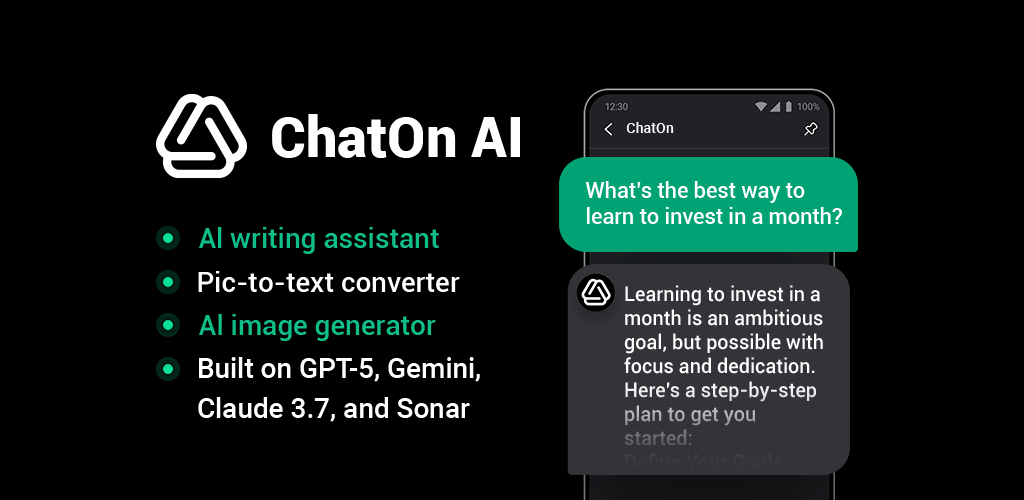

ChatOn - AI Chat Bot Assistant app cover art for Android
ChatOn - AI Chat Bot Assistant Icon

ChatOn - AI Chat Bot Assistant APK for Android

AIBY Inc. Original
34M+
Free
Oct 17, 2026

Five AI models in one chat for text, images, and document work

Download ChatOn - AI Chat Bot Assistant APK 1.109.836 95MB

What is ChatOn?

Need one app that writes, generates images, and summarizes PDFs without switching tabs? ChatOn - AI Chat Bot Assistant is an AI chatbot assistant that routes your prompt to GPT-5, Gemini 3.5 Flash, GPT-4o, Sonar, or Claude Sonnet 5 depending on the task.

You type what you need, the app picks the right model, and you get text, an image, or a document summary in the chat interface. The platform holds 100+ prompt templates, so instead of figuring out how to phrase a request, you can start with “write a LinkedIn post” or “extract text from this photo” and adjust from there. Honest take: it speeds things up when you need drafts, visuals, or quick summaries without opening five different tools.

Key Features:

  • Routes tasks across five AI models (GPT-5, Gemini 3.5 Flash, GPT-4o, Sonar, Claude Sonnet 5) so you don’t manually pick one for each job
  • Extracts text from photos and drops it into the chat as editable data, useful for scanning pages or receipts
  • Summarizes, translates, or rewrites uploaded PDFs directly in the conversation without exporting files
  • Pastes a YouTube link and the bot pulls key points or translates the video content in seconds
  • Searches the web in real time and returns links, so fact-checking or finding current info stays inside the chat

Multi-model routing and prompt library

The platform decides which model handles your request. Image generation goes to one, document analysis to another, and web search to a third. You can also browse the prompt library by category: emails, social posts, trip planning, cover letters. Pick one, fill in a few details, and the bot builds the draft. The tool supports 19+ languages for both text and image output, so bilingual work or translation requests don’t require a separate app.

Other AI chatbot assistants

Most assistants lock you into one model. ChatOn - AI Chat Bot Assistant pulls from five separate engines, so a math problem, a video summary, and an image request all run in the same interface without manual switching. ChatGPT and Microsoft Copilot each use their own proprietary stack, while this one distributes tasks across GPT, Claude, Gemini, and Sonar depending on what you ask for. If you work across formats (documents, visuals, text), that routing saves steps.

It works for drafting, image generation, and document summaries, but the app includes in-app purchases from $1.29 to $79.99 depending on usage tier. The free version has limits, so heavy use will hit a paywall. If you need one chat interface for writing, images, and PDFs, it consolidates the workflow. If you only need text generation, a single-model assistant might be enough.

ChatOn - AI Chat Bot Assistant screenshot 1
ChatOn - AI Chat Bot Assistant screenshot 2
ChatOn - AI Chat Bot Assistant screenshot 3
ChatOn - AI Chat Bot Assistant screenshot 4
ChatOn - AI Chat Bot Assistant screenshot 5
ChatOn - AI Chat Bot Assistant screenshot 6
ChatOn - AI Chat Bot Assistant screenshot 7
ChatOn - AI Chat Bot Assistant screenshot 8

ChatOn APK Download

What's New in Version 1.109.836

Greetings! Just a quick tune-up update.
We enhanced overall app performance so you can continue to get your answers without any hiccups.

Enjoying the app? We’d love to hear your feedback.

Download Links:

System Requirements

OS Version
Android 12L (Snow Cone) or higher
Architecture
Varies by file (Which one do I need?)
Disk Space
~150 MB free space required
RAM
1 GB
Internet
Not required
Google Services
Required

APK File Details

Package ID ai.chat.gpt.bot
Available on Google Play
Developer AIBY Inc.
License Free ( No Ads)
Monetization In-App Purchases
Content Rating Teen (Diverse Content: Discretion Advised)
Interface Language
English +73

English, Arabic, Bulgarian, Czech, German, Spanish, French, Hindi, Hungarian, Italian, Japanese, Korean, Polish, Portuguese, Romanian, Russian, Thai, Turkish, Ukrainian, Vietnamese, Chinese, + 53 localizations

Required Permissions (22)
  • Internet
  • Record Audio
  • Access Network State
  • Read External Storage
  • Write External Storage

APK Verification & Virus Scan Results

No Virus Signature Verified Safe & unmodified

Virus scan: Verified safe (0/62) View report. This APK is free of malware and its signature matches the official developer release.

Show File Details (SHA-256, SHA-1, MD5)

SHA-1 Signature:

245cae39ce4e590e7cf219f938a8fe986f7acaed

SHA-256 Hash:

096056cf2f8d833fb0a0b2e8cf075a4a31b57555c167434d7e288f023c4ebe96

MD5 Checksum:

3e2b56c63dd2693bb6f5529431f5a988

Frequently Asked Questions

Is ChatOn safe to download?

Yes, ChatOn is safe to download. The APK is scanned on every update — no malware or viruses detected. You can verify the full scan report in the Security section above.

How to install XAPK file?

XAPK is a split APK package. Standard Android installer cannot open it directly. Use 'SAI' or 'XAPK Installer' — they handle XAPK files automatically. Download the installer, open the XAPK file with it, and follow the on-screen steps. Read more

What Android version does ChatOn require?

ChatOn requires Android 12L (API 32) or higher. Optimized for Android 16 (API 36).

Is ChatOn free?

Yes, the app is free to download, but it contains in-app purchases for additional content.

How to update ChatOn to the latest version?

Download the latest APK from this page and install it over your existing version — no need to uninstall first. Your data and settings will be preserved. We update the file as soon as a new version is released.

What processor architecture does ChatOn support?

ChatOn supports arm64-v8a. This build does not support x86/x86_64 processors, so it will not run on most PC emulators. If you are unsure about your device architecture, check the Device Info section on this page.

How to enable installation from unknown sources on Android?

Go to Settings → Security (or Settings → Apps → Special access on Android 8+) and enable "Install unknown apps" for your browser or file manager. On Android 8 and above this setting is per-app, not global. Read more

Found a problem on this page?

User Reviews & Ratings

Global rating (Play Store): 4.48★ (459.7K)
Site Rating: 5★ (1)
Rate this app

5.00

12345

1

Share your experience with other users.

Download ChatOn APK - Latest version

Get the official APK file for your Android device. Fast, safe, and free. Download APK