Google Sheets Icon

Google Sheets APK for Android

Google LLC Original
1B+
Free
May 20, 2022

Comfortable way to interact with spreadsheets

Download Google Sheets APK 1.22.162.02.90 81MB

What is Google Sheets?

Google Sheets is a tool for productive work on creating and editing tables of various types. Thanks to the program, you can now involve other users in interacting with documents, which is extremely important when working on joint projects – send a link to colleagues, if necessary, giving them permission as a reader, commentator or editor.

The creation of new tables is implemented clearly and intuitively – use the prepared templates (to-do list, annual family budget, diary, planner, time sheet, and so on) or create a new file yourself. Thanks to the phenomenal adaptation of the product to the mobile platform, the creation and editing process runs smoothly and without errors.

Features:

  • spreadsheets are now always at hand;
  • access to materials even without the Internet;
  • cells, formulas, charts, and more;
  • automatic saving of projects;
  • rationally organized search;
  • benefits of collaboration;
  • select save format;
  • import and export of tables.

The user can be sure of the complete safety of the document at any stage of creation – this is facilitated by the automatic saving format, supplemented by the ability to move the file to cloud storage. Google Sheets is an advanced tool for interacting with electronic documents, which has adopted the main features of a stationary counterpart.
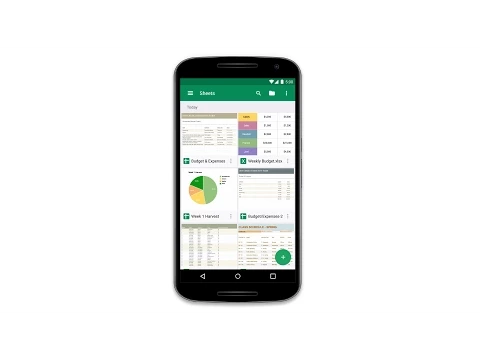
Video of Google Sheets
Screenshot Google Sheets 1
Screenshot Google Sheets 2
Screenshot Google Sheets 3
Screenshot Google Sheets 4
Screenshot Google Sheets 5
Screenshot Google Sheets 6

Download Google Sheets APK for Android

What's New in Version 1.22.162.02.90

* Bug fixes and performance improvements

Available Files

System Requirements

OS Version
Android 7.0 (Nougat) or higher
Architecture
Varies by file (Which one do I need?)
Disk Space
~150 MB free space required
RAM
1 GB
Internet
Not required
Permissions (27)
  • Internet
  • Access Network State
  • Write External Storage
  • Read Contacts
  • Get Accounts

APK File Details

Package ID com.google.android.apps.docs.editors.sheets
Available on Google Play
Developer Google LLC
License Free ( No Ads)
Content Rating Everyone
Interface Language
English +68

English, Japanese, German, Bulgarian, Thai, Hindi, Vietnamese, Ukrainian, Polish, Korean, Romanian, Arabic, French, Turkish, Czech, Spanish, Italian, Portuguese, Hungarian, Russian, Chinese, + 48 localizations

APK Verification & Virus Scan Results

No Virus Signature Verified Safe & Original

Virus scan: Clean (0/63) View report. This APK is free of malware and its signature matches the official developer release.

Show File Details (SHA-256, SHA-1, MD5)

SHA-1 Signature:

24bb24c05e47e0aefa68a58a766179d9b613a600

SHA-256 Hash:

f208c65c12d115bafe221b16877156cb2d10fd8caf3eaadc2e94269f5f474d8a

MD5 Checksum:

fb1e0cbcc53ca21ab6bcbd56cad2fa8e

Frequently Asked Questions

Is Google Sheets safe to download?

Yes, Google Sheets is safe to download. The APK is scanned on every update — no malware or viruses detected. You can verify the full scan report in the Security section above.

How to install Google Sheets APK on Android?

Download the APK using the button above. Then open the file and tap Install. If prompted, enable "Install from unknown sources" in Settings → Security. The process takes under a minute. Read more

Why does installation fail on newer Android versions (14 - 16)?

Newer Android versions strictly block the installation of apps built for older Android versions (API < 23) for security reasons. Standard installation is not possible. Read our step-by-step guide on how to bypass this restriction using ADB or Shizuku.

What Android version does Google Sheets require?

Google Sheets requires Android 7.0 (API 24) or higher. Optimized for Android 12 (API 31).

Is Google Sheets free?

Yes, this app is completely free to download and use.

How to update Google Sheets to the latest version?

Download the latest APK from this page and install it over your existing version — no need to uninstall first. Your data and settings will be preserved. We update the file as soon as a new version is released.

What processor architecture does Google Sheets support?

Google Sheets supports arm64-v8a, armeabi-v7a, x86, x86_64. If you are unsure about your device architecture, check the Device Info section on this page.

If you have found any issue or are having difficulty with this page, please .

User Reviews & Ratings

Global rating(Play Store): 4.08(1.1M)
Rate this app

0.00

12345

not yet rated

Share your experience with other users.