Google Classroom Icon

Google Classroom APK for Android

Google LLC Original
396M+
Free
Jan 26, 2024

Stakeholder learning tool

Download Google Classroom APK 3.13.597877957 63MB Old versions

What is Google Classroom?

Google Classroom is a mobile assistant for convenient organization of remote interaction between teachers and students. Save time and get more out of your learning experience with this advanced tool with an intuitive interface. The application is aimed at using two objects of the educational process – teachers create courses, and students join it by entering a special code (you can get it from the teacher).

After creating a course, the teacher can communicate with the audience using text messages in the feed. Create assignments according to the subject of the course, after setting up the preferred answer format. Add new students to the course by sending an invitation with a code to the email address (available in the settings in the “Basic Information” tab). If you intend to use the program not in private, but in an educational institution, then you will first need to create a G Suite for Education account.

Features:

  • suitable for homeschooling or within an educational institution;
  • quickly create a new course with the addition of materials in different formats;
  • adding new listeners by introducing special code;
  • unified standards for checking and evaluating assignments completed by students;
  • communication between the teacher and students in the “tape” in real time;
  • sync class folders with cloud storage Google Drive .

The Google Classroom service is a modern tool for organizing interaction between teachers and students, which is preferred by millions of users around the world.
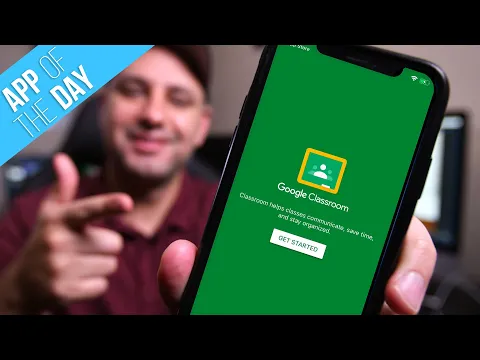
Video of Google Classroom
Screenshot Google Classroom 1
Screenshot Google Classroom 2
Screenshot Google Classroom 3
Screenshot Google Classroom 4
Screenshot Google Classroom 5
Screenshot Google Classroom 6
Screenshot Google Classroom 7

Download Google Classroom APK for Android

What's New in Version 3.13.597877957

* Bug fixes and performance improvements

Other versions

System Requirements

OS Version
Android 7.0 (Nougat) or higher
Architecture
Varies by file (Which one do I need?)
Disk Space
~100 MB free space required
RAM
1 GB
Internet
Required
Permissions (9)
  • Internet
  • Access Network State
  • Vibrate
  • Wake Lock
  • Read Gservices

APK File Details

Package ID com.google.android.apps.classroom
Available on Google Play
Developer Google LLC
License Free ( No Ads)
Content Rating Everyone
Interface Language
English +52

English, Japanese, German, Bulgarian, Thai, Hindi, Vietnamese, Ukrainian, Polish, Korean, Romanian, Arabic, French, Turkish, Czech, Spanish, Italian, Portuguese, Hungarian, Russian, Chinese, Indonesian, + 31 localizations

APK Verification & Virus Scan Results

No Virus Signature Verified Safe & Original

Virus scan: Clean (0/65) View report. This APK is free of malware and its signature matches the official developer release.

Show File Details (SHA-256, SHA-1, MD5)

SHA-1 Signature:

46f6c8987311e131f4f558d8e0ae145bebab6da3

SHA-256 Hash:

4baeb8e63ad0b6118a761a2ad00998fd988e390f8c394e5e83db81f880032a84

MD5 Checksum:

f89c0c9b731086466e3d58332ac2f76e

Frequently Asked Questions

Is Google Classroom safe to download?

Yes, Google Classroom is safe to download. The APK is scanned on every update — no malware or viruses detected. You can verify the full scan report in the Security section above.

How to install Google Classroom APK on Android?

Download the APK using the button above. Then open the file and tap Install. If prompted, enable "Install from unknown sources" in Settings → Security. The process takes under a minute. Read more

What Android version does Google Classroom require?

Google Classroom requires Android 7.0 (API 24) or higher. Optimized for Android 14 (API 34).

Is Google Classroom free?

Yes, this app is completely free to download and use.

How to update Google Classroom to the latest version?

Download the latest APK from this page and install it over your existing version — no need to uninstall first. Your data and settings will be preserved. We update the file as soon as a new version is released.

What processor architecture does Google Classroom support?

Google Classroom supports arm64-v8a, armeabi-v7a, x86, x86_64. If you are unsure about your device architecture, check the Device Info section on this page.

How to enable installation from unknown sources on Android?

Go to Settings → Security (or Settings → Apps → Special access on Android 8+) and enable "Install unknown apps" for your browser or file manager. On Android 8 and above this setting is per-app, not global. Read more

If you have found any issue or are having difficulty with this page, please .

User Reviews & Ratings

Global rating(Play Store): 2.38(2M)
Site Rating: 2.5(2)
Rate this app

2.50

12345

2

Share your experience with other users.