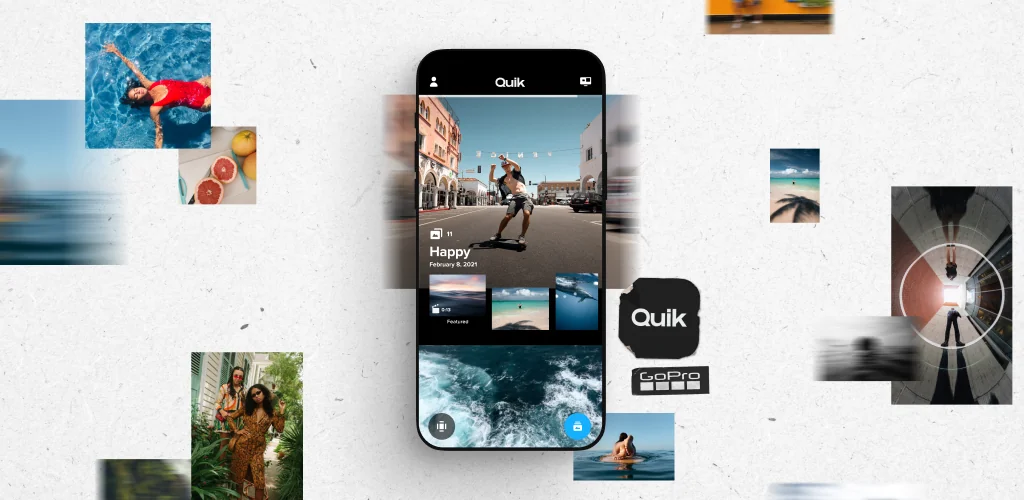
GoPro Quik: Video Editor app cover art for Android
GoPro Quik: Video Editor Icon

GoPro Quik: Video Editor APK for Android

GoPro Original
50M+
Free
Jul 1, 2025

Auto video editor + slideshow maker. Add music, slow motion, time lapse & more.

Download GoPro Quik: Video Editor APK 13.17.1 220MB Old versions

What is GoPro Quik: Video Editor?

GoPro Quik: Video Editor is an application with which its user can remotely control the GoPro action camera from his smartphone or tablet – take photos and videos from a distance, edit footage, save and best works directly from the application share with friends on social networks.

The GoPro action camera is a mobile camera that attaches to the helmet or camouflage of an extreme recreation enthusiast in order to capture the most critical moments from the first person, being at the epicenter of the action.

With the application GoPro Quik: Video Editor you can use the screen of your smartphone or tablet as a video finder of the Go Pro remote camera. In order to easily find any remarkable frames in the array of footage – mark them during shooting using the Hilights function.

Note.
Periodically update the application, this will increase its performance by an order of magnitude.

Main functions:

  1. From a safe distance and in real time, shoot extreme events from the first person;
  2. Remotely, on the screen of your smart device, catch highlights, create slideshows from photos, and short videos from videos lasting 5, 15 or 30 seconds;
  3. Remotely control the functions and settings of the action mosquito;
  4. Before you save the results of the shooting, use the preview option in order to evaluate the shooting for its artistic value;
  5. Share the most impressive photos and videos with your friends and followers on social networks Facebook, Instagram and others.
Also known as: GoPro Quik, GoPro
Screenshot GoPro Quik: Video Editor 1
Screenshot GoPro Quik: Video Editor 2
Screenshot GoPro Quik: Video Editor 3
Screenshot GoPro Quik: Video Editor 4
Screenshot GoPro Quik: Video Editor 5
Screenshot GoPro Quik: Video Editor 6
Screenshot GoPro Quik: Video Editor 7
Screenshot GoPro Quik: Video Editor 8

Download GoPro Quik: Video Editor APK for Android

What's New in Version 13.17.1

It keeps getting better.
Various bug fixes and performance enhancements are live. Get out and get creating!

Other versions

  • 13.17.1 (latest) 220MB Android 11+ arm64-v8a Download
  • 13.5 353MB Android 10+ arm64-v8aarmeabi-v7ax86_64 Download
  • 12.19 180MB Android 10+ arm64-v8a Download
  • 12.15 296MB Android 10+ arm64-v8aarmeabi-v7ax86_64 Download

System Requirements

OS Version
Android 11 (R) or higher
Architecture
Varies by file (Which one do I need?)
Disk Space
~300 MB free space required
RAM
2 GB
Internet
Not required
Google Services
Required
Permissions (45)
  • Internet
  • Access Network State
  • Read External Storage
  • Write External Storage
  • Access Fine Location

APK File Details

Package ID com.gopro.smarty
Available on Google Play
Developer GoPro
License Free ( No Ads)
Monetization In-App Purchases
Content Rating Everyone
Interface Language
English +0

English

APK Verification & Virus Scan Results

No Virus Signature Verified Safe & Original

Virus scan: Clean (0/60) View report. This APK is free of malware and its signature matches the official developer release.

Show File Details (SHA-256, SHA-1, MD5)

SHA-1 Signature:

4a54fbf25470f8831f2567ed662a9cafeb4a0544

SHA-256 Hash:

09e5c21a36f8e39c2b81304b9647e2922fb92d4a814b4f1add857e574fd4aa04

MD5 Checksum:

b7a1596da49fd93fe8bae12347c69bd1

Frequently Asked Questions

Is GoPro Quik: Video Editor safe to download?

Yes, GoPro Quik: Video Editor is safe to download. The APK is scanned on every update — no malware or viruses detected. You can verify the full scan report in the Security section above.

How to install XAPK file?

XAPK is a split APK package. Standard Android installer cannot open it directly. Use 'SAI' or 'XAPK Installer' — they handle XAPK files automatically. Download the installer, open the XAPK file with it, and follow the on-screen steps. Read more

What Android version does GoPro Quik: Video Editor require?

GoPro Quik: Video Editor requires Android 11 (API 30) or higher. Optimized for Android 15 (API 35).

Is GoPro Quik: Video Editor free?

Yes, the app is free to download, but it contains in-app purchases for additional content.

How to update GoPro Quik: Video Editor to the latest version?

Download the latest APK from this page and install it over your existing version — no need to uninstall first. Your data and settings will be preserved. We update the file as soon as a new version is released.

Does GoPro Quik: Video Editor require Root access?

No root is required for basic use. GoPro Quik: Video Editor works on standard Android for CPU info, RAM, battery, sensors, and network stats. Root unlocks a small set of advanced system parameters that Android restricts by default.

What processor architecture does GoPro Quik: Video Editor support?

GoPro Quik: Video Editor supports arm64-v8a. This build does not support x86/x86_64 processors, so it will not run on most PC emulators. If you are unsure about your device architecture, check the Device Info section on this page.

If you have found any issue or are having difficulty with this page, please .

User Reviews & Ratings

Global rating(Play Store): 4.43(728.6K)
Site Rating: 4.43(8)
Rate this app

3.63

12345

8

Share your experience with other users.