DU Battery Saver - Battery Cha Icon

DU Battery Saver - Battery Cha APK for Android

An application that extends battery life.

Download DU Battery Saver - Battery Cha APK 2.0 6MB

What is DU Battery Saver?

Battery problems on our mobile device or tablet occur suddenly and can create a lot of hassle for the user. The DU Battery Saver - Battery Cha program is designed specifically to save you from instant problems with your device’s battery that can take you by surprise. When our battery is discharged at the wrong time, we are faced with problems of a certain nature. To prevent this from happening, or for the discharge to occur more predictably, use this program, and you will see its benefits after the first launch.

You get the opportunity to optimize your mobile device to the maximum and save battery power on literally everything. Boost your smartphone’s performance and extend its battery life. By using this application, you can significantly reduce the energy consumption of any tablet and smartphone, extending the battery life. By pressing one key on the screen, you will solve any problem related to charging optimization. By selecting the device optimization configuration that suits you in the program menu, you can instantly extend battery life.

App functions DU Battery Saver - Battery Cha:

  • Intelligent pre-configuration and selection of the optimal configuration for your mobile device;
  • Available optimization widget, neutralizes all processes that excessively consume battery power, and is activated with one touch;
  • Software cooling of the device, processes are launched that prevent the tablet and smartphone from overheating and reduce the temperature of the processes;
  • Get instant control over any process of smartphone operation and find out with 100% accuracy what is preventing the device from saving energy consumption;
  • The trash bin for clearing garbage from the system allows you to keep the hardware of our device clean.

Three operating modes of the program allow you to activate any functions for ideal operation of the device. Using the application, you will understand that you can control the operation of any running process on your smartphone with extraordinary ease. No other application will give you such a wide selection of tools. Try DU Battery Saver - Battery Cha too, and make sure that this is a program that you can safely trust to save energy on your mobile device.
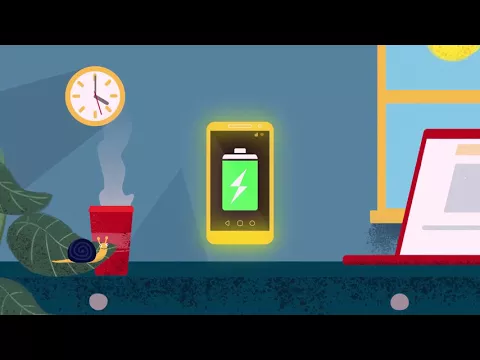
Video of DU Battery Saver - Battery Cha
Screenshot DU Battery Saver - Battery Cha 1
Screenshot DU Battery Saver - Battery Cha 2
Screenshot DU Battery Saver - Battery Cha 3
Screenshot DU Battery Saver - Battery Cha 4

Download DU Battery Saver - Battery Cha APK for Android

What's New in Version 2.0

No official changelog provided for DU Battery Saver - Battery Cha version 2.0. This update likely includes general stability improvements and bug fixes.

Available Files

System Requirements

OS Version
Android 4.0.3, 4.0.4 (Ice Cream Sandwich) or higher
Architecture
Varies by file (Which one do I need?)
Disk Space
~10 MB free space required
RAM
1 GB
Internet
Not required
Permissions (15)
  • Internet
  • Camera
  • Access Network State
  • Read Contacts
  • Wake Lock

APK File Details

Package ID com.DUsavebattery.faster.charge
Developer DU APPS STUDIO
License Free ( No Ads)
Interface Language
English +74

English, Japanese, German, Bulgarian, Thai, Hindi, Vietnamese, Ukrainian, Polish, Korean, Romanian, Arabic, French, Turkish, Czech, Spanish, Italian, Portuguese, Hungarian, Russian, Chinese, + 54 localizations

APK Verification & Virus Scan Results

No Virus Signature Verified Safe & Original

Virus scan: Clean (0/66) View report. The APK file is digitally signed.

Show File Details (SHA-256, SHA-1, MD5)

SHA-1 Signature:

040c2c450d2b227630b4549cc904b9ce5db6983f

SHA-256 Hash:

34549f60b83ae2432dd1e3fb6907dbbb9435c52bb314b7fe1b9cf98dd97ad7ab

MD5 Checksum:

67baff809de6446fbe589b637c06ccd6

Frequently Asked Questions

Is DU Battery Saver safe to download?

Yes, DU Battery Saver is safe to download. The APK is scanned on every update — no malware or viruses detected. You can verify the full scan report in the Security section above.

How to install DU Battery Saver APK on Android?

Download the APK using the button above. Then open the file and tap Install. If prompted, enable "Install from unknown sources" in Settings → Security. The process takes under a minute. Read more

Why does installation fail on newer Android versions (14 - 16)?

Newer Android versions strictly block the installation of apps built for older Android versions (API < 23) for security reasons. Standard installation is not possible. Read our step-by-step guide on how to bypass this restriction using ADB or Shizuku.

What Android version does DU Battery Saver require?

DU Battery Saver requires Android 4.0.3, 4.0.4 (API 15) or higher. Optimized for Android 10 (API 29).

Does DU Battery Saver require Root access?

No root is required for basic use. DU Battery Saver works on standard Android for CPU info, RAM, battery, sensors, and network stats. Root unlocks a small set of advanced system parameters that Android restricts by default.

What processor architecture does DU Battery Saver support?

DU Battery Saver supports universal. If you are unsure about your device architecture, check the Device Info section on this page.

How to enable installation from unknown sources on Android?

Go to Settings → Security (or Settings → Apps → Special access on Android 8+) and enable "Install unknown apps" for your browser or file manager. On Android 8 and above this setting is per-app, not global. Read more

If you have found any issue or are having difficulty with this page, please .

User Reviews & Ratings

Rate this app

0.00

12345

not yet rated

Share your experience with other users.