GO Security Icon

GO Security APK for Android

- AntiVirus, AppLock, Booster
10M+
Jul 8, 2019

Download GO Security APK 1.66.9 18MB

What is GO Security?

GO Security — функций:

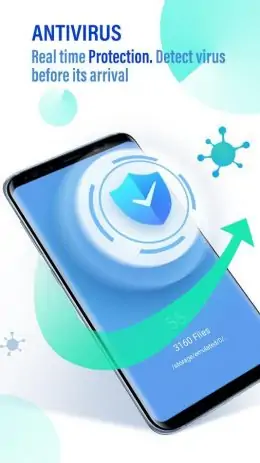
  1. Антивирусный движок AV-Test Full Score, интегрированный в приложение, позволяет последней эффективно бороться вредоносными программами и фальшивыми приложениями.
  2. GO Security также автоматический закрывает приложения, работающие в фоновом режиме — эта процедура освобождает оперативную память и повышает производительность процессора телефона.
  3. С помощью этого приложения можно «прятать» другие приложения, установленные на телефона пользователя. Например, ваши слишком любопытные друзья, родители, подруги — все они постоянно берут ваш телефон без разрешения и смотрят, с кем вы переписывайтесь в социальных сетях? «Спрячьте» с помощью этого приложения все приложения социальных сетей, и пусть ваши друзья и подруги умрут от любопытства.
  4. Более того, активируйте функцию Phone Alarm — она обнаружит, когда без разрешения ваш телефон двигается и сообщит вам об этом звуковым сигналом. А если кто-то попытается разблокировать ваш телефон, он тотчас будет сфотографирован, а фотография взломщика будет отправлена на вашу электронную почту.
  5. Вы посещаете сайты для взрослых и не хотите, чтобы об этом знали ваши родители? Это приложение автоматический чистит кэш вашего телефона и историю вашей пользовательской активности — стирает все интернет признаки вашей половой зрелости.

Не благодарите.

Also known as: GO Security-AntiVirus, AppLock, Booster
Video of GO Security
Screenshot GO Security 1
Screenshot GO Security 2
Screenshot GO Security 3
Screenshot GO Security 4
Screenshot GO Security 5
Screenshot GO Security 6

Download GO Security-AntiVirus, AppLock, Booster APK for Android

What's New in Version 1.66.9

No official changelog provided for GO Security version 1.66.9. This update likely includes general stability improvements and bug fixes.

Available Files

  • GO Security 1.66.9 18MB Android 4.1+ arm64-v8aarmeabiarmeabi-v7amipsx86x86_64 Download

System Requirements

OS Version
Android 4.1 (Jelly Bean) or higher
Architecture
Varies by file (Which one do I need?)
Disk Space
~30 MB free space required
RAM
1 GB
Internet
Not required
Permissions (49)
  • Internet
  • Camera
  • Access Network State
  • Read External Storage
  • Write External Storage

APK File Details

Package ID com.jb.security
Developer
License Free ( No Ads)
Content Rating PEGI 3

APK Verification & Virus Scan Results

No Virus Signature Verified Safe & Original

Virus scan: Clean (0/60) View report. The APK file is digitally signed.

Show File Details (SHA-256, SHA-1, MD5)

SHA-1 Signature:

9260f0bfda021638599c0eddd748ca80d58e245f

SHA-256 Hash:

8c86e393fd961668160e17a044c95289230d5a5b2fe61983c99a9c4977e7a57a

MD5 Checksum:

2a48183db2e3b1409d19a6544c028266

Frequently Asked Questions

Is GO Security safe to download?

Yes, GO Security is safe to download. The APK is scanned on every update — no malware or viruses detected. You can verify the full scan report in the Security section above.

How to install GO Security APK on Android?

Download the APK using the button above. Then open the file and tap Install. If prompted, enable "Install from unknown sources" in Settings → Security. The process takes under a minute. Read more

Why does installation fail on newer Android versions (14 - 16)?

Newer Android versions strictly block the installation of apps built for older Android versions (API < 23) for security reasons. Standard installation is not possible. Read our step-by-step guide on how to bypass this restriction using ADB or Shizuku.

What Android version does GO Security require?

GO Security requires Android 4.1 (API 16) or higher. Optimized for Android 8.0 (API 26).

Does GO Security require Root access?

No root is required for basic use. GO Security works on standard Android for CPU info, RAM, battery, sensors, and network stats. Root unlocks a small set of advanced system parameters that Android restricts by default.

What processor architecture does GO Security support?

GO Security supports arm64-v8a, armeabi, armeabi-v7a, mips, x86, x86_64. If you are unsure about your device architecture, check the Device Info section on this page.

How to enable installation from unknown sources on Android?

Go to Settings → Security (or Settings → Apps → Special access on Android 8+) and enable "Install unknown apps" for your browser or file manager. On Android 8 and above this setting is per-app, not global. Read more

If you have found any issue or are having difficulty with this page, please .

User Reviews & Ratings

Global rating(Play Store): 4.73(1.3M)
Site Rating: 2.67(3)
Rate this app

2.67

12345

3

Share your experience with other users.