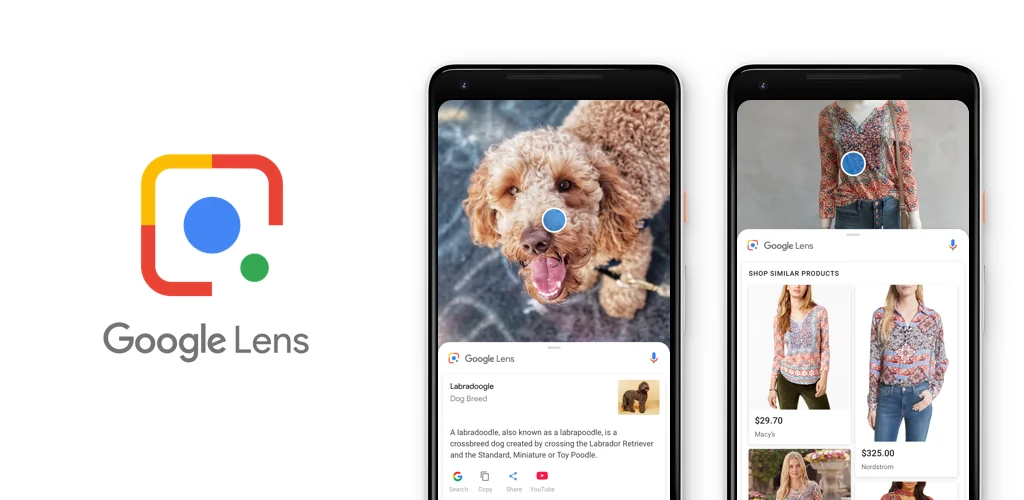
Google Lens app cover art for Android
Google Lens Icon

Google Lens APK for Android

Google LLC Original
3B+
Free
Oct 28, 2025

A tool for image recognition and subsequent provision of useful information to the user

Download Google Lens APK 1.18.250731009 6MB Old versions

What is Google Lens?

Google Lens – until recently, this useful and advanced tool from the software giant was available only to owners of Pixel first and second generation smartphones. In addition, the service did not come as an independent unit, but as one of the functions of the Google Photos application. But, fortunately, the developers decided to share this wonderful product with all Android users, making it a separate product that anyone can download from Play Market.

Google lens operates in conjunction with the built-in camera of a smartphone or tablet – just point the lens at the object you are interested in and in a matter of seconds, get comprehensive information about it in real time. Perhaps this is thanks to artificial intelligence, and almost anything can be recognized. Point the camera at the barcode, and the program will instantly give you information regarding the product or product marked with this graphic tag. Take a photo of a beautiful flower and find out all its “ins and outs”.

While traveling, you can use Google Lens to identify various attractions and architectural monuments, or by looking at a restaurant sign you can find out detailed information about its opening hours, cuisine and menu. This program will also be useful if the user has changed the router – the connection to it will occur automatically. Do you have a business card in your hands? The application can also handle text recognition on it, helpfully offering to enter, for example, a phone number in the Contacts of your smartphone. It is simply impossible to overestimate the benefits of the application from Google, because, along with other services, it significantly simplifies the life of an ordinary or business person!

Screenshot Google Lens 1
Screenshot Google Lens 2
Screenshot Google Lens 3
Screenshot Google Lens 4
Screenshot Google Lens 5
Screenshot Google Lens 6
Screenshot Google Lens 7
Screenshot Google Lens 8

Download Google Lens APK for Android

What's New in Version 1.18.250731009

Lens now analyzes camera motion for more accurate results.

Other versions

System Requirements

OS Version
Android 6.0 (Marshmallow) or higher
Architecture
Varies by file (Which one do I need?)
Disk Space
~10 MB free space required
RAM
1 GB
Internet
Not required
Permissions (8)
  • Internet
  • Access Network State
  • Vibrate
  • Wake Lock
  • Get Package Size

APK File Details

Package ID com.google.ar.lens
Available on Google Play
Developer Google LLC
License Free ( No Ads)
Content Rating Everyone
Interface Language
English +74

English, Japanese, German, Bulgarian, Thai, Hindi, Vietnamese, Ukrainian, Polish, Korean, Romanian, Arabic, French, Turkish, Czech, Spanish, Italian, Hungarian, Russian, Chinese, Portuguese, + 54 localizations

APK Verification & Virus Scan Results

No Virus Signature Verified Safe & Original

Virus scan: Clean (0/67) View report. This APK is free of malware and its signature matches the official developer release.

Show File Details (SHA-256, SHA-1, MD5)

SHA-1 Signature:

FB65C83F567984C660A27F9777396F1FCA7E211E

SHA-256 Hash:

0d98603a14745ea2c58d9e216d52ad3a5586fe70877b71c43ad518ac90b6aeac

MD5 Checksum:

ae2207cda69d12b1d6ec9835a39c49b4

Frequently Asked Questions

Is Google Lens safe to download?

Yes, Google Lens is safe to download. The APK is scanned on every update — no malware or viruses detected. You can verify the full scan report in the Security section above.

How to install Google Lens APK on Android?

Download the APK using the button above. Then open the file and tap Install. If prompted, enable "Install from unknown sources" in Settings → Security. The process takes under a minute. Read more

What Android version does Google Lens require?

Google Lens requires Android 6.0 (API 23) or higher. Optimized for Android 16 (API 36).

Is Google Lens free?

Yes, this app is completely free to download and use.

How to update Google Lens to the latest version?

Download the latest APK from this page and install it over your existing version — no need to uninstall first. Your data and settings will be preserved. We update the file as soon as a new version is released.

Does Google Lens require Root access?

No root is required for basic use. Google Lens works on standard Android for CPU info, RAM, battery, sensors, and network stats. Root unlocks a small set of advanced system parameters that Android restricts by default.

What processor architecture does Google Lens support?

Google Lens supports arm64-v8a. This build does not support x86/x86_64 processors, so it will not run on most PC emulators. If you are unsure about your device architecture, check the Device Info section on this page.

If you have found any issue or are having difficulty with this page, please .

User Reviews & Ratings

Global rating(Play Store): 4.59(1.7M)
Site Rating: 3.36(11)
Rate this app

3.36

12345

11

Share your experience with other users.