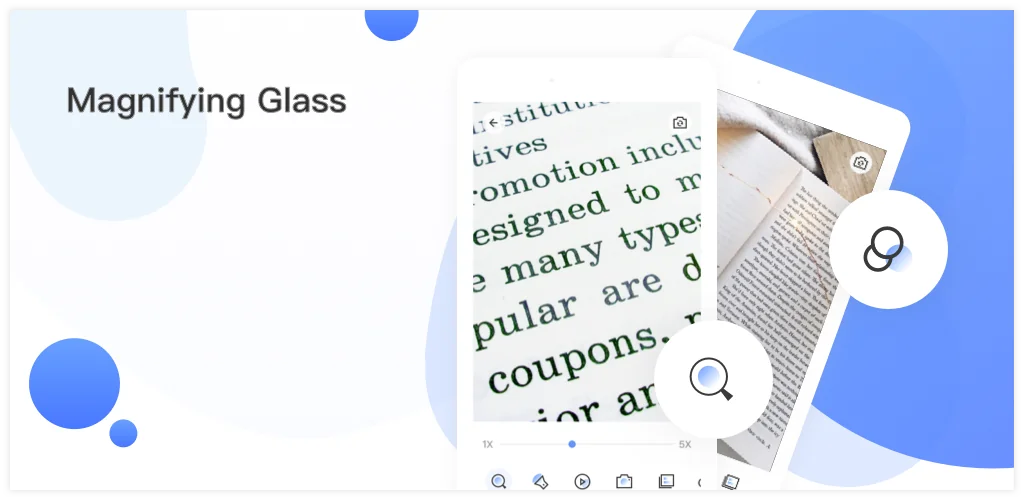

What is Magnifying Glass?
I recently spent some time with Magnifying Glass, a free Android application. We’ve all been there: squinting at tiny text on a medicine bottle, struggling to read a menu in a dimly lit restaurant, or trying to decipher a serial number on the back of a device. That familiar frustration makes you wonder, “Isn’t there a simpler way?”
That’s precisely where Magnifying Glass steps in. It transforms your phone’s camera into a powerful digital magnifier, making those microscopic details suddenly clear. I was immediately struck by its straightforward interface. There’s no learning curve; you just open it and start zooming. Unlike generic camera apps that just zoom, this one is purpose-built for magnification, offering features that genuinely enhance readability. It truly helps you read clearly and easily, ensuring you don’t miss a single detail.
I tested it on everything from tiny print on a business card to the intricate connections of a circuit board. It’s surprisingly versatile! Need to check a medicine bottle prescription or find something lost in a dark purse? The built-in flashlight is a lifesaver. It even offers filters, which I found surprisingly helpful for eye comfort during longer reading sessions. Could this replace a physical magnifying glass? For most everyday tasks, absolutely.
The highlights
- Zoom — Adjust magnification from 1x to a powerful 10x.
- Freeze — Capture and examine magnified images without holding steady.
- Flashlight — Illuminate dark areas for crystal-clear viewing.
- Filters — Apply various screen filters to protect your eyes.
- Take Photos — Save magnified views directly to your phone.
If you’re tired of straining your eyes or constantly reaching for reading glasses, Magnifying Glass is a genuinely useful tool. It’s a free reading aid that delivers on its promise. Give it a try; you might be surprised how often you reach for it. Highly recommended!




Share your experience with other users.