GPS, Maps, Voice Navigation app cover art for Android
GPS, Maps, Voice Navigation Icon

GPS, Maps, Voice Navigation APK for Android

103M+
Free
Feb 25, 2024

Cartographic service for motorists and travelers

Download GPS, Maps, Voice Navigation APK 12.52 209MB

What is GPS, Maps, Voice Navigation?

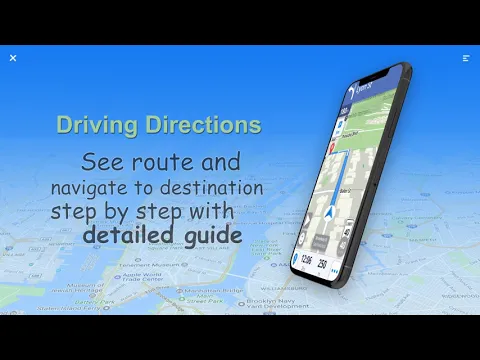
Maps and navigation is a mobile tool that will not allow a motorist, a cyclist, or a hiker to get lost in an unfamiliar area. Plan a route from the starting point to the destination and be sure that, following the instructions and instructions of the application, you will find yourself exactly in the specified place.

If the user takes care of downloading offline maps to the smartphone before a trip or trip, he will be able to use the tool offline without an active Internet connection. The main menu of the program consists of four tabs. “Route Finder” will help build a path to a given street or settlement and set the user’s current location.

“Traffic Alerts” in real time will tell you the situation on the roads, traffic intensity, help you avoid tiring traffic jams and traffic jams, suggest the shortest detours. “Weather” will allow you to be aware of atmospheric conditions – wind speed, the possibility of precipitation, temperature, humidity, and so on. For hikers, the Travel Tools tab is of particular value, which contains a compass, text and voice translator.

Features:

  • GPS navigation with support for voice alerts;
  • maps for offline use;
  • traffic monitoring;
  • compass and translator.

Maps and Navigation is an indispensable assistant for people who are on the road or just planning a trip or hike, offering a whole range of useful and high-precision tools.
Also known as: Maps & Navigation
Video of GPS, Maps, Voice Navigation
Screenshot GPS, Maps, Voice Navigation 1
Screenshot GPS, Maps, Voice Navigation 2
Screenshot GPS, Maps, Voice Navigation 3
Screenshot GPS, Maps, Voice Navigation 4
Screenshot GPS, Maps, Voice Navigation 5
Screenshot GPS, Maps, Voice Navigation 6
Screenshot GPS, Maps, Voice Navigation 7
Screenshot GPS, Maps, Voice Navigation 8

Download GPS, Maps, Voice Navigation APK for Android

What's New in Version 12.52

* New Design
* Bugs Fixed
* Create Circles/Groups
* Stay connect with your Family and Friends
* Enhanced user experience

Available Files

System Requirements

OS Version
Android 7.0 (Nougat) or higher
Architecture
Varies by file (Which one do I need?)
Disk Space
~350 MB free space required
RAM
2 GB
Internet
Not required
Permissions (19)
  • Internet
  • Camera
  • Access Network State
  • Read External Storage
  • Write External Storage

APK File Details

Package ID com.maps.voice.navigation.traffic.gps.location.route.driving.directions
Available on Google Play
Developer AppVerge Technologies, LLC
License Free
Monetization Contains Ads   In-App Purchases
Content Rating Everyone
Interface Language
English +76

English, Japanese, Thai, Hindi, Vietnamese, Ukrainian, Korean, Romanian, Arabic, French, Turkish, Spanish, Italian, German, Chinese, Bulgarian, Polish, Czech, Hungarian, Russian, Portuguese, + 56 localizations

APK Verification & Virus Scan Results

No Virus Signature Verified Safe & Original

Virus scan: Clean (0/65) View report. This APK is free of malware and its signature matches the official developer release.

Show File Details (SHA-256, SHA-1, MD5)

SHA-1 Signature:

bb4d0962e36f5721fe3a68a557023cdf7c04b22f

SHA-256 Hash:

8f9531f1a251bc7a090675b8e3f9ffce0104c520594e4b92501b3563925fb1e8

MD5 Checksum:

3fe81b98f1bbe427b7d951ae65eb6631

Frequently Asked Questions

Is GPS, Maps, Voice Navigation safe to download?

Yes, GPS, Maps, Voice Navigation is safe to download. The APK is scanned on every update — no malware or viruses detected. You can verify the full scan report in the Security section above.

How to install GPS, Maps, Voice Navigation APK on Android?

Download the APK using the button above. Then open the file and tap Install. If prompted, enable "Install from unknown sources" in Settings → Security. The process takes under a minute. Read more

What Android version does GPS, Maps, Voice Navigation require?

GPS, Maps, Voice Navigation requires Android 7.0 (API 24) or higher. Optimized for Android 13 (API 33).

Is GPS, Maps, Voice Navigation free?

Yes, it is free to download and use, but it contains ads and offers in-app purchases.

How to update GPS, Maps, Voice Navigation to the latest version?

Download the latest APK from this page and install it over your existing version — no need to uninstall first. Your data and settings will be preserved. We update the file as soon as a new version is released.

What processor architecture does GPS, Maps, Voice Navigation support?

GPS, Maps, Voice Navigation supports arm64-v8a, armeabi-v7a, x86, x86_64. If you are unsure about your device architecture, check the Device Info section on this page.

How to enable installation from unknown sources on Android?

Go to Settings → Security (or Settings → Apps → Special access on Android 8+) and enable "Install unknown apps" for your browser or file manager. On Android 8 and above this setting is per-app, not global. Read more

If you have found any issue or are having difficulty with this page, please .

User Reviews & Ratings

Global rating(Play Store): 4.17(89.6K)
Site Rating: 5(1)
Rate this app

5.00

12345

1

Share your experience with other users.