BigHero.io Icon

BigHero.io APK for Android

1M+
Mar 26, 2019

Little hero with big potential

Download BigHero.io APK 1.2.3 17MB

What is BigHero.io?

BigHero.io – fights with melee weapons against real gamers in limited arenas. The meaning of the gameplay is to hold out on the battlefield longer than other participants, crushing them with your weapons, and the arsenal of such in the new product is quite impressive. Axes, swords, axes, lasers, clubs, shovels, spears – as you demonstrate successful possession of these means, their length gradually increases, and, consequently, the radius of destruction increases, allowing you to crush enemies at distant approaches.

In addition, during each round, small multi-colored droplets should be collected on the playing field, which instantly transform into game points that affect the gamer’s position in the global ranking. The BigHero.io character moves across the battlefield on his own, and the user can adjust his course using a virtual joystick, simultaneously tapping on the strike button when the next opponent approaches. You can instantly accelerate and avoid a collision with an enemy with more formidable weapons using a special button, however, you won’t be able to do this all the time, because it takes a certain time to restore the ability.

Defeated enemies drop useful power-ups, for example, magnets that attract all the colorful and different-sized droplets, or walking boots that allow you to quickly move around the arena. The action arcade BigHero.io is good for everyone – nice graphics, smooth animation, and a choice of unusual skins for the hero, and unobtrusive musical accompaniment, but all the pluses are overshadowed by an unbearably large number of long commercials that appear after each loss .
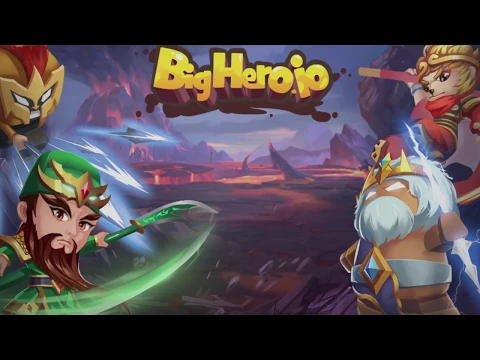
Video of BigHero.io
Screenshot BigHero.io 1
Screenshot BigHero.io 2
Screenshot BigHero.io 3
Screenshot BigHero.io 4
Screenshot BigHero.io 5
Screenshot BigHero.io 6
Screenshot BigHero.io 7
Screenshot BigHero.io 8

Download BigHero.io APK for Android

What's New in Version 1.2.3

No official changelog provided for BigHero.io version 1.2.3. This update likely includes general stability improvements and bug fixes.

Available Files

System Requirements

OS Version
Android 4.1 (Jelly Bean) or higher
Architecture
Varies by file (Which one do I need?)
Disk Space
~30 MB free space required
RAM
2 GB
Internet
Not required (Offline playable)
Permissions (10)
  • Internet
  • Access Network State
  • Read External Storage
  • Write External Storage
  • Read Phone State

APK File Details

Package ID com.mybestgames.bigheroio
Developer mybestgames
License Free ( No Ads)
Age Rating PEGI 7

APK Verification & Virus Scan Results

No Virus Signature Verified Safe & Original

Virus scan: Clean (0/59) View report. The APK file is digitally signed.

Show File Details (SHA-256, SHA-1, MD5)

SHA-1 Signature:

f917caa85460015f32a6d9bb9b823ebe9895f27e

SHA-256 Hash:

a54b25ea74914eaebf3d0e06de2e9e678d2d22846532703b78ae29b6a2c03a05

MD5 Checksum:

79da7300d3eefc94ec40cdff943d2296

Frequently Asked Questions

Is BigHero.io safe to download?

Yes, BigHero.io is safe to download. The APK is scanned on every update — no malware or viruses detected. You can verify the full scan report in the Security section above.

How to install BigHero.io APK on Android?

Download the APK using the button above. Then open the file and tap Install. If prompted, enable "Install from unknown sources" in Settings → Security. The process takes under a minute. Read more

Why does installation fail on newer Android versions (14 - 16)?

Newer Android versions strictly block the installation of apps built for older Android versions (API < 23) for security reasons. Standard installation is not possible. Read our step-by-step guide on how to bypass this restriction using ADB or Shizuku.

What Android version does BigHero.io require?

BigHero.io requires Android 4.1 (API 16) or higher. Optimized for Android 9.0 (API 28).

What processor architecture does BigHero.io support?

BigHero.io supports armeabi-v7a. This build does not support x86/x86_64 processors, so it will not run on most PC emulators. If you are unsure about your device architecture, check the Device Info section on this page.

How to enable installation from unknown sources on Android?

Go to Settings → Security (or Settings → Apps → Special access on Android 8+) and enable "Install unknown apps" for your browser or file manager. On Android 8 and above this setting is per-app, not global. Read more

If you have found any issue or are having difficulty with this page, please .

User Reviews & Ratings

Global rating(Play Store): 3.52(7.1K)
Rate this app

0.00

12345

not yet rated

Share your experience with other users.