DuckStation game cover art for Android
DuckStation Icon

DuckStation APK for Android

Stenzek Original
4M+
Free
Oct 10, 2025

The ultimate time machine for classic PlayStation gaming in your pocket.

Download DuckStation APK 0.1 31MB

What is DuckStation?

Remember the iconic startup sound? Ready to dive back into the golden age of 3D gaming? With DuckStation, you can relive your favorite PlayStation 1 classics right on your Android phone or tablet. This isn’t just any emulator; it’s a powerhouse focused on giving you a smooth, fast, and authentic experience.

So, how does it work? An emulator is like a virtual console on your device. DuckStation mimics the original PlayStation hardware, allowing it to run the games you loved. While it requires a “BIOS” file from an original console to get started (which you’ll need to source yourself for legal reasons), the setup is straightforward. Once that’s done, you’re ready to play your legally owned game files.

What makes DuckStation truly special is its dedication to making old games look better than ever. Ever been bothered by the wobbly graphics of early 3D games? A feature called PGXP fixes that, making textures and models stable and sharp. You can even boost the resolution way beyond the original for a modern HD look. It’s like giving your favorite classics a fresh coat of paint!

Here are some of the standout features:

  • Stunning Visuals: Upscale games to HD, apply texture filtering, and enjoy true 24-bit color.
  • Wobble-Free Graphics: PGXP geometry correction fixes those classic PS1 shaky polygons.
  • Modern Rendering: Choose between OpenGL, Vulkan, and software rendering for the best performance on your device.
  • Custom Settings: Tailor graphics and controller settings for each game individually.
  • Save Anywhere: Use save states to save your progress at any moment, not just at save points.
  • Widescreen Support: Play supported games in true widescreen without stretching the image.

Don’t just remember the good old days—replay them! Download DuckStation and discover how incredible your favorite PlayStation memories can look and feel on your Android device.

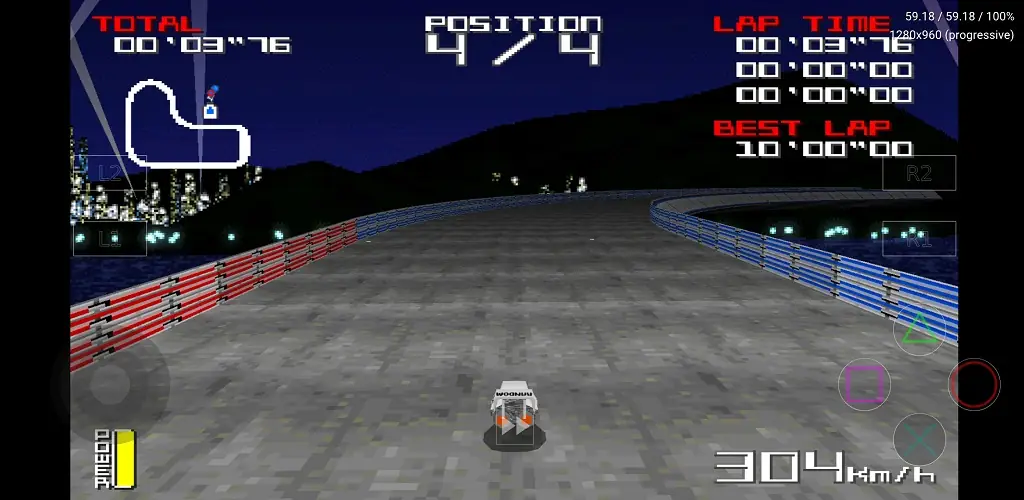
Screenshot DuckStation 1
Screenshot DuckStation 2
Screenshot DuckStation 3
Screenshot DuckStation 4
Screenshot DuckStation 5
Screenshot DuckStation 6
Screenshot DuckStation 7

Download DuckStation APK for Android

What's New in Version 0.1

- Multi-threaded rendering.
- Merging of multi-disc games in list/grid.
- Custom game titles/regions.
- Texture cache and replacements.
- New enhancements.
- New patch code system.
- Game compatibility improvements.
- Updated UI.

Available Files

System Requirements

OS Version
Android 6.0 (Marshmallow) or higher
Architecture
Varies by file (Which one do I need?)
Disk Space
~40 MB free space required
RAM
2 GB
Internet
Not required (Offline playable)
Permissions (3)
  • Internet
  • Vibrate
  • Stenzek.duckstation.dynamic Receiver Not Exported Permission

APK File Details

Package ID com.github.stenzek.duckstation
Available on Google Play
Developer Stenzek
License Free ( No Ads)
Age Rating Everyone

APK Verification & Virus Scan Results

No Virus Signature Verified Safe & Original

Virus scan: Clean (0/63) View report. This APK is free of malware and its signature matches the official developer release.

Show File Details (SHA-256, SHA-1, MD5)

SHA-1 Signature:

07f4e60a370e61c177bdb76e05c704fde56b76b2

SHA-256 Hash:

17168241ad0ec19af236e57c49f2837b1c09d0b3bb4eaf6962bcc4d7935f9bf7

MD5 Checksum:

477cd6244f3516d12c67c75a36e889e3

Frequently Asked Questions

Is DuckStation safe to download?

Yes, DuckStation is safe to download. The APK is scanned on every update — no malware or viruses detected. You can verify the full scan report in the Security section above.

How to install XAPK file?

XAPK is a split APK package. Standard Android installer cannot open it directly. Use 'SAI' or 'XAPK Installer' — they handle XAPK files automatically. Download the installer, open the XAPK file with it, and follow the on-screen steps. Read more

What Android version does DuckStation require?

DuckStation requires Android 6.0 (API 23) or higher. Optimized for Android 15 (API 35).

Is DuckStation free?

Yes, this app is completely free to download and use.

How to update DuckStation to the latest version?

Download the latest APK from this page and install it over your existing version — no need to uninstall first. Your data and settings will be preserved. We update the file as soon as a new version is released.

Does DuckStation require Root access?

No root is required for basic use. DuckStation works on standard Android for CPU info, RAM, battery, sensors, and network stats. Root unlocks a small set of advanced system parameters that Android restricts by default.

What processor architecture does DuckStation support?

DuckStation supports arm64-v8a. This build does not support x86/x86_64 processors, so it will not run on most PC emulators. If you are unsure about your device architecture, check the Device Info section on this page.

If you have found any issue or are having difficulty with this page, please .

User Reviews & Ratings

Global rating(Play Store): 4.36(16.1K)
Site Rating: 5(1)
Rate this app

5.00

12345

1

Share your experience with other users.