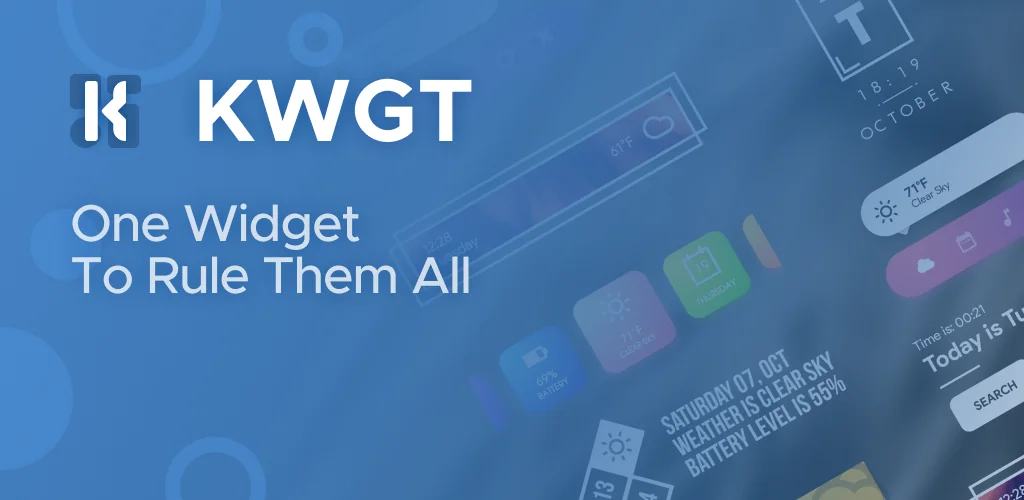

KWGT Kustom Widget Maker game cover art for Android
KWGT Kustom Widget Maker Icon

KWGT Kustom Widget Maker APK for Android

14M+
Free
May 7, 2026

Transform your Android home screen into a personal masterpiece.

Download KWGT Kustom Widget Maker APK 3.82b611411aosp 77MB

What is KWGT Kustom Widget Maker?

Ever scrolled through your phone, wishing your home screen just felt… more you? I totally get it. That’s exactly how I felt before stumbling upon KWGT Kustom Widget Maker.

Initially, I was just looking for a cool new clock widget, but then I saw what this app could really do. It wasn’t just about picking a preset; it was about building something from scratch. This isn’t your average widget app. It’s like having a mini design studio right on your phone, letting you craft truly personalized Android widgets. Unlike most apps that offer a handful of static designs, KWGT Kustom Widget Maker hands you the keys to a full visual editor. You can start with a blank canvas or tweak one of their starter skins. Want a weather widget that shows the “feels like” temperature alongside your custom font? Done. How about a music player widget with album art that perfectly matches your phone’s theme? Absolutely.

What really hooked me was the sheer depth. You can layer elements like a pro photo editor, adding gradients, color filters, and even blur effects. And if you’re feeling ambitious, you can even add interactive touch actions to launch apps or toggle settings directly from your widget. It’s wild! For those who love to tinker, it even supports complex logic and dynamic data, pulling info from the web. It’s a complete game-changer for home screen customization.

Key Features

Design Freedom

  • WYSIWYG Editor: Visually create any widget layout with complete control.
  • Advanced Text & Shapes: Customize fonts, add 3D effects, use images, and SVG graphics.
  • Pro-Level Layering: Apply gradients, color filters, and overlay effects like blur.

Dynamic Functionality

  • Interactive Widgets: Add touch actions to elements for app launches or setting toggles.
  • Data-Rich Displays: Build weather, clock, music, system monitor, and fitness widgets.
  • Complex Logic & Data: Integrate programming logic and pull live data from online sources.

If you’re tired of generic phone screens and want to make your device uniquely yours, KWGT Kustom Widget Maker is definitely worth checking out.
Video of KWGT Kustom Widget Maker
Screenshot KWGT Kustom Widget Maker 1
Screenshot KWGT Kustom Widget Maker 2
Screenshot KWGT Kustom Widget Maker 3
Screenshot KWGT Kustom Widget Maker 4
Screenshot KWGT Kustom Widget Maker 5
Screenshot KWGT Kustom Widget Maker 6
Screenshot KWGT Kustom Widget Maker 7
Screenshot KWGT Kustom Widget Maker 8

Download KWGT Kustom Widget Maker APK for Android

What's New in Version 3.82b611411aosp

### v3.81 ###
- New granular permission validation system
- Fix featured free packs not recognized as free
- Fix featured packs not being shown at all
- Fix notification info issues with apps with same pkg name at the beginning
- Android API fixes

Available Files

System Requirements

OS Version
Android 8.0 (OREO) or higher
Architecture
Varies by file (Which one do I need?)
Disk Space
~150 MB free space required
RAM
2 GB
Internet
Not required (Offline playable)
Permissions (49)
  • Requires Google Play Services to launch:
    Note: This is an original file. Unlike modded versions with no verification, it validates via your store account. Details
  • Internet
  • Access Network State
  • Read External Storage
  • Write External Storage
  • Access Fine Location

APK File Details

Package ID org.kustom.widget
Available on Google Play
Developer Kustom Industries
License Free
Monetization Contains Ads   In-App Purchases
Age Rating Everyone
Interface Language
English +80

English, Japanese, German, Bulgarian, Thai, Hindi, Vietnamese, Ukrainian, Polish, Korean, Romanian, Arabic, French, Turkish, Czech, Spanish, Italian, Portuguese, Hungarian, Russian, Chinese, Indonesian, + 59 localizations

APK Verification & Virus Scan Results

No Virus Signature Verified Safe & Original

Virus scan: Clean (0/64) View report. This APK is free of malware and its signature matches the official developer release.

Show File Details (SHA-256, SHA-1, MD5)

SHA-1 Signature:

88054f149b45571df997ee465f44f3f82885e825

SHA-256 Hash:

04bf9b4f632539ba83bdc9297d605d474c454dbf5bf8c507b0c811c9b351529f

MD5 Checksum:

4f68a6cffc5d67f90372ca02c0dd4da3

Frequently Asked Questions

Is KWGT Kustom Widget Maker safe to download?

Yes, KWGT Kustom Widget Maker is safe to download. The APK is scanned on every update — no malware or viruses detected. You can verify the full scan report in the Security section above.

How to install KWGT Kustom Widget Maker APK on Android?

Download the APK using the button above. Then open the file and tap Install. If prompted, enable "Install from unknown sources" in Settings → Security. The process takes under a minute. Read more

What Android version does KWGT Kustom Widget Maker require?

KWGT Kustom Widget Maker requires Android 8.0 (API 26) or higher. Optimized for Android 16 (API 36).

Is KWGT Kustom Widget Maker free?

Yes, it is free to download and use, but it contains ads and offers in-app purchases.

Does KWGT Kustom Widget Maker require a license check?

Yes, this app performs a license check. You may need to have the Google Play Store installed and be logged in to verify the license.

How to update KWGT Kustom Widget Maker to the latest version?

Download the latest APK from this page and install it over your existing version — no need to uninstall first. Your data and settings will be preserved. We update the file as soon as a new version is released.

What processor architecture does KWGT Kustom Widget Maker support?

KWGT Kustom Widget Maker supports arm64-v8a, armeabi-v7a, x86, x86_64. If you are unsure about your device architecture, check the Device Info section on this page.

If you have found any issue or are having difficulty with this page, please .

User Reviews & Ratings

Global rating(Play Store): 3.93(49K)
Site Rating: 5(1)
Rate this app

5.00

12345

1

Share your experience with other users.