
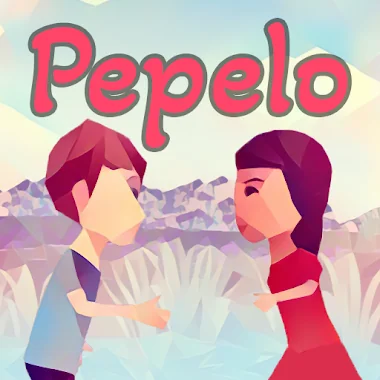
Pepelo game cover art for Android
Pepelo Icon

Pepelo APK for Android

- Adventure CO-OP Game
Tafusoft Original
5M+
Free
Aug 2, 2025

A challenging co-op adventure where two heads are truly better than one

Download Pepelo APK 1.3.5 73MB

What is Pepelo?

Pepelo - Adventure CO-OP Game — a 3D puzzle adventure in which teamwork is the key to victory. The core idea is simple yet brilliant. You and a partner must work together to navigate tricky levels, and many puzzles are impossible to solve alone. For example, one player might need to hold a switch while the other runs through a gate. This kind of meaningful cooperation is essential for making it to the next stage.

What if your friend isn’t around? No problem. Pepelo has a clever offline mode where you take control of both characters, switching between them to solve the puzzles by yourself. It’s a great brain workout! With 50 different levels, the challenges stay fresh and engaging.

Here’s a quick look at what makes this game special:

  • True Online Co-op: Team up with a friend online in real-time.
  • Unique Solo Mode: Play offline by controlling both characters.
  • 50 Challenging Levels: A huge variety of puzzles to keep you thinking.
  • Customize Your Look: Choose from 10 different skins to stand out.
  • Personalized Settings: Adjust control positions and graphics for a perfect fit on your Android device.

The first 10 levels are completely free to play, giving you a perfect taste of the action.

So grab your favorite gaming partner and prepare to put your minds together. Download Pepelo and experience a truly cooperative adventure that proves two heads are better than one!

Also known as: Pepelo - Adventure CO-OP Game
Video of Pepelo
Screenshot Pepelo 1
Screenshot Pepelo 2
Screenshot Pepelo 3
Screenshot Pepelo 4
Screenshot Pepelo 5
Screenshot Pepelo 6
Screenshot Pepelo 7
Screenshot Pepelo 8

Download Pepelo - Adventure CO-OP Game APK for Android

What's New in Version 1.3.5

- Removed the error message that was appearing when changing server location
- Improved performance

Available Files

System Requirements

OS Version
Android 5.0 (Lollipop) or higher
Architecture
Varies by file (Which one do I need?)
Disk Space
~90 MB free space required
RAM
2 GB
Internet
Required
Google Services
Required
Permissions (9)
  • Internet
  • Access Network State
  • Wake Lock
  • Android.gms.permission.ad Id
  • Access Adservices Ad Id

APK File Details

Package ID com.Tafusoft.Pepelo
Available on Google Play
Developer Tafusoft
License Free
Monetization Contains Ads   In-App Purchases
Age Rating Everyone

APK Verification & Virus Scan Results

No Virus Signature Verified Safe & Original

Virus scan: Clean (0/64) View report. This APK is free of malware and its signature matches the official developer release.

Show File Details (SHA-256, SHA-1, MD5)

SHA-1 Signature:

8ec0fd5391eb885a5e1f476e7c2ca3e97dd14572

SHA-256 Hash:

404804174b19a14cdfeb0e20a87d8cee32ba3d836f91d2735f357d83ceeed095

MD5 Checksum:

a433d77b8ea014953e2083ef4b3aa874

Frequently Asked Questions

Is Pepelo safe to download?

Yes, Pepelo is safe to download. The APK is scanned on every update — no malware or viruses detected. You can verify the full scan report in the Security section above.

How to install XAPK file?

XAPK is a split APK package. Standard Android installer cannot open it directly. Use 'SAI' or 'XAPK Installer' — they handle XAPK files automatically. Download the installer, open the XAPK file with it, and follow the on-screen steps. Read more

What Android version does Pepelo require?

Pepelo requires Android 5.0 (API 21) or higher. Optimized for Android 14 (API 34).

Is Pepelo free?

Yes, it is free to download and use, but it contains ads and offers in-app purchases.

How to update Pepelo to the latest version?

Download the latest APK from this page and install it over your existing version — no need to uninstall first. Your data and settings will be preserved. We update the file as soon as a new version is released.

What processor architecture does Pepelo support?

Pepelo supports arm64-v8a. This build does not support x86/x86_64 processors, so it will not run on most PC emulators. If you are unsure about your device architecture, check the Device Info section on this page.

How to enable installation from unknown sources on Android?

Go to Settings → Security (or Settings → Apps → Special access on Android 8+) and enable "Install unknown apps" for your browser or file manager. On Android 8 and above this setting is per-app, not global. Read more

If you have found any issue or are having difficulty with this page, please .

User Reviews & Ratings

Global rating(Play Store): 4.06(66.1K)
Site Rating: 5(1)
Rate this app

5.00

12345

1

Share your experience with other users.