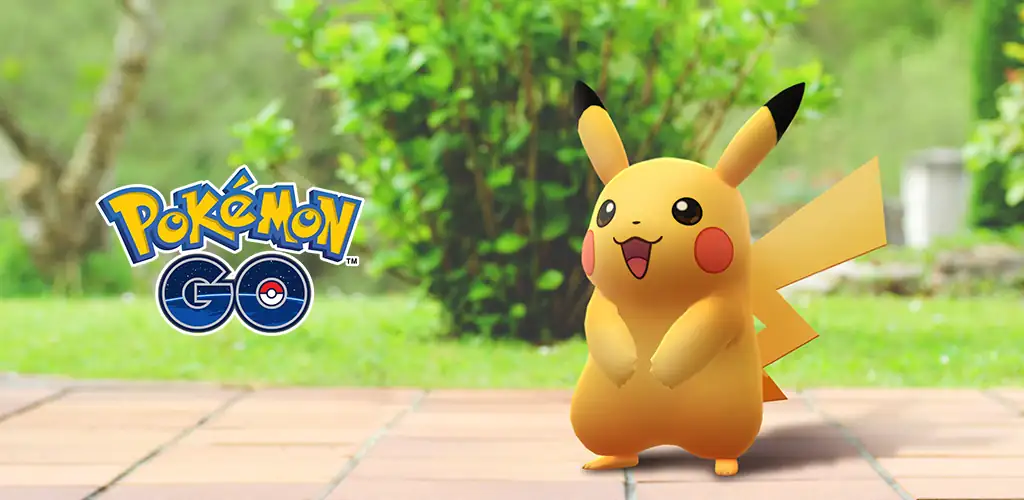
Pokémon GO game cover art for Android
Pokémon GO Icon

Pokémon GO APK for Android

554M+
Free
May 19, 2026

Augmented reality where players can catch, train and fight virtual creatures in the real world

Download Pokémon GO APK 0.411.1 219MB Old versions

What is Pokémon GO?

This game expands the mind – it complements the boring reality with fantasy creatures in the style of Japanese anime – Pokémon.

The essence of the game is to catch Pokemon, train them and defeat rivals in fair and not very battles. You need to do this not in dungeons or on virtual planets, but on the streets, parks and squares, near the sights and historical places of any city, village or even in the tundra. Pokémon – they are everywhere. Your task is to lift your ass from an easy chair, go outside and start hunting.

The first degree of perfection is to reach level 5 of the game. In order to reach level 5 of the game you need:

  1. search for locations PokeStop;
  2. Catch a certain number of Pokémon;
  3. and find items.

Once you’ve completed this challenge as a Trainer, you’ll have access to the Training Rooms – PokeGym. In the halls, you can train – read pump and evolve – your Pokémon, so that your wards can take part in the battles of Pokemon other players. The winner becomes the owner of the training hall, and has the right to give the hall the color of his team.

Don’t wait for the official release of the game, you can download Pokemon Go here and now.

Questions and answers

How to catch Pokémon?
With a swipe gesture on the screen of your smart device, launch Pokemon Pokeball – a fireball.

Battery draining fast? – what to do?
In game settings:

  • activate the Battery Saver function;
  • disable AR mode;
  • manually reduce screen brightness.

The camera is on, but the Pokemon is not caught – what should I do?
The reason is that the gyroscope does not work in your device.
Solution – disable AR mode.

Failed to detect Location?
In the game settings, open the “developer tools”, there disable the “dummy location” option.

Game stuck?
Step by step:

  1. wait a few seconds – 10;
  2. click on all dots on the screen;
  3. reload the game.
Video of Pokémon GO
Screenshot Pokémon GO 1
Screenshot Pokémon GO 2
Screenshot Pokémon GO 3
Screenshot Pokémon GO 4
Screenshot Pokémon GO 5
Screenshot Pokémon GO 6
Screenshot Pokémon GO 7

Download Pokémon GO APK for Android

What's New in Version 0.411.1

Trainers,

Here’s what’s new in Pokémon GO!
Minor bug fixes and performance improvements

Other versions

  • 0.411.1 (latest) 219MB Android 9.0+ arm64-v8a Download
  • 0.409.0 234MB Android 9.0+ arm64-v8a Download
  • 0.403.1 213MB Android 9.0+ arm64-v8a Download
  • 0.395.1 211MB Android 9.0+ arm64-v8a Download

System Requirements

OS Version
Android 9.0 (Pie) or higher
Architecture
Varies by file (Which one do I need?)
Disk Space
~300 MB free space required
RAM
2 GB
Internet
Required
Google Services
Required
Permissions (48)
  • Internet
  • Camera
  • Access Network State
  • Read External Storage
  • Write External Storage

APK File Details

Package ID com.nianticlabs.pokemongo
Available on Google Play
Developer Niantic, Inc.
License Free ( No Ads)
Monetization In-App Purchases
Age Rating Everyone (Mild Fantasy Violence)
Interface Language
English +86

English, Arabic, Bulgarian, Czech, German, Spanish, French, Hindi, Hungarian, Italian, Japanese, Korean, Polish, Portuguese, Romanian, Russian, Thai, Turkish, Ukrainian, Vietnamese, Chinese, + 66 localizations

APK Verification & Virus Scan Results

Scan In Queue Signature Verified Safe & Original

Antivirus scan in queue, will be scanned soon. This APK is free of malware and its signature matches the official developer release.

Show File Details (SHA-256, SHA-1, MD5)

SHA-1 Signature:

321187995bc7cdc2b5fc91b11a96e2baa8602c62

SHA-256 Hash:

642ac8802478af0ff416a277c03b53ab9b8eba4baee8a435c7231c117a0b4718

MD5 Checksum:

2d088f493cfc27e5a4974a33b2218b5e

Frequently Asked Questions

Is Pokémon GO safe to download?

Yes, Pokémon GO is safe to download. The APK is scanned on every update — no malware or viruses detected. You can verify the full scan report in the Security section above.

How to install XAPK file?

XAPK is a split APK package. Standard Android installer cannot open it directly. Use 'SAI' or 'XAPK Installer' — they handle XAPK files automatically. Download the installer, open the XAPK file with it, and follow the on-screen steps. Read more

What Android version does Pokémon GO require?

Pokémon GO requires Android 9.0 (API 28) or higher. Optimized for Android 15 (API 35).

Is Pokémon GO free?

Yes, the app is free to download, but it contains in-app purchases for additional content.

How to update Pokémon GO to the latest version?

Download the latest APK from this page and install it over your existing version — no need to uninstall first. Your data and settings will be preserved. We update the file as soon as a new version is released.

What processor architecture does Pokémon GO support?

Pokémon GO supports arm64-v8a. This build does not support x86/x86_64 processors, so it will not run on most PC emulators. If you are unsure about your device architecture, check the Device Info section on this page.

How to enable installation from unknown sources on Android?

Go to Settings → Security (or Settings → Apps → Special access on Android 8+) and enable "Install unknown apps" for your browser or file manager. On Android 8 and above this setting is per-app, not global. Read more

If you have found any issue or are having difficulty with this page, please .

User Reviews & Ratings

Global rating(Play Store): 4.26(15.4M)
Site Rating: 4.63(106)
Rate this app

4.63

12345

106

Share your experience with other users.

Максим:
На планете недостаточно места на накопителе.
Sergio:
Нажать на кнопку “Скачать Pokémon GO (_номер_версии_)”
Егор:
Отличная игра